Well, to put it in perspective, we’re about to compare a $10k chip to a $2,500 chip. Honestly, the wide price difference should already tell you what to expect, but the NVIDIA RTX PRO 6000 and RTX 5090 GPUs deliver incredible benchmark results and are suitable for many demanding tasks.
NVIDIA had built the RTX PRO 6000 Blackwell for heavy-duty workstations, while the GeForce RTX 5090s are built for gaming rigs. The thing is, the RTX 5090 is actually built on NVIDIA’s next-generation Blackwell architecture, but for a different target market. In this article, we’ll try to compare the performance of these chips.
NVIDIA RTX PRO 6000
The RTX PRO 6000 is a “Titan” workstation GPU meant for heavy tasks; it offers 96GB GDDR7 VRAM, ECC memory (24,064 CUDA cores), delivering approximately 10-15% higher raw performance than the RTX 5090.
GeForce RTX 5090
The RTX PRO 5090 is a flagship gaming GPU with 21,760 CUDA cores and 32GB of GDDR7 memory, designed to offer maximum rasterization and ray-tracing performance at 4K gaming settings. However, RTX 5090 is seen to perform best when overclocked.
NVIDIA RTX PRO 6000 Vs RTX 5090 GPU Benchmark Overview
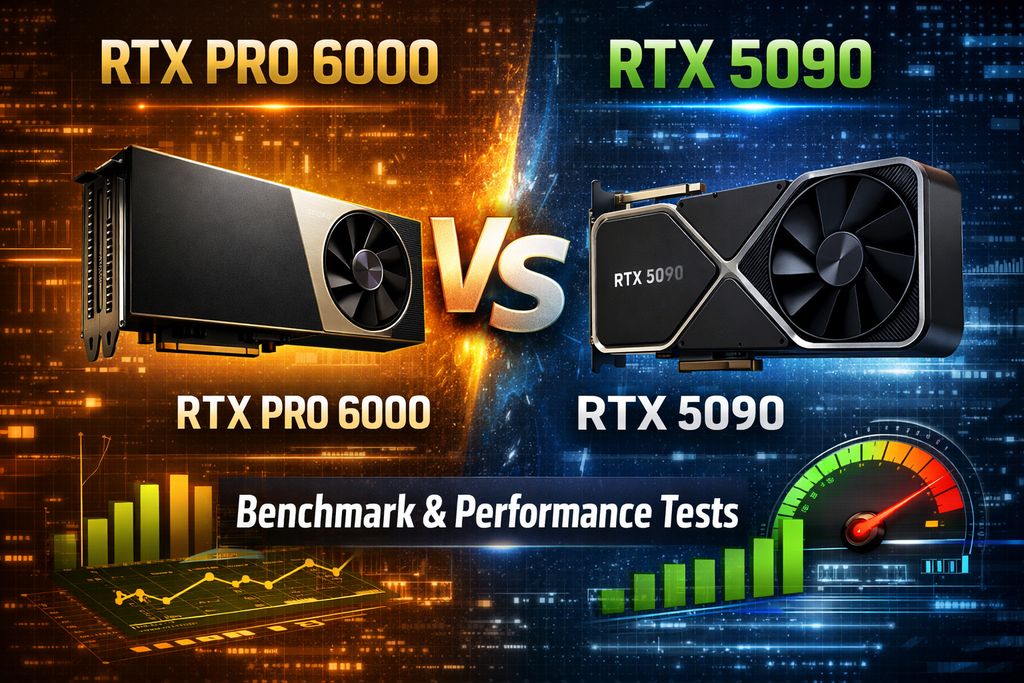
The RTX PRO 6000’s 96 GB of VRAM and pro-grade features such as ECC, NVENC, MIG, and certified drivers allow it to drive extremely large datasets and professional workloads that the 5090 cannot.
Typical benchmarks from CAD and OpenGL applications show that the PRO 6000 outperforms the RTX 5090. I mean, no one would argue that, actually. If we’re looking at the price difference, that’s a whole lot of margin. The RTX 5090 starts around $1,999 fpr the Founders Edition, while the RTX PRO 6000 starts from $8,000.
But then, the RTX 5090 excels in pure rasterization tasks and game-engine style workloads where its driver optimizations features, and high clocking functionality are tested.
Both the RTX Pro 6000 and the RTX 5090 are high on power draw and thermals: the PRO 6000 is a 600W design and runs about 10°C hotter under load than the 5090’s 575W design. Also, the 5090 “Founders Edition” is impressively cool and quiet for its power consumption, but the PRO 6000’s larger cooler sacrifices liquid-metal for paste, yielding higher peak temps and fan speeds.
What’s Inside Both Cards?
These two chips are powered by NVIDIA’s Blackwell architecture, which emphasizes AI throughput, new streaming multiprocessors, and optimized ray-tracing/shading pipelines. However, running the same architecture doesn’t imply they have the same configurations.
Core Architecture (Blackwell)
- GPU Generation: Both cards are built on Nvidia’s latest architecture, Blackwell, which delivers fifth-generation Tensor Cores with FP4 precision support and fourth-generation Ray Tracing Cores optimized for “RTX Mega Geometry.”
- CUDA Cores: RTX PRO 6000 has 24,064 CUDA cores, about 11% more than the RTX 5090’s 21,760 CUDA cores. This gives the PRO 6000 an edge in raw compute throughput.
- Tensor/AI Performance: The PRO 6000 is rated for up to 4,000 TOPS of AI performance, versus the 5090’s 3,352 TOPS. In practical terms, both support Nvidia’s DLSS 4 and other neural-shader features, but the PRO 6000’s extra cores and higher TOPS allow it to process larger AI models faster.
- Ray-Tracing Performance: The PRO 6000’s RT cores can deliver around 380 TFLOPS of ray-tracing throughput, compared to roughly 318 TFLOPS on the RTX 5090. This yields moderately higher ray-traced scene performance (10–20% range). Notwithstanding, custom driver optimizations and game engines can affect this for the RTX 5090.
Compute and Clock Rates
- Clocks: The RTX 5090 Founders Edition has a boost clock of ~2.41 GHz, but NVIDIA has yet to publish the clocks for the PRO 6000 officially. However, reviews suggest that the PRO 6000 has similar higher frequencies, typically 5–14% faster in games with default clocks. Both cards can be overclocked, but the 5090’s FE uses liquid metal cooling, which is more beneficial in most cases than the PRO 6000’s thermal paste.
- FP32 Performance: The PRO 6000 achieves about 125 TFLOPS in single-precision (FP32) compute; NVIDIA has yet to publish an FP32 rating for the 5090, but using the core counts and clocks suggests on the order of ~110 TFLOPS. The difference (roughly 10-15%) aligns with the cards’ relative core counts.
Memory and Bandwidth
- Type and Capacity: Both cards use NVIDIA’s next-gen GDDR7 memory. The RTX 5090 has 32 GB of GDDR7, while the RTX PRO 6000 comes with a huge 96 GB of GDDR7 with ECC (Error-Correcting Code) enabled. The extra memory on the PRO 6000 is its defining advantage for large datasets and models; also, the ECC support ensures data integrity in critical computations (the 5090’s memory is not ECC).
- Bus Width and Bandwidth: Both GPUs use a 512-bit memory bus. The official bandwidth is 1792 GB/s for the PRO 6000; the 5090, using the same memory configuration, achieves a similar bandwidth (NVIDIA cited 1.792 TB/s on the Pro 6000 datasheet, implying the 5090 also has ~1.8 TB/s).
- Reserve and Features: The PRO 6000 supports memory partitioning via Multi-Instance GPU (MIG), which means that it can be subdivided into up to four 24-GB or two 48-GB instances; this feature is absent on the 5090. However, both cards support Resizable BAR and PCIe 5.0×16.
Power and Cooling
- TDP and Power: The PRO 6000 is a 600W design. The Founders Edition 5090 is rated at 575W. Both require top-tier power supplies (NVIDIA recommends a 1000 W PSU and, for the 5090, either a 450W Gen5 cable or three 8-pin connectors).
- Cooling: The 5090 uses liquid-metal thermal compound on the GPU die, enabling very low temperatures. In a TechSpot test, the 5090 ran at 73°C under full load. In contrast, the PRO 6000 uses conventional high-performance thermal paste. In independent testing, the PRO 6000 reached ~83°C under load (about 10°C hotter than the 5090) and ran its fans slightly faster.
- Noise: The RTX 5090 and PRO 6000 both register ~32–33 dBA under gaming loads. The PRO 6000 is only about 1 dBA louder than the 5090 at equivalent conditions, a negligible difference, practically.
NVIDIA RTX PRO 6000 Vs RTX 5090 GPU Features Set
To start with, both support hardware ray tracing, DLSS 4, DLAA, and frame generation. The 5090’s spec sheet specifically lists DLSS 4 and Reflex 2. The PRO 6000, by virtue of its architecture, also supports these features for graphics and AI. Both have full DirectX 12 Ultimate and Vulkan support.
NVIDIA Studio Features
The RTX 5090 comes with GeForce Game Ready and Studio drivers, while the PRO 6000 uses NVIDIA’s enterprise/Quadro drivers, optimized for CAD, visualization, and compute stability. These drivers offer Order-Independent Transparency (OIT) in OpenGL and other professional optimizations.
Multi-GPU and Virtualization
The PRO 6000 supports NVIDIA MIG (Multi-Instance GPU) for virtualization of the GPU into up to 4 partitions. The 5090 has no such feature. But then, neither card supports the classic SLI or NVLink.
Encoding and Decoding
The PRO 6000 includes 4 NVIDIA NVENC encoders (9th gen) and 4 NVDEC decoders (6th gen). The 5090 has 3 NVENC and 2 NVDEC. Thus, it is safe to say that the PRO 6000 can handle more simultaneous video streams and higher throughput for encoding/decoding.
Connectivity and Outputs
The PRO 6000 has four DisplayPort 2.1b connectors, supporting multiple high-resolution monitors. The 5090 FE offers three DP 2.1 and one HDMI 2.1b. Both cards fully support NVIDIA’s suite (Nsight, Studio apps, Omniverse). The PRO 6000 is qualified for NVIDIA RTX Enterprise Enterprise+ software and data center management tools, whereas the 5090 is aimed at consumer software updates.
Specs Sheet
| Specification | RTX PRO 6000 | GeForce RTX 5090 |
| GPU Architecture | NVIDIA Blackwell | NVIDIA Blackwell |
| CUDA Cores | 24,064 | 21,760 |
| Tensor Cores | 5th Gen (FP4) | 5th Gen (FP4) |
| RT Cores | 4th Gen | 4th Gen |
| AI Performance (TOPS) | ~4000 | 3352 |
| FP32 Compute (Peak) | 125 TFLOPS | ~110 TFLOPS (est.) |
| GPU Memory | 96 GB GDDR7 ECC | 32 GB GDDR7 |
| Memory Bus | 512-bit | 512-bit |
| Memory Bandwidth | 1792 GB/s | ~1792 GB/s |
| Boost Clock | (Not published) | 2.41 GHz |
| TDP / Board Power | 600 W | 575 W |
| Power Connector | 1×16-pin PCIe Gen5 (600W) | 3×8-pin or 1×600W cable |
| Cooling | Dual axial, double-flow | Triple-fan, ultra-low-power FE |
| Display Outputs | 4× DisplayPort 2.1b | 3× DP2.1b + 1× HDMI 2.1b |
| NVENC (Encoder) | 4× 9th Gen | 3× 9th Gen |
| NVDEC (Decoder) | 4× 6th Gen | 2× 6th Gen |
| ECC Memory | Yes | No |
| MIG (Virtualization) | Yes (up to 4 slices) | No |
| PCI Express | Gen 5.0 ×16 | Gen 5.0 ×16 |
| NXLink / SLI | No (MIG used instead) | No |
| SLI Compatibility | Not SLI-capable | Not SLI-capable |
| Drivers | Quadro/Enterprise | GeForce Game/Studio |
| Launch Price (MSRP) | $8,000 – $10,000 | $1,999 – $2,500 |
Benchmark Results
| Benchmark | RTX PRO 6000 | GeForce RTX 5090 |
| 3DMark Time Spy (DX12) | ~51,800 (stock) | ~57,600 (5090, OC) |
| 3DMark Time Spy Extreme | ~28,000 | ~29,500 (OC) |
| 3DMark Port Royal (Ray Tracing) | 42,374 | 46,715 (OC) |
| 3DMark Steel Nomad | 16,804 | 18,325 (OC) |
| Geekbench 6 (OpenCL) | 434,166 | 375,423 |
| Geekbench 6 (Vulkan) | 431,723 | 395,146 |
Summary
Unless you’re running really heavy workloads, the RTX 5090 is an ideal, budget-friendly option; the RTX PRO 6000 is mainly recommended for enterprises running demanding professional and AI use-cases.