It’s no longer a new thing that one could create literally any image using an A.I. text-to-image tool; all they need is to enter the prompt correctly, and their image would be ready in a matter of seconds or minutes, depending on the depth of the AI tool selected.
With a plethora of AI image creation tools available online today, Dezgo A.I. is a suite that lets you create AI videos or images from prompts. There are many things you can create using the Dezgo A.I., but we’re focusing on the text-to-image function.
Dezgo A.I. Overview
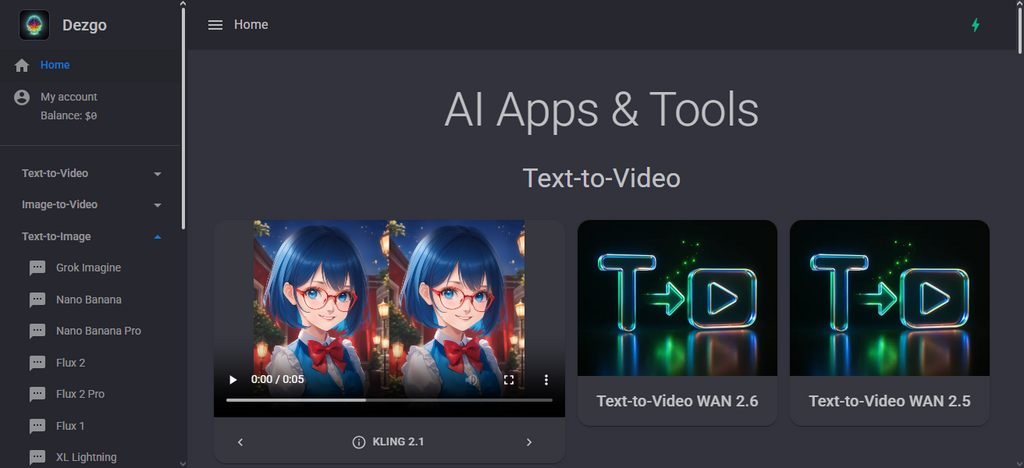
Dezgo A.I. offers various AI models, including X’s Groke Imagine, Google’s Nano Banana, and Flux 2. So, you get to choose the model for your image creation. Apparently, the model you choose determines whether your image creation is free or requires a premium fee.
Also, different AI models tend to process the same prompts differently, so you would notice some differences in each result from different models.
To put it in perspective, if you pass the same text prompt to Grok, Nano Banana, Flux, SD1, or other models supported by Dezgo A.I., the images that would be generated by each model would differ slightly or largely based on many varieties, which is limited to the machine learning and training pattern recognition
That said, Dezgo A.I. can be used to create illustrations, images, videos, and multiple other forms of visuals for social media posts, blog posts, marketing, ads, creatives, and other forms of online digital use.
The impressive thing about Dezgo A.I. is that you don’t necessarily need to create an account to start using the tool, but you sure need an account to get the most out of the tool, and have your prompted images saved for easy edits and modifications.
How To Create Images From Text Prompts With Dezgo A.I.
Firstly, you have to access the tool from your web browser. Good thing it is a web-based tool, so you won’t be downloading any client app. All you need is a stable internet connection.
Step One:
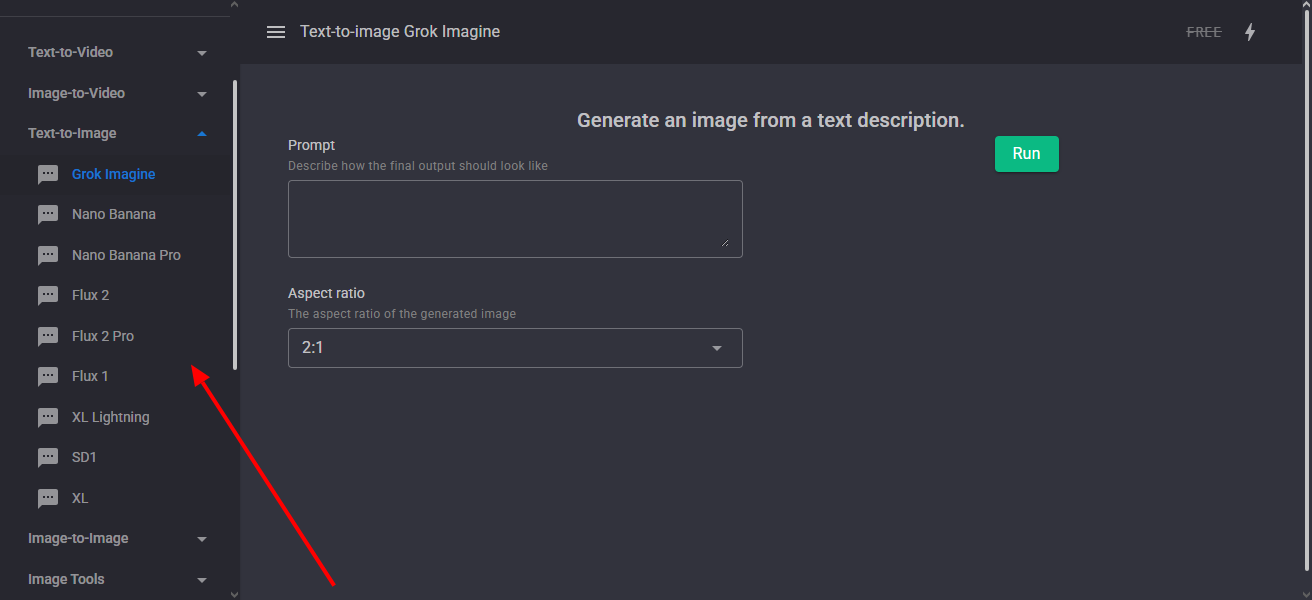
Launch the Dezgo AI tool, expand the “Text to Image” drop-down, and select your preferred AI image creation model: Grok, Nano Banana, Flux, XL, or SD1.
If you choose any “Pro” model, you will be required to pay the corresponding premium fee to download the generated image.
Step Two:
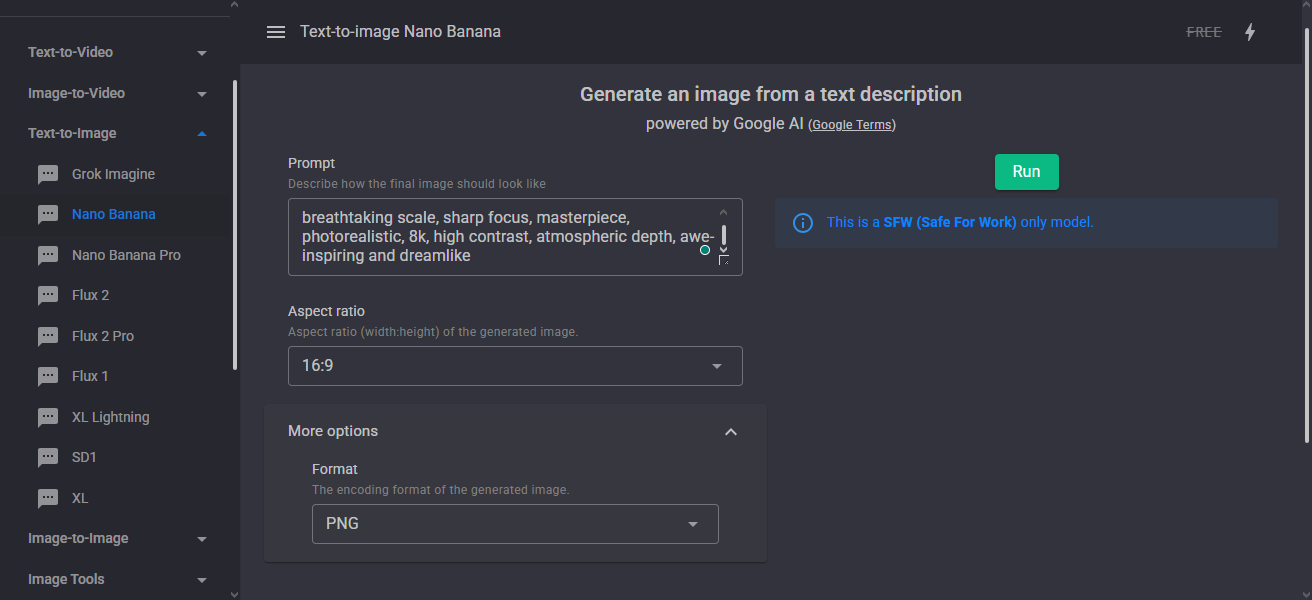
Copy and paste your prompt into the provided box, or type it directly. It is always best to refine your prompts before coming to paste them into an image generation AI tool.
In that effect, you might want to use ChatGPT to refine your prompts, then come and paste them into Dezgo A.I. (after you have selected an AI engine for the image creation).
Dezgo A.I. offers Flux 1, XL Lightning, SD1, and XL engines for free, which means you can choose either of these AI engines to create images from your prompts for free. The other models, such as Nano Banana, Grok Imagine, and Flux, are all premium tools and would require you to register an account with Dezgo A.I., too.
I mentioned that different AI engines would give you slightly or largely different images for the same prompt. Here’s an example. I passed the same prompt to Flux 1, XL Lightning, SD1 engines, and here are their results.
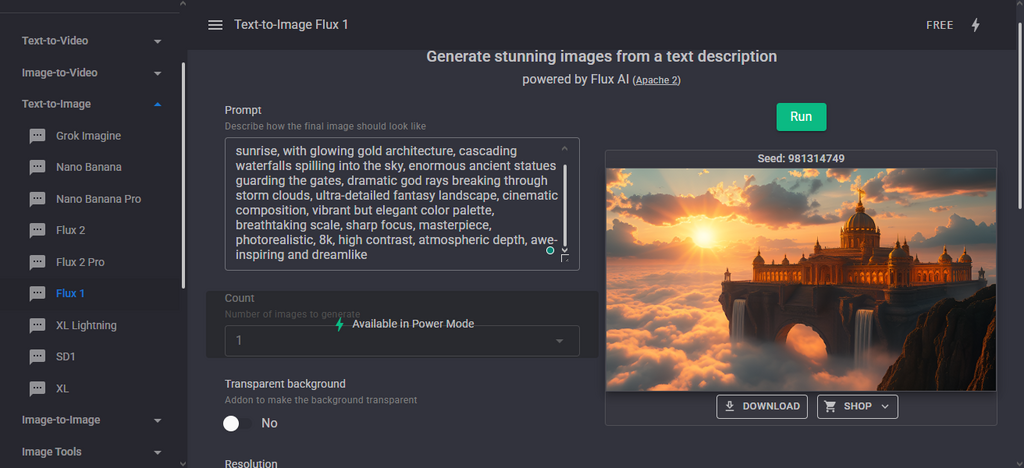
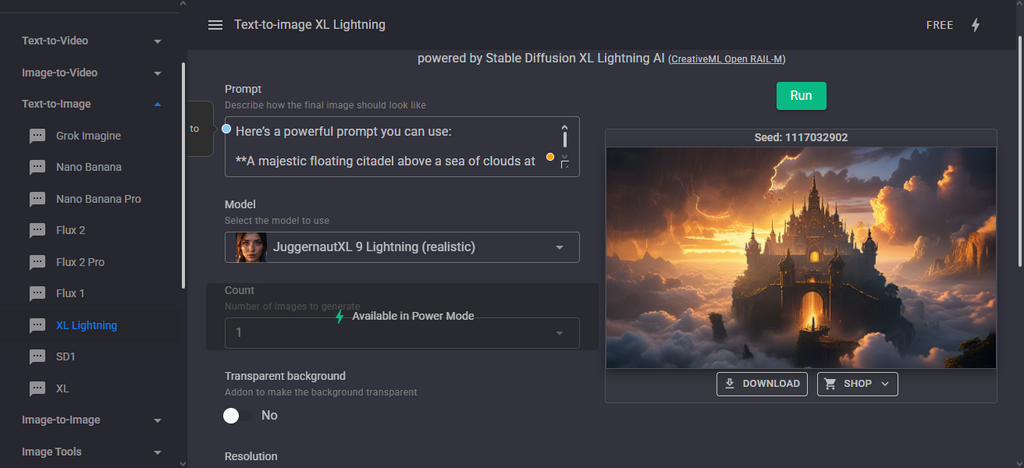
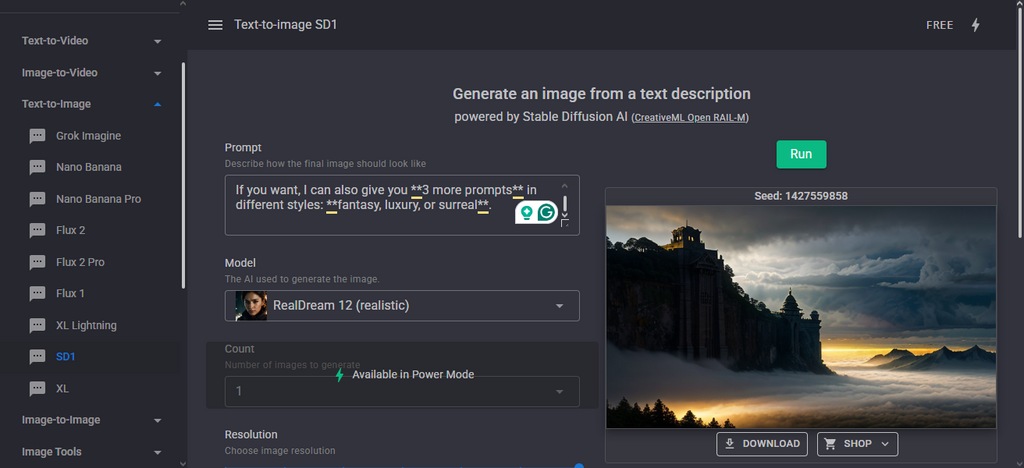
Apparently, you can see that the results from the three different AI engines are largely in contrast to each other. Now, that’s why tools like Dezgo A.I. offer you multiple AI engine models to play around with.
That way, you can figure out the AI model that seems to deliver just exactly what you pictured in your mind, or one that delivers much closer to that, and is affordable.
How To Get The Most From Dezgo AI
The main thing here is that Dezgo AI offers multiple AI image generation models, so you get to play with all of them to discover which one aligns more realistically with your perspectives.
Premium models like Nano Banana and Grok Imagine tend to produce more realistic images, but the free AI engines also have optimizations that could make their output better and more aligned to different purposes.
You can start off as a guest user (without creating an account with Dezgo AI), then play around with its freely accessible AI models and see if the tool is worth it before going all in.
More so, there are other tools to explore, such as image-to-image, text-to-video, and image-to-video. Overall, this is a good tool for AI enthusiasts and content creators who have to generate multiple images daily for their content.
What More?
Basically, Dezgo A.I. is like Veed.io, but it is less sophisticated. The ability to create and download images from prompts for free and without needing to create an account is superb. The tool’s interface is simple to understand and easy to navigate to find the tools you want to use each time. It’s a good one overall.
I can easily recommend Dezgo AI for both personal and professional uses.