If you use Facebook Marketplace to sell your products, it is ideal to have a digital workspace to manage your inventory. Facebook Marketplace does not offer a flexible dashboard to track and manage all your listings, and as such, most people find it difficult to understand whether they’re making good progress or not.
Well, thanks to AI, which is the buzzword of the moment, you can effectively track your Facebook Marketplace listings from a single dashboard, and you can monitor multiple metrics from the same place. This is possible using the Notion AI Agent, which is a free tool in the Notion software.
What is Notion AI Agent?
Notion is a full-suite business software with lots of great features for big companies and solopreneurs. The suite offers an “AI Agent” feature that lets you create different “Agents” for various tasks, one of which can be to track your FB marketplace listings and sales.
You can download Notion’s Desktop app and mobile app to monitor your agents from anywhere, easily. Notwithstanding, the platform is also available as a web app, which means you can launch it directly from a web browser without installing any app.
How to Track Facebook Marketplace Sales & Trades With Notion AI Agent
First, you’d need to set up your Notion account, and this is totally free. Also, you need to have active Facebook marketplace listings.
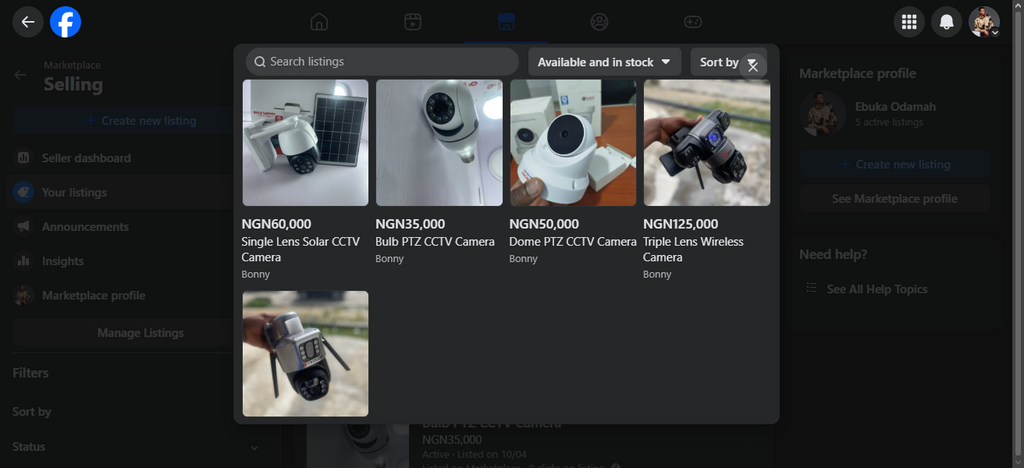
With those, you can proceed to create your AI Agent on Notion to track your FB marketplace inventory. It is important to say that the AI doesn’t track your inventory automatically, as it does not have any access to your Facebook profile.
So, you’ll update your Notion AI Agent’s dashboard manually to reflect the activities on your marketplace listings.
Setting Up Your Notion AI Agent
After you have successfully signed up on Notion, on the main screen, click on “Notion AI” and enter the prompt, “I want to track FB Marketplace Listings.” This would create a new dashboard with all the possible metrics you would love to track on your listings.
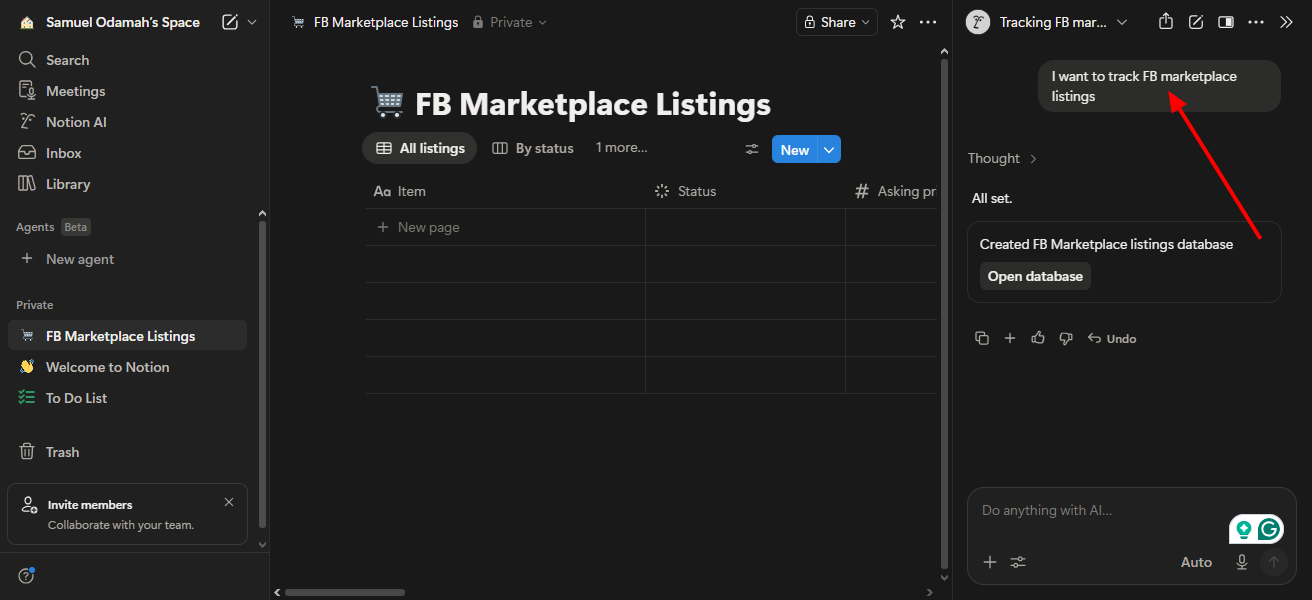
Of course, you can manually create this dashboard (without prompting the AI) by creating a new page and choosing the entries manually. Using the AI just makes it easy for me, so I don’t bother about the manual creation process.
So, now, you have your FB marketplace listings, and you have your Notion tracking dashboard ready. What’s left is to manually input the details from your Facebook Marketplace inventory into the Notion Dashboard. As I said previously, this has to be done manually; there is no API connection from Notion to FB Marketplace.
Tracking Marketplace Inventory With Notion
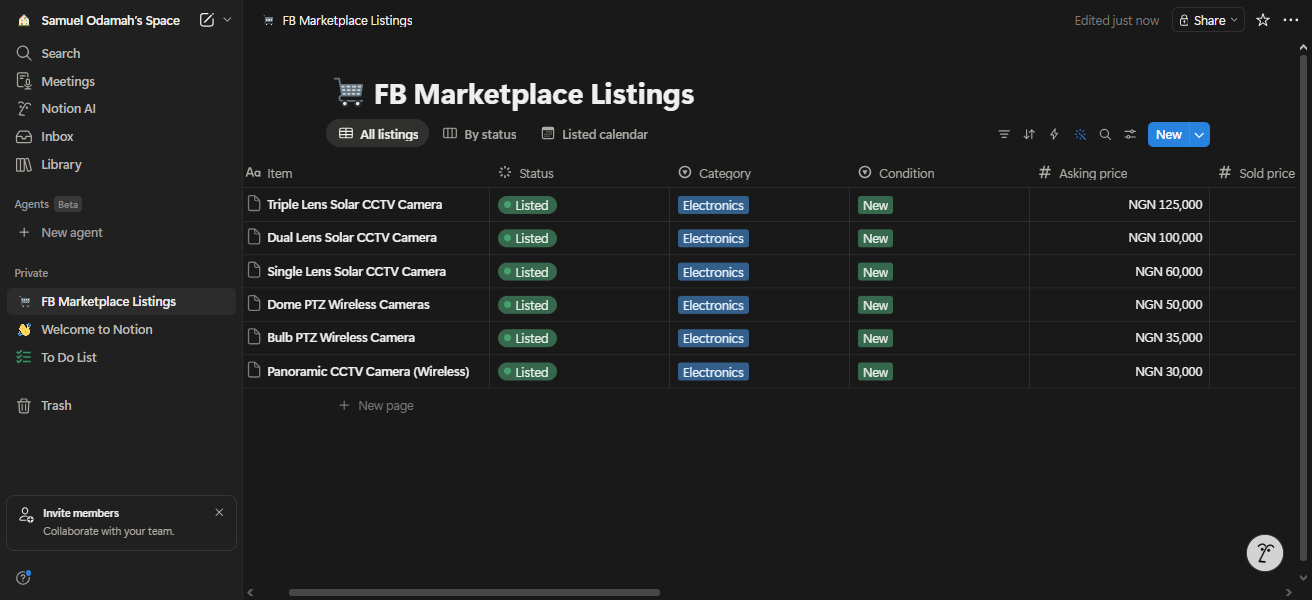
There are many metrics to track on Notion; you can always add or remove any metric at any point. Also, you can customize the layout of your listings to appear in another manner; there are a couple of preset layout options available.
Again, everything about tracking your FB marketplace inventory on Notion is free, but you have to update the data cells manually each time there’s a sale or inventory update on your marketplace listings. You can install the Notion app on your iOS or Android device for on-the-go access and management of your database.
What More?
This is pretty cool for people who list a multitude of products on the Facebook Marketplace. You can have a quick glance at your inventory, write personal notes for each product, and also track brand-specific metrics that are otherwise not available with Facebook. It’s a good one, honestly.