

Starting a podcast or looking for a microphone with an ideal noise-cancellation feature and premium audio quality for your video creations? Well, the PD200W hybrid podcasting microphone might just be what you need. It is a solid one, sold for a reasonable cost, and comes with a couple of gears for your setup.
We got the Maono PD200W hybrid microphone standard package, which included just the basic accessories needed to use the mic. Here’s a quick unboxing and detailed review of this handy gadget.
The standard package comes with the accessories that allow you connect the mic to your smartphone, laptop, or tablet via wireless or wired connections. Now, to the details.
What’s In The Box?
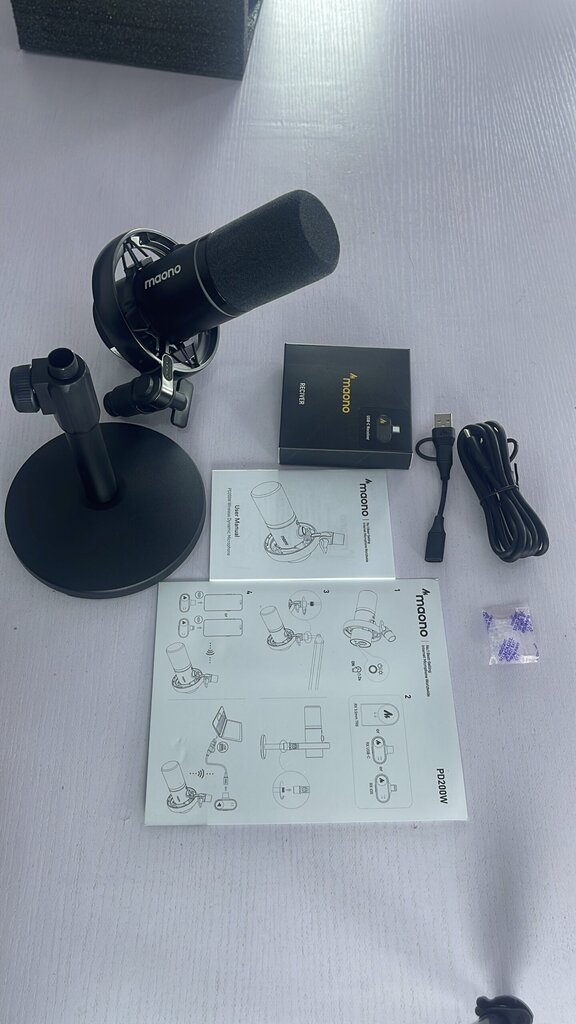
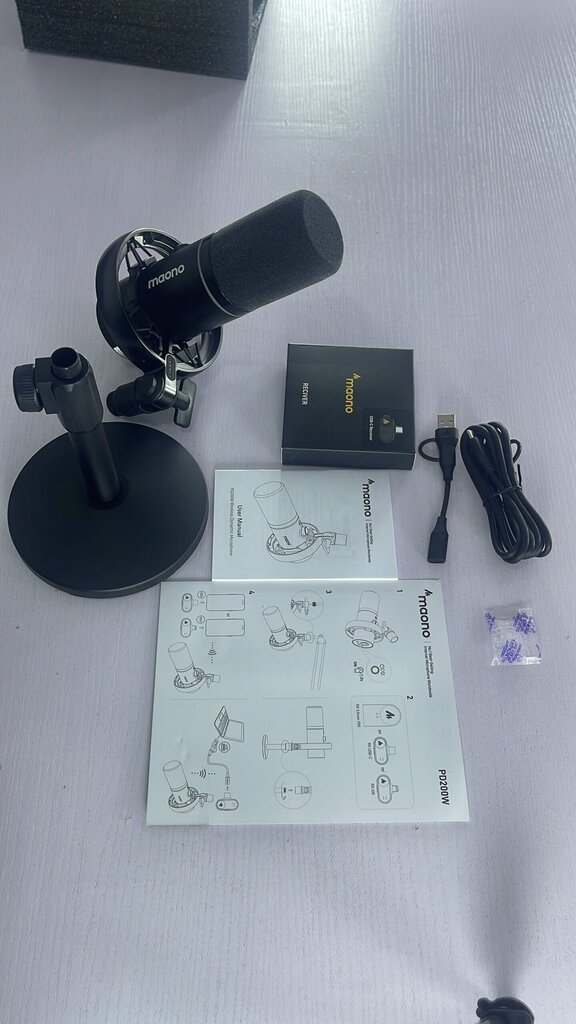
Unboxing the standard package, what you’d get is the following items:
- The Maono PD200W microphone
- An adjustable desktop stand
- A USB-C wireless dongle to connect your compatible smartphones
- USB-A to USB-C (female) connector for wireless connection with PCs
- USB-A/USB-C to USB-C cable for wired connections
- A user manual + setup guide
Sadly, the telescopic stand and XLR cable are not included in the standard package, and those are very necessary for a professional podcast studio setup. However, this standard package sells for only $99.99; if you opt for the telescopic stand (Boom Arm), the price then shoots up to $179.99. For a limited time, you can get it for 30% less on Amazon.
First Impressions
Maono PD200W Overview
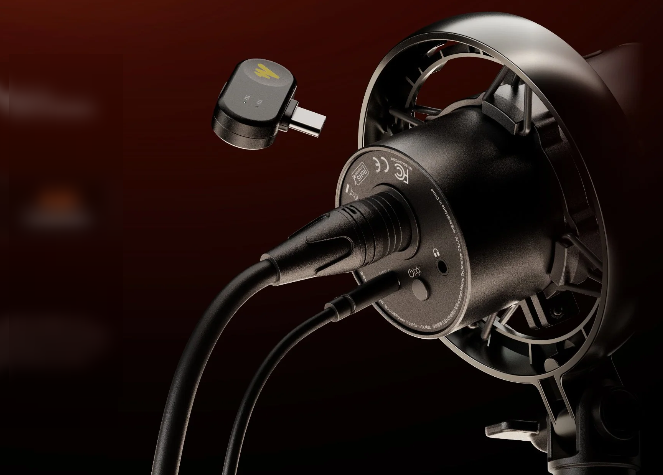
The Maono PD200W is a pro-level microphone with several audio-enhancement features and support for multiple audio accessories. You can connect directly to your studio mixer via XLR connection, or to your computer, console, mobile smartphone, or tablet, via USB-C connections; there’s also a USB-to-Lightning dongle to connect older iPhones.
Inside the box, you get quite a lot of accessories to use the mic effectively. For a standard video studio setup, the desktop stand is quite flexible and adjusts to a great extent; you can also tilt the mic to suit your setup. The Maono PD200W can work for live streaming, video or audio recording, mini-podcasts, and in-room social media content creation.
Yes, the microphone runs with an integrated battery, which charges via the multi-functional USB-C port; as long as the mic is connected via USB-C, it automatically starts charging. The user manual correctly explained the charging and usage tips for this microphone.
On the microphone itself, there is no “noise cancellation” button; you either enable it from the Maono software, or if you’re connecting the mic via the USB dongle, the dongle has an integrated noise-cancelling button. The Maono PD200W is generally a useful one for multiple purposes.
Features of the Maono PD200W
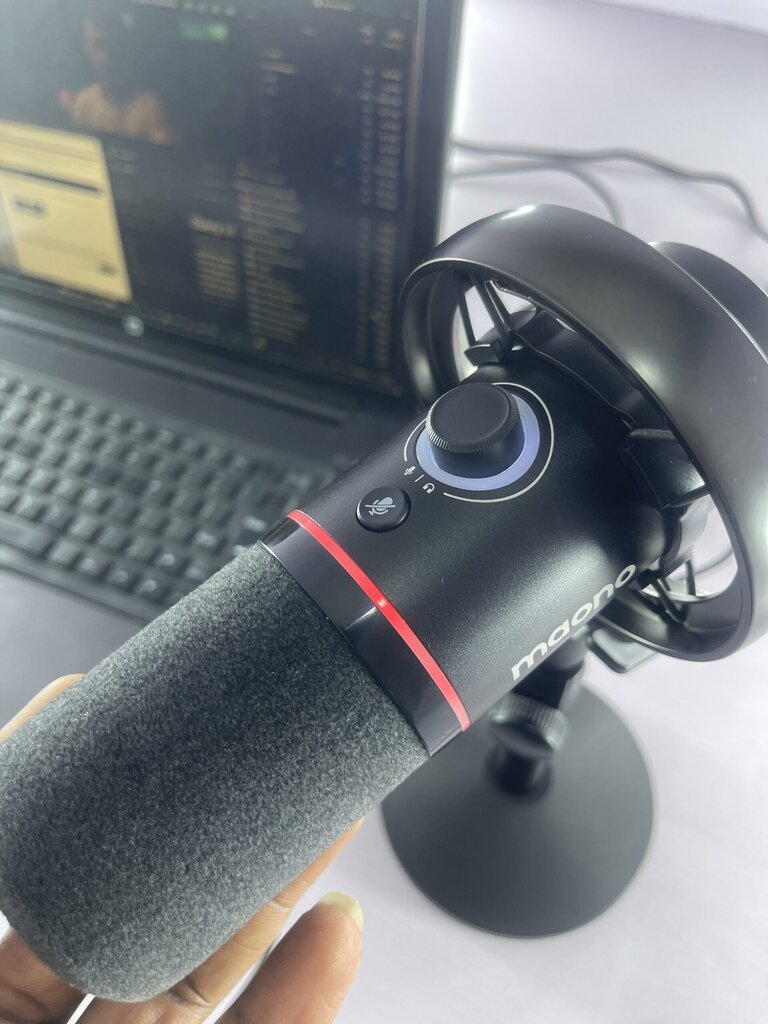
Maono did add a good number of features to this mic; however, the features are mainly integrated into multi-functional buttons, so there are fewer buttons and knobs on the microphone, yet it performs many actions.
1. Tri-Connection Modes (USB/XLR/Wireless)
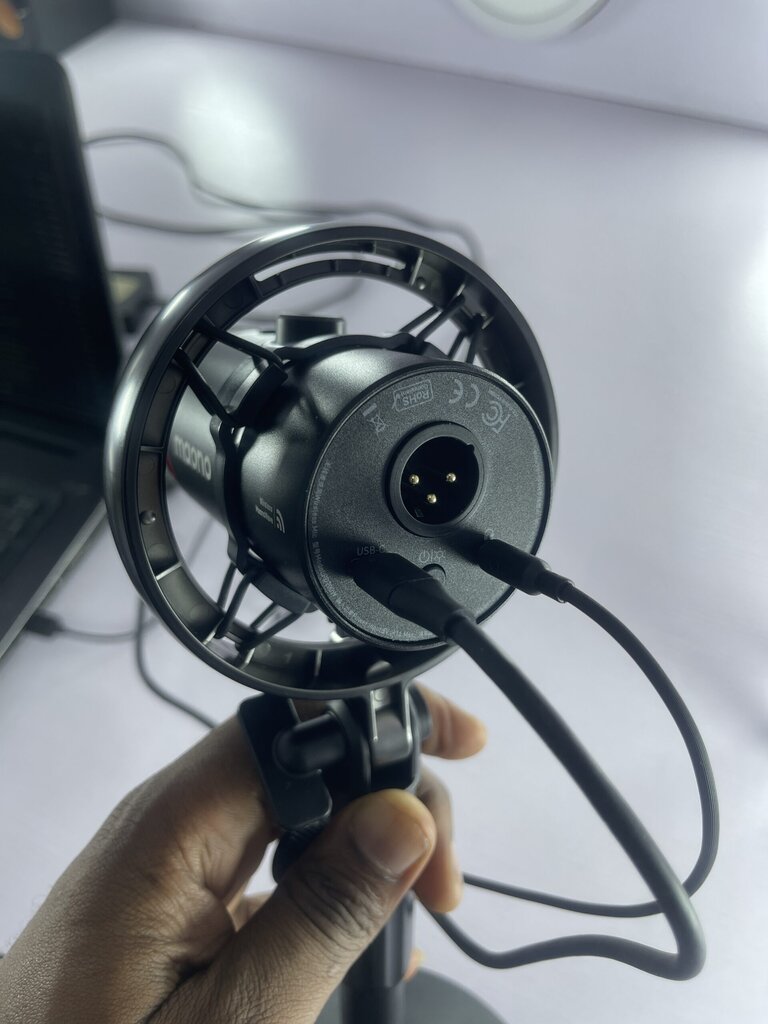
The triple connection modes support is one of the main features to love about this microphone. It offers the flexibility to connect the mic to quite a range of devices, including gaming consoles and livestream kits.
You only get the USB dongle and USB-C to USB-A/USB-C cable; for the XLR connection, you will have to purchase the XLR cable separately.
2. 3.5mm Headphone Jack
Yes, the Maono PD200W microphone also has a 3.5mm jack input at the back, where the XLR and USB-C connectors are located. This is for connecting your headphones to listen to the audio you’re recording or for other 3.5mm jack-related needs.
3. Multi-Level Noise Cancelling
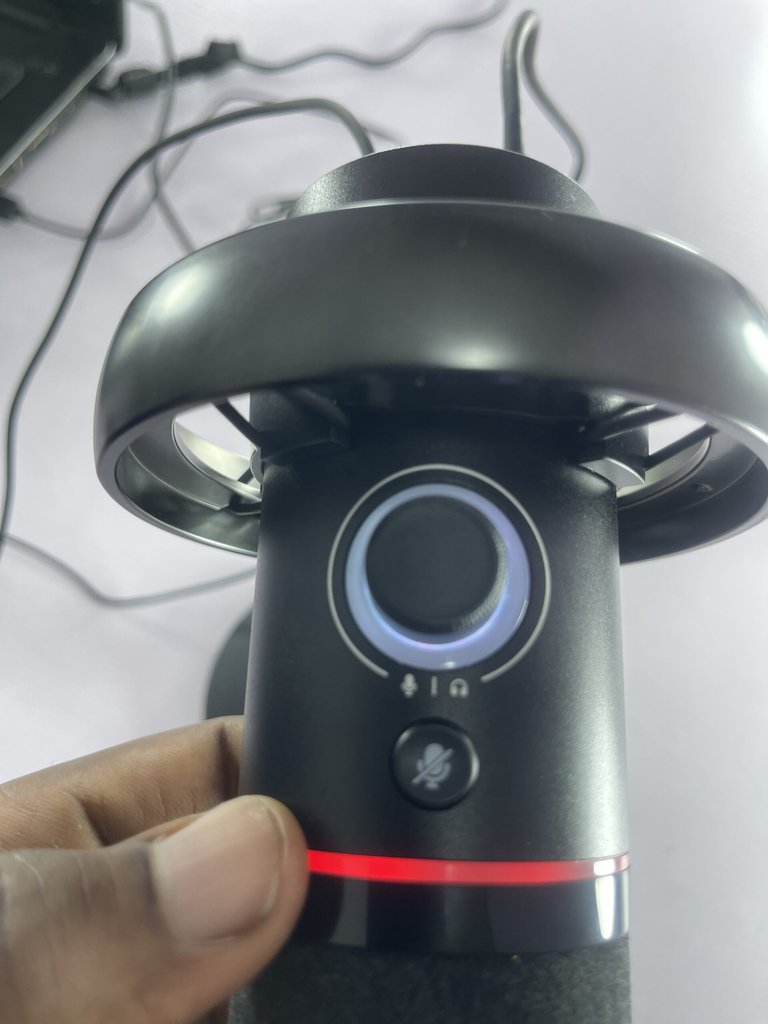
At the front-end of the microphone is a multi-functional knob, which helps adjust the noise-cancelling level, headphone volume level, and microphone gain. To activate the noise-cancellation function of this mic, you have to enable it via the software on your PC or press the corresponding button on the wireless dongle (if you’re connected via the dongle), then use the knob to adjust the noise-cancelling level, or do it directly via the software.
4. One Tap Mute
Below the volume/gain adjustment knob is a “one-tap mute” button to mute the mic. This button instantly mutes the mic, so no voice recording is picked up; however, you will still hear live feedback from your connected source if you have a headphone connected to the mic.
5. Fanciful RGD Lighting
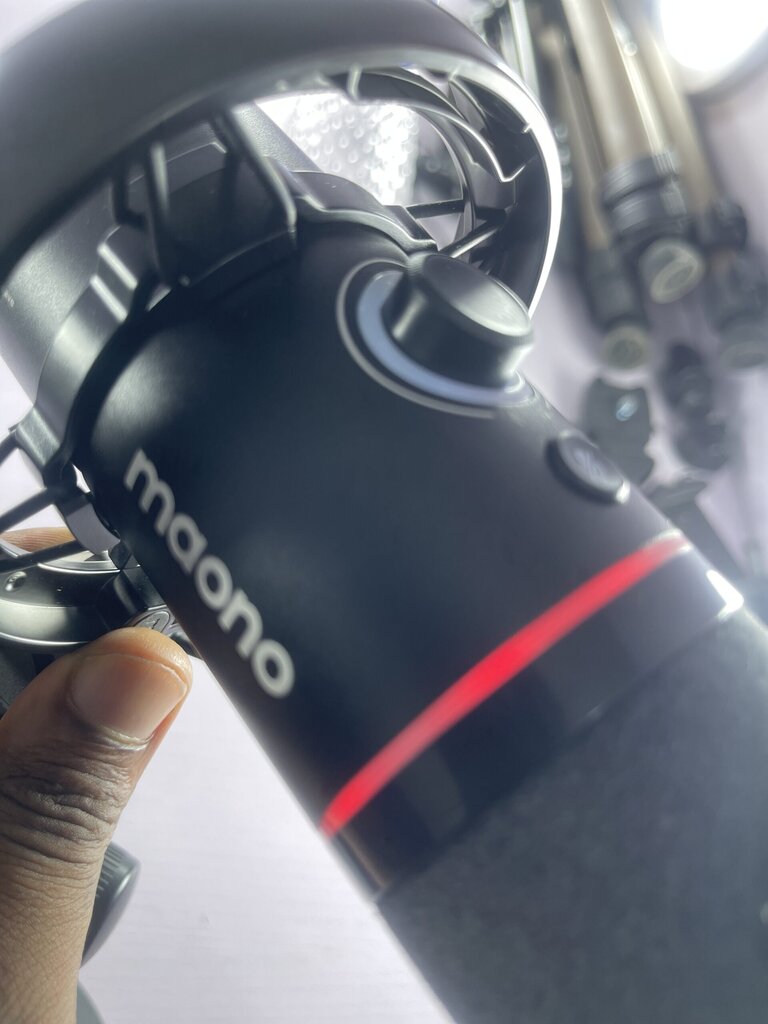
The Maono PD200W features round RGB lighting on the mic vocal receiver. This lighting feature helps to let you know when you adjust certain settings, and also indicates when the mic is turned on or off. Also, if the mic is turned on but muted, the lighting would turn off.
Full Specifications
| Model | PD200W |
| Brand | Maono |
| Mic Type | Dynamic |
| Wired Connectivity | USB/XLR |
| Wireless Connectivity | 2.4Ghz |
| Wireless Range(m) | Up to 60m |
| Battery Life (hour) | Up to 60 hours |
| Headphone Jack | Available |
| Onboard Noise Control | Yes |
| Max SPL(dB) | 128 |
| SNR (dB) | 82 |
| A/D Conversion | 24-Bit |
| Sample Rate (khz) | 48 |
| 2TX+1RX Supported | Yes |
| Camera Direct Connectivity | Supported via a special dongle |
| One-tap Mute | Yes |
| RGB Light | 16.8M |
| Console/Table/Phone/PC Support | Yes |
Performance and Review
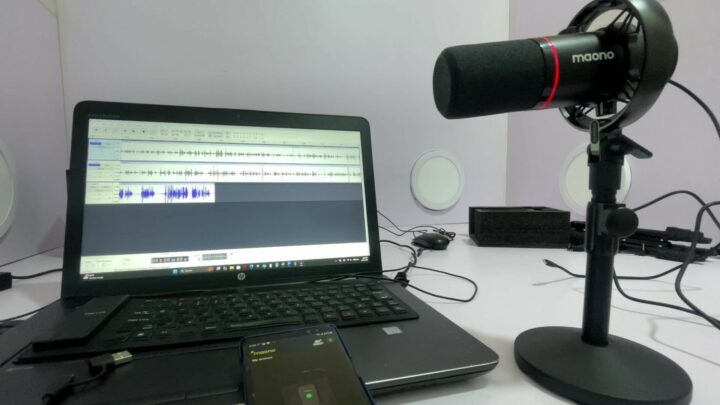
First off, the build is classy and gives off a premium feel as you look and touch the mic. The initial setup was hassle-free because the user manual and setup guide, which were inside the box, detailed the procedures. However, it would take you a while to acquaint yourself with all the features and functions of the mic (even though they were shown in the manual).
Starting with the vocal clarity and filtration, the Maono PD200W does a good job in keeping out unwanted sound waves even without enabling the noise-cancelling feature. With the noise cancelling, the mic totally blocks noise and shaky waves, giving you pure, clean sound for your voice-over or live audio.
The battery really lasts long, although there’s no way to monitor the battery level in real-time; you only get signaled via the RGB light ring when it drops below 20%. Throughout our testing period, the battery never went low, and it was disconnected from power for at least 4 hours.
To really enjoy this mic and explore all its capabilities, you need to install the Maono Link software on your Windows or MacBook PC from the official download page. The issue is, this Maono Link software requires your PC to be running at least Windows 10 version 1809, macOS 13.5. Of course, the software is also available in mobile app versions for iOS and Android smartphones.
For $99.99, this seems to offer just enough benefits for its price tag. Most importantly, the wireless functionality and long-lasting battery are impressive. Plus, the noise cancellation is superb, and the live audio feedback quality is pristine.
What More?
The Maono PD200W microphone is called a hybrid mic because it blends into all use cases where a microphone might be used. Design-wise, it gives a real, premium feel, and the performance is superb.
The desktop stand doesn’t adjust that much compared to the Boom Arm (telescopic stand), but it’s quite flexible for everyday video/audio content creation. Overall, the Maono PD200W is recommended for voiceovers, studio use, podcasting, social media content creation, and ASMR videos.













“Fantastic unboxing and review! Your breakdown of the Maono PD200W’s design, sound quality, and features was clear and thorough, making it easy for viewers to see its true value. The practical insights and well-organized presentation make this review both informative and engaging. Excellent job!”
“Excellent unboxing and review! The way you covered the design, sound quality, and features of the Maono PD200W makes it easy for viewers to understand its real value. Clear explanations, practical insights, and a well-structured presentation make this review both informative and engaging. Great work!”