As funny as it sounds, some of us really get bothered about our notification tones. Personally, whenever I get a new smartphone, whether Android or iOS, I try to change the default ringtones and notification tones to some other tones I think I prefer.
Yeah, part of the reason I do that is to know exactly when it is my phone that’s ringing when I’m out there in public or in a crowd. I even go as far as choosing different tones for different contact groups. Irrespective of your tone preferences, I’ll be listing the best 30 notification tones that have reigned for ages and are still relevant in today’s phones and tablets.
The 30 Best Notification Tones and Sounds for Mobiles
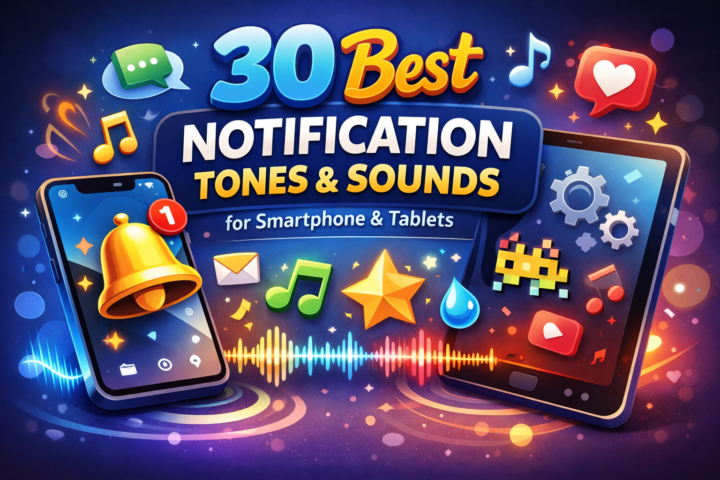
Smartphones and tablets come with tens, and some hundreds, of notification tones to choose from. If you happen to navigate all the available custom tones and can’t find any that entice you, here are some really cute custom tones you can download and use. Some of these tones might be available in your phone’s default tones list.
They are not just popular but have reigned through ages and yet, still very much valid among phone users today (old and new persons alike).
1. Glass Ping
A short, bright, glass-like ping tone. Best used for high-priority direct messages or calendar reminders.
2. Soft Chime
A gentle, two-note chime with a calming undertone. Best used for non-urgent app updates and social messages.
3. Marimba
Clear and percussive. Sounds like when you hit a marimba. This tone serves best for general alerts.
4. Digital Blip
Very short and low tune. There are different variations, but it is a quick tone. You should prefer it for regular notifications or email notifications.
5. Ascending Beep Pair
This is a pair of two rising beeps, which move from the low pitch to the high pitch in split seconds. It indicated urgency without sounding alarming. Best used for critical system alerts.
6. Piano Staccato
Sounds like what you hear when you strike a piano key.; a single quick piano note. Best for productivity app reminders or timers.
7. Sonar Pulse
A low-to-mid sonar-like ping with a short-lived echo. Could work for Bluetooth pairing notification (if your device allows you to change that tone).
8. Soft Whoosh
A soft rush of short whoosh sound, like the rush of troubled waters. This notification tone can serve for different purposes.
9. Soft Xylophone Cascade
Just like the piano staccato, this is a 3-note xylophone run, quite musical and soothing. You would love this if you’re an instrumentalist.
10. The Purge Siren
Recently made popular by Ashton Hall, the purge siren tone is really a good one you can use for different notification types.
11. Single Rim Click
A percussive click, like the rim of a hand drum. The tone is fast and short, might make a good choice for SMS messages.
12. Doorbell Tone
Everyone’s familiar with this one and how it sounds; it is the classical doorbell tone, and you might want it for your phone notifications, too.
13. Water Drop
A small water-drop ping with a soft reverberation. This is a soothing sound for people who love calm notification sounds.
14. Coin Drop
That subtle shattering sound a coin makes when you drop it on the floor. Best for high-alert notifications.
15. Twinkle Tone
Sparkling high-frequency chime with short decay.
16. Low Buzz (Subtle)
Muted low-frequency buzz; low-tuned, but loud enough for you to hear the sound.
17. Bird Chirp
A brief natural chirp, with short decay.
18. Good Bad Ugly (Short)
Remember the movie? Now, here’s a retro tone from the movie to use as a notification tone. It is percusive and reminiscing.
19. Minion Hello
Quite a funny sound of minions saying hello, for people who have a sense of humor and love acting out of the box.
20. Scooby Doo
Remember the dog from the blockbuster Hollywood movie, Scooby Doo. If you love how the doo sounded, then you’d love this tone.
21. Notification Pulse (Two-tone)
Two-tone pulse with contrast (high then mid).
22. Camera Shutter
Subtle shutter click sound. Best for message notifications.
23. Short Horn (Soft)
Very short, gentle, horn-like note you can use for reminders, alarms, and calendar notifications.
24. Whistle
The sound you hear when someone close makes a whistle to you. It’s not too harsh.
25. Electronic Knock
Rhythmic two-knock electronic sound.
26. Swoop Down
A brief descending tone—signals completion.
27. Pop Tone
Quick, clean pop. Like you’re popping a champagne.
28. Xbox One Startup
Here’s another nostalgic tone you may love. Very short and invigorating, especially if you’re an Xbox lover.
29. Beep-dot-beep (Morse-like)
Patterned short beep-dot-beep. A distinct tone for message notifications or social media alerts.
30. Heartbeat Tap (Subtle)
Two short, warm taps resembling a heartbeat.
How to Set a Custom Notification Tone on iPhone and Android
iPhone (iOS)
- Open the Settings App and go to Sounds & Haptics.
- Choose the category (Ringtone, Text Tone, New Voicemail, Calendar Alerts, Reminder Alerts, Default Alerts).
- Tap the category, get in, then select a tone to preview.
- For custom tones, go to Tone Store and download them.
Android
- Open Settings → Sound & vibration (or similar, varies by phone maker).
- Choose Notification sound (global) or go into app settings for per-app tones.
- To add custom tones, tap on “use custom tone” or “choose local ringtone,” depending on the option your device gives you. Then import the custom tone you wish to use.
What More?
These are some really interesting tones to download and use as your notification tone, whether on Android or iOS. Notwithstanding, smartphones and tablets come with a plethora of free tunes; feel free to browse through the enormous list of default tones offered by your device maker.