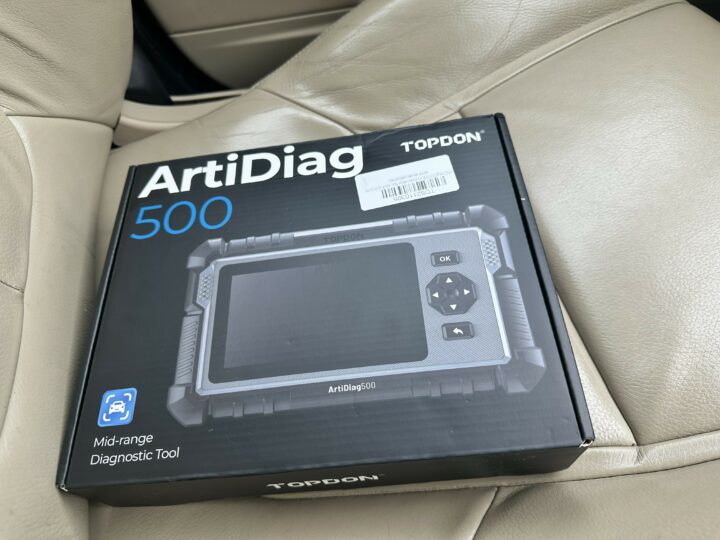
Thinking of the next OBD2 car scanner to add to your toolbox? We’ve got the TopDon Artidiag 500 car diagnostic scanner here and will be walking you through the features and how it compares with OTOFIX D1 and the other OBD11 scanners we’ve reviewed in the past.
One thing is certain for every car owner who is willing to properly maintain their car in 2026 or beyond: They need a proper car scanner for quick error detection and fixes. With a good car scanner, you can do a quick maintenance reset, properly plan your visit to the autoshop, and guide the repair activities at the mechanic workshop.
We’ve used the Topdon JS3000 Car Battery Jump Starter for a year now without any visible degradation. This is a testament to them making solid tools for personal and commercial vehicles.
The TopDon Artidiag 500 comes sleek and very well equipped; it is the bridge between the company’s flagship Artidiag 800 series and the entry-level Top Scan Pro and Top Scan Lite. It’s got a 5-inch screen, which is big enough to see clearly as you troubleshoot, and it’s powered by a 3350mAh battery. There’s a lot to love about the gear, and we’d be into it right away.
TopDon Artidiag 500 Unboxing and Quick Overview
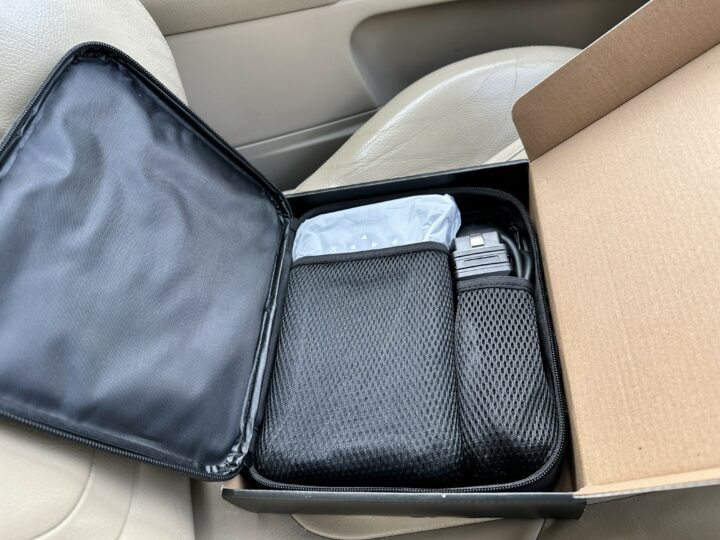
If you’ve just purchased a new box of the TopDon Artidiag 500 car diagnostic scanning tools, here are the things you’re going to see in the box:
- The user guide/manual
- The Artidiag 500 car scanning device
- An OBD2 cable
- One USB data Cable
- The TopDon Artidiag 500 Carry case
It is a multipurpose OBD2 device, but not a “general purpose” auto fix tool. The DTC library is pretty stacked up, so you will learn the definitions of all the error codes detected by it.
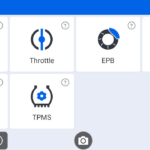
Thanks to the touchscreen, you could easily do an oil reset, check the steering angle (SAS) of your vehicle, run throttle adaptation, check for tire pressure (TPMS), battery (BMS), and even parking brake (EPB) in a couple of minutes. The device does have physical buttons, but you might never have to use them.
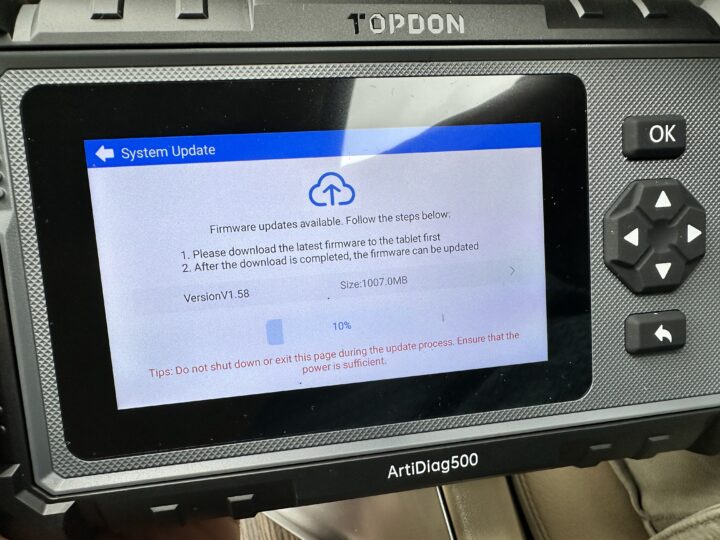
In addition to the functions above, you can update your device, track, monitor, and fix detected issues using the TopDon Artidiag 500 car diagnostic scanner. The device also automatically stores your scan histories, so you can refer back and compare data from different scans.
The Artidiag 500 is a quite useful tool for any car owner; it can be used to troubleshoot and fix literally any vehicle that has an OBD2 port. It’s truly a useful auto fix tool for car owners and auto DIY enthusiasts.
Pricing and Usability
You can get the TopDon Artidiag 500 for about $170 on their official website and other auto stores, and honestly, it’s a good one for the price. The screen is sizable, so you can see clearly, while the tests run pretty fast. The AutoVIN detection runs in about 30 seconds once you connect the device. This is one of the best mid-range auto-fix and scanning tools for private car owners.
TopDon Artidiag 500 Gadget Specifications
| Display | 5-inchTFT |
| RAM | 2G 4-Core 1.5GHz |
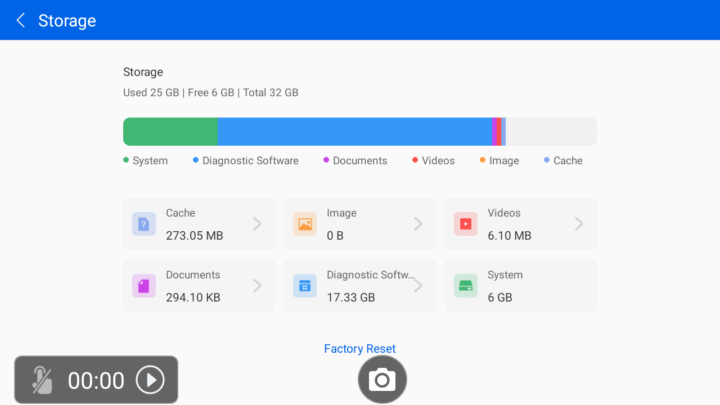
| ROM | 32G |
| OS | Based on Android 11 |
| Battery | 3350mAh |
| Full System Scan | No. Only PCM, TCM, ABS, SRS |
| Read and Clear DTCs | Yes |
| Data Stream | Supported |
| Read ECU Information | Yes |
| Service Function | 6: Oil Reset, Throttle Adapt, SAS Reset, TPMS Reset, BMS Reset, and EPB Reset. |
| Vehicle Coverage | 67+ |
| Auto VIN | Yes |
| Software Updates | Free |
| Software Languages | English, French, German, Spanish, Portuguese, Russian, Japanese, Italian, Traditional Chinese, Korean |
How Does the TopDon Artidiag 500 Do Its Work?
If you’ve used an OBD2 scanner before, then you can use this one, obviously. However, unlike some other OBD2 scanners of its price range, the Artidiag 500 is built to work alone, and that’s impressive.
Yeah, you don’t need to connect your smartphone for any reason; it even has a big touchscreen that’s probably bigger than yours, so you can see all the information and data clearly.
So, you connect the OBD2 cable to the top port on the device and then connect the other end to your car’s OBD2 port, and voila, there you go; you can launch any scan, as supported by the TopDon Artidiag 500, by navigating the screen menus.
The Capabilities
One thing that separates flagship auto scanners from entry-level scanners and mid-range scanners is their functions and capabilities. While entry-level scanners can detect simple engine error codes, the top-level scanners can go as far as detecting immobilizer system, ABS, steering control codes, and can even be used to reprogram the vehicle.
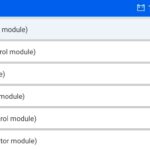
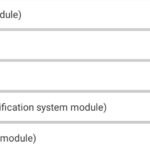
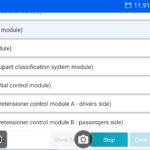
Here’s a full list of TopDon Artidiag 500 auto scanner capabilities, outlining the vehicle system modules it can scan and suggest fixes for:
PCM (Powertrain control module)
TCM (Transmission control module)
ABS (ABS control module)
RCM (Restraints control module)
PBM (Parking brake control module)
TPM (Tire pressure monitor module)
PAM (Parking assist control module)
CCM (Speed control module)
GSM (Gear shift module)
OCS (Restraints occupant classification system module)
RDCM (Rear differential control module)
SPMA [Safety belt pretensioner control module A (the driver’s side)]
SPMB [Safety belt pretensioner control module B (the passenger’s side)]
TopDon Artidiag 500 Features and Performance Test
Regarding features, the TopDon Artidiag 500 certainly has many useful features worth discussing, especially given its price range.
1. 5.0-Inch TFT
The screen is as big as most smartphones’ displays, and you can see everything clearly. It’s touchscreen, so you can navigate easily by tapping on the display to carry out any OBD2 task you want to run on your vehicle.
2. Tough Build
No, the TopDon Artidiag 500 isn’t water-resistant, but the build quality is super solid. It has rubberized buttons that are easy to press. All around, the device has contours that make it grip perfectly when you hold it. It’s not heavy but sturdy; you can tell it’s rigid stuff that won’t break if it accidentally falls out of your hands.
3. Critical Systems Scan
The TopDon Artidiag 500 isn’t built to scan all the systems in a vehicle, but it does scan the crucial ones like the Engine, Transmission, ABS, and Airbag (SRS). So, this tool can be used to test the aforementioned systems, troubleshoot them, and fix non-mechanical issues like clearing DTCs and viewing live data.
4. Automatic Vehicle Recognition
The moment you connect the ArtiDiag 500 to your vehicle, it carries out an AutoVIN action to automatically read your vehicle’s VIN and identify its chassis: make, model, and year. Once this is done, it loads the correct diagnostic profile instantly so you can proceed with your scan, tests, or troubleshooting.
5. Real-Time Multi-Streams
The ArtiDiag 500 can show up to 4 live data streams at once. This means you can be viewing your vehicle’s sensor data, engine performance, and any other two data simultaneously, side by side.
6. Solid Battery Life
The exact duration the 3350mAh battery is going to last you depends on how often you use the device. If you’re a busy one, you’re looking at 1 – 2 days of active use, but a seldom-used user is going to get a couple of days on a full charge.
7. Automatic Saves
One outstanding capability of the TopDon Artidiag 500 is its ability to store all your scans. So you can always refer back to data from your previous scans to cross-reference a recent one or validate consistent DTCs.
My TopDon Artidiag 500 Review and Verdict
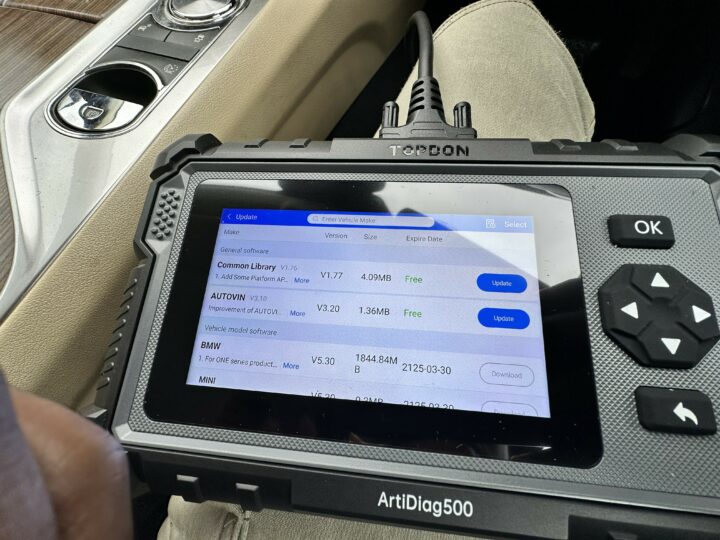
Ultimately, the TopDon Artidiag 500 is a well-equipped OBD2 scanner featuring a really solid build and an intuitive interface. The touchscreen functionality will have you not touching the rubberized side buttons, but they could come in handy on some pages.
I already mentioned earlier that this isn’t a “general purpose” auto-fix tool, but it does offer up to five reset functions without connecting to your smartphone. These resets include ABS bleeding, resetting the oil light, BMS reset, throttle adaptation, and DPF regeneration (for diesel drivers). Also, how these reset functions work and whether you can access them once you connect your car is limited to your car brand, model, and make.
You sure need to connect it to the internet via WiFi on your first use, to allow the device to run an OTA update and download all the individual vehicle databases it supports. This pretty portable OBD2 scanner supports vehicles made from 1996 to date; that’s quite a great range, definitely, your car model is supported.
The unit charges as it’s connected to your vehicle via the OBD2 port; however, it still has a USB-C cable if you care to charge it externally. In reading DTCs, once the device is connected to your vehicle, you have to press the “Next” button on the right-hand side of the screen to get started.
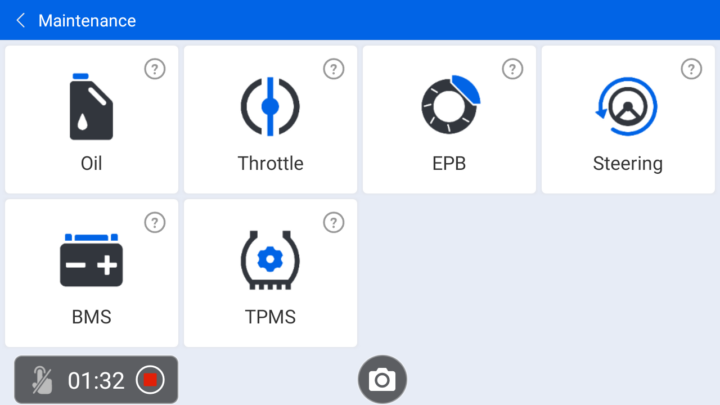
I enjoyed the screenshot and screen recording function, as most of the pictures uploaded here are captured with this function. The ability to share the scan report in a detailed PDF file is so professional. Also, I was able to browse through Google to double-check the errors detected for my car.
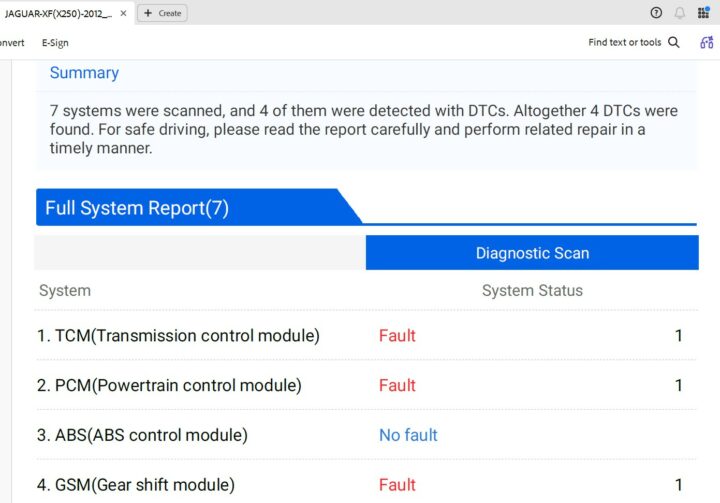
Overall, the performance was amazing and a big leap from smaller auto scanners like AUTOPHIX 3210 and Xtool VAG401. I am very much satisfied with the regular update feature, as it ensures the device and car modules are always in line with what’s obtainable from the vehicle manufacturers.
I will easily recommend this auto scanner to car owners and car DIY enthusiasts.