If your phone screen suddenly turns green, in most cases, you can fix the situation without going to a repair shop. However, if the issue persists, then you’d have to visit a repair shop to fix things up. The Green Phone Screen issue is common on iPhones; nevertheless, there have been similar cases reported on some Android devices, too.
A simple act of rebooting the device may work in some scenarios, but when that doesn’t work, you have to opt for seemingly advanced procedures, which include hard-resetting the smartphone, which would wipe off your data and make you start from scratch to reconfigure and set up the device. Here are ways to fix smartphones’ green screen issues.
What Causes Green Screen to Appear on Smartphones (Android and iPhones)?
Honestly, the causes are quite numerous: If your smartphone falls to the ground, the impact from that fall might cause a green line to appear vertically or horizontally on the display.
Other issues that cause this include CPU faults, screen flex defects, loose display wires, and battery-related problems. If you’ve worked on the phone recently, the green screen could be due to improper recoupling after the repair.
Ways To Fix Green Phone Screen Issues Without Going To A Repair Shop
First off, it is not GUARANTEED that these methods would fix the green screen, but then, a number of persons have attested that at least one of these methods worked for them.
1. Restart or Reboot the Phone
On many modern smartphones, pressing the power button alone won’t turn off the device; you have to combine it with another button press or a slide confirmation. So, figure out how to turn off or force-restart your device, then press the button combinations to do it.
For some Android devices, you have to hold the Volume Up + Power buttons at once or press and hold the power button for about 20 – 30 seconds to restart the device. While on newer iPhones (starting from iPhone 8), you have to quickly press and release the Volume Up button, repeat the same with the Volume Down button, then press and hold the Side button until the device restarts.
2. Check Your Display Settings
If it’s just a green line across the display, vertically or horizontally, such might be fixed by adjusting your phone’s display settings, such as reducing refresh rate, adjusting resolution settings, color inversion, or color tone (vivid, saturated, warm, etc). Also, check the Eye Care settings, Bedtime settings; just look through your display settings configurations and reset them to defaults to see if the green line will disappear.
3. Hard Reset or Boot Into Safe Mode
This works for both Android smartphones and iPhones; however, it is important to note that a hard reset will wipe all your data and take the device to its factory state. An alternative would be to boot the device into safe mode and undo all recent advanced configurations done on the device before booting it up normally, again.
But then, if the green screen covers the entire display, you may not see the safe mode options; hence, a hard reset is usually the best route. You can either factory reset your device, which has a green screen, via a third-party phone manager software or by taking it to the official store of your phone brand.
4. Connect to iTunes on PC (iOS Devices)
If you’re logged in to iTunes on your PC, you can access the iPhone via your PC or MacBook and perform a force restart. To do this, follow the steps below:
- Launch the iTunes app on your PC and connect the problematic iPhone
- Press the volume up key and release it immediately, then press the volume down key and release it immediately, too. Then press and hold the power button.
You might have to repeat these steps a couple of times to get the phone to reboot. iTunes may ask you to “Update” your iPhone from a previously made iCloud backup (if any is available) in order to restore the device to normalcy.
5. Update Firmware or OS Version
If you’re running an older version of your device’s OS, that could be the issue. However, since the entire screen is greened out, your best bet is to side-load a newer OS version or firmware and see if the issue gets fixed.
Actually, this is an advanced procedure and should be done by a professional phone technician.
What More?
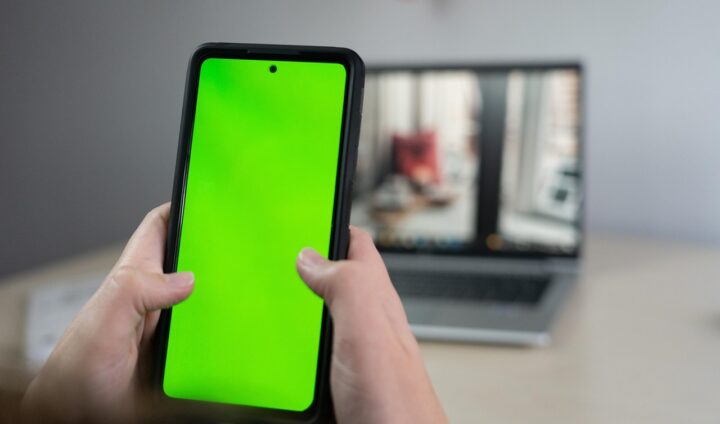
These are the relatable fixes you can carry out if your Android smartphone’s screen or iPhone screen suddenly shows green. Yeah, these are minor to advanced techniques. Be sure to know the possible dangers these actions would cause your device if any step is done incorrectly.
If it were a few horizontal or vertical green stripes on the screen, adjusting the device’s display settings or doing a factory reset should fix that, but if the device fell to the ground and brought out those lines, there’s nothing you can adjust in the display settings that would fix it.
Similarly, if the device suddenly starts showing a full green screen, and rebooting and force restarting won’t fix it, simply take the device to a technician to take it in from there.