Creating documents in PDF format has become standard practice in today’s digital world. PDF, which stands for Portable Document Format, was developed by Adobe Systems in the 1990s and was designed to allow users to view and share documents in a way that preserves the original formatting, regardless of the platform or device used. This feature makes PDFs ideal for official documents, reports, presentations, and more.
Additionally, PDFs are easy to distribute and can be opened on almost any operating system, giving them a significant advantage over other file formats. In addition to its versatility, the PDF format also offers advanced security options, such as encryption and password protection. These features are essential for users who want to protect sensitive or confidential information.
This article will explore the process of creating PDFs, including using conversion programs, editing documents, adding electronic signatures, and more. The goal is to provide a comprehensive overview of how users can get the most out of this format.
Using a conversion program
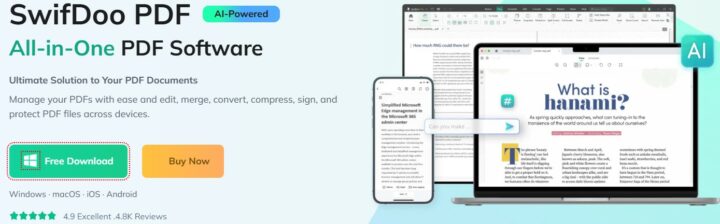
To create a PDF file, users have a variety of conversion programs at their disposal. These applications are essential for transforming documents from other formats, such as Word or Excel, into PDFs. There are numerous options available on the market, both free and paid software, each with its own features and functionality. Some of the most popular programs include Adobe Acrobat, Nitro PDF, and SwifDoo PDF.
These applications not only allow document conversion but also offer advanced editing and customization tools. Using a conversion program is a simple and intuitive process. Typically, the user needs to open the desired document in the application of choice, select the option to save or export as PDF, and follow the indicated steps. Many of these programs allow users to adjust image quality settings or include metadata before completing the process.
This flexibility is a major advantage, as it allows users to create PDFs that suit their specific needs.
Convert documents to PDF format
Converting documents to PDF is an essential step in the process of creating digital files. This not only ensures that the original formatting of the document is preserved, but also makes it easier to share it with others. For example, a Word document may contain special fonts or images that may not display correctly on other devices. By converting it to PDF, the user ensures that everyone who receives the file will see exactly the same version.
To convert a document to a PDF file, users can use various methods. A popular option is to use the “Save As” function in word processing programs. There are also online services that allow you to upload the document and download it in PDF format.
These services are useful for those who don’t want to install additional software on their computer. Regardless of the method chosen, the process is fast and efficient, allowing users to quickly obtain quality PDF files. In reverse, you can also convert PDF to other formats, such as PDF to Word, PDF to DWG, PDF to IMG, etc.
Editing and customizing PDFs
After a document has been converted to PDF format, users may want to make changes or customizations. Editing PDFs can include adding or removing text, inserting images, or changing the page layout. Specialized PDF editing programs offer a wide range of tools that facilitate these changes.
For example, Adobe Acrobat allows users to edit text directly in the document, add comments, or highlight important information. Customizing PDFs isn’t just limited to editing; users can also add graphics such as logos or digital signatures to give their documents a professional look.
It’s also possible to adjust colors or fonts to align with the visual identity of a company or organization. These customization options are essential for those who want to create documents that reflect their style and values.
Adding your electronic signature to PDFs
Electronic signatures have become an essential component in digital document management, providing a secure and efficient way to validate the signer’s identity. In the context of PDFs, adding an electronic signature can be easily accomplished through specialized programs. These applications allow users to create a digital signature that can be inserted directly into PDF documents, thus ensuring their authenticity.
There are several ways users can add electronic signatures to PDFs. Some programs offer the option to draw the signature with a mouse or digital pen, while others allow you to upload an image of your handwritten signature. Regardless of the method you choose, an electronic signature adds an additional level of security and credibility to the document and is legally recognized in many jurisdictions.
Protecting PDFs with passwords
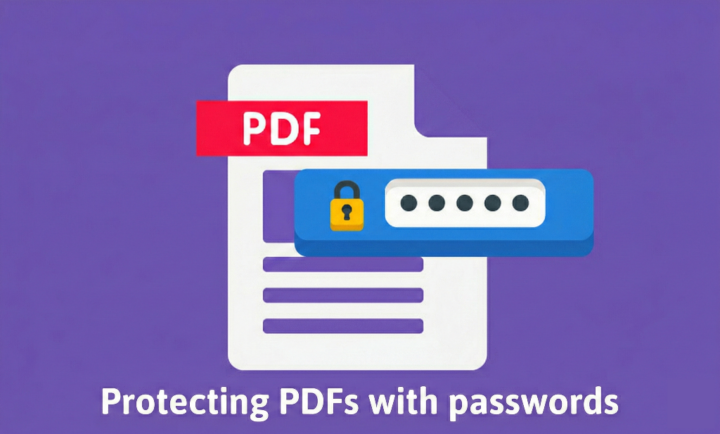
Information security is a major concern for many users when it comes to managing digital documents. Protecting PDFs with passwords is an effective way to prevent unauthorized access to the sensitive information contained within them. Most PDF creation and editing programs offer the option to set a password to open the file or to restrict certain actions, such as printing or copying the content.
To password-protect a PDF, users must access the security settings of the program they are using and enter a desired password. It is important that the password chosen is complex enough to prevent unauthorized access, but also easy for the user to remember. This security measure ensures that only authorized individuals can access the confidential information in the documents.
Combining multiple files into one PDF
In many situations, users may need to combine multiple files into a single PDF document. This functionality is extremely useful for organizing information and making it easier to share it in a coherent way. Specialized PDF management programs offer simple options for combining files, allowing users to select the desired documents and merge them into a single file.
The process of combining files is often straightforward: users simply open the application of their choice, select the “Combine” or “Merge” option, and add the desired files. Once all documents are included, users can adjust the order of the pages before completing the process. This organizational capability is essential for those working with large volumes of information or who want to present data in a structured way.
Splitting a PDF into multiple files
In addition to combining files, splitting a PDF document into multiple parts is another important functionality that specialized programs offer. This can be useful when a document contains information that needs to be distributed separately, or when a large file needs to be split for easier management. Users can split a PDF based on specific pages or create separate files based on predefined criteria.
To split a PDF, users need to open the appropriate application and select the “Split” or “Split” option. They can then specify the desired pages or set ranges for splitting. This functionality not only saves time but also helps organize digital documents more efficiently.
Reducing the size of PDF files
The size of PDF files can become a problem when working with large documents or when sharing them via email or other online platforms. Fortunately, there are effective methods for reducing the size of PDF files without compromising the quality of the content. Specialized programs offer options for compressing images and optimizing text in documents.
Reducing the size of a PDF file can involve adjusting the resolution of embedded images or removing unnecessary elements from the document. Users can access the appropriate settings in their chosen application and select the desired level of compression. This capability is essential for those looking to save disk space or facilitate the quick sharing of documents.
Using a scanner to create PDFs
Another effective way to create PDF files is by using a scanner. This method allows you to digitize physical documents and convert them into a digital format. Modern scanners are equipped with advanced features that allow you to directly save scanned documents as PDF files.
This is an ideal solution for archiving important documents or converting handwritten notes into a digital format. To scan a document and save it as a PDF, users need to connect the scanner to their computer and use the software provided with it. After the document is scanned, users can adjust the quality and size settings before saving the final file.
This method not only saves time but also helps keep a digital copy of important documents.
Sharing and distributing PDFs
Once a PDF file is created and customized according to the user’s needs, the next step is to share it with others. Sharing PDF documents can be done through various methods: via email, via cloud platforms, or by sharing directly on social networks.
Due to the versatility of the PDF format, users do not have to worry about the file’s compatibility with different devices or operating systems. To send a PDF file via email, users simply need to attach it to the desired message and send it to the chosen recipient.
Cloud platforms like Google Drive or Dropbox also allow you to upload PDF files and generate shareable links that can be sent to others. This flexibility makes sharing information fast and efficient, making it easier to collaborate with colleagues or share resources with clients.
In conclusion, creating and managing PDF files is an essential skill in the digital age. From document conversion to editing, protection, and distribution, every step of the process contributes to the efficiency of communicating and organizing information.
By using the tools available on the market, users can make the most of the advantages of the PDF format to improve their daily activities.