

Apparently, one of the very important specifications to check on a laptop you’d be using for programming purposes would be the processor core and generation, along with the RAM and GPU paired to it.
Having an Intel Core i7 or i9 in a PC makes the PC suitable for virtually any heavy-load usage. Of course, that’s not the only thing that qualifies a workstation or heavy-usage rig, but it’s a good start once spotted.
Here, we will compare the Intel Core i7 and Core i9 processors and how they stack against one another; yeah, the i9 is the higher variant, but sometimes, being the newer “version” doesn’t always mean being the “better option.”
i7 Vs i9: Which Intel Processor is Best for Programmers and Heavy PC Users?
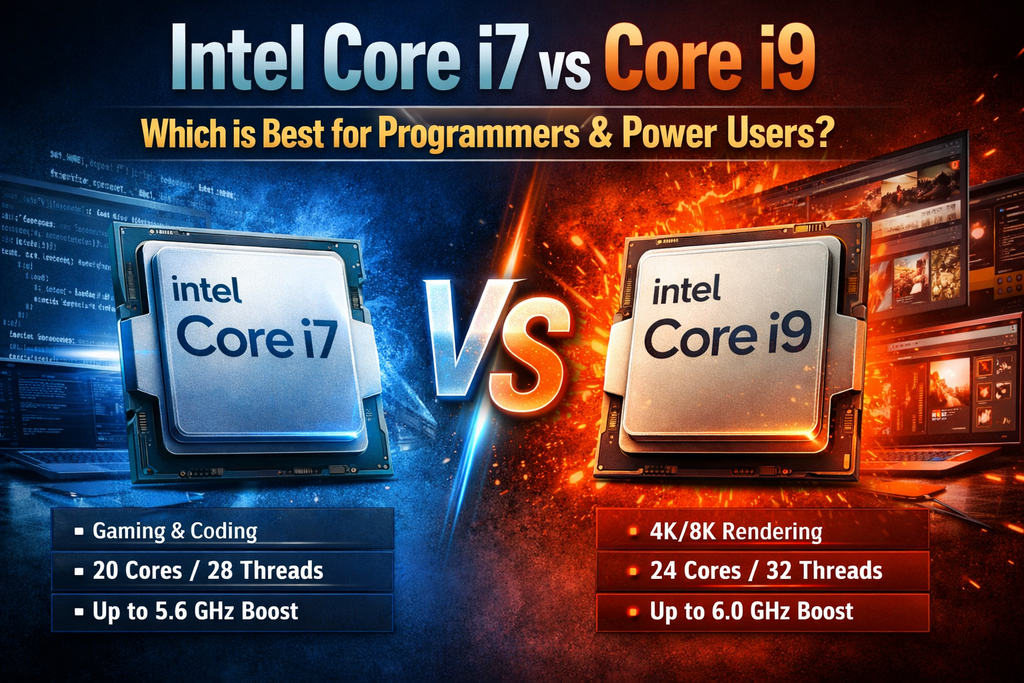
First things first, when it comes to processors, the processor generation is better than the variant. For example, a newer-Gen i7 would outperform an older-Gen i9. Now, you get it, right? We can now proceed with the details.
A modern Intel i7 (recent-gen with high single-core clocks and multiple efficient cores) will deliver an excellent day-to-day responsiveness and competitive throughput. An i9 can be considered a rational choice if your workflows are consistently highly parallel, large compilations with multiple Docker or VM instances, or you handle daily large-scale data processing and content rendering.
The Difference Between i7 and i9
Intel’s product segmentation is straightforward: the higher the number, the higher the Core family, and the i9 sits at the top of that hierarchy, offering a hybrid architecture (with more P-cores and E-cores), higher boost clocks, and larger power envelopes.
The i7 family sits below the i9s, targeting high-end mainstream users who need reliable single-thread and good multi-thread performance for a lower price-point. In essence, here’s how the i9 and i7 families differ:
- Core i9 = more raw CPU throughput for consistent multi-threaded loads.
- Core i7 = cost-effective and better value for most mixed workloads, with high single-thread performance.
Intel Core i7 vs i9 as it relates to Programmers
Programming and app development are tedious, heavy-data tasks that require high-performance systems to run smoothly, and in a way, the programmer can enjoy every bit of the workflow. The difference between i7 and i9 shows up more in throughput than in interactivity.
If you spend most of your day editing, running unit tests, and debugging, an i7 delivers an excellent experience. But if your workflow has to do with large builds and heavy virtualizations, or compilations that consistently use 8+ cores, these are where the i9 processors flex.
Single-Thread vs Multi-Thread
Newer generations of the Intel Core i7 and Core i9 share much of the same microarchitecture, so the single-thread vs multi-thread performance is often close, dismissible for a comparison. However, the i9’s advantage is usually in persistent multi-thread workloads.
Power Consumption and Cooling
This is where it gets interesting; these two processors consume a lot of power and produce high heat; however, as expected, the power consumption and heat production of the i9 are higher than that of the i7. Regardless, for either of these processors, you must need to have sturdy cooling gear to keep them cool, and robust motherboards that support their high-power delivery.
Chart Comparison
| Comparison | Intel Core i7 (e.g., i7-14700K) | Intel Core i9 (e.g., i9-14900K) |
| Primary Use Case | Advanced gaming, professional coding, multitasking, and high-end general workloads | Heavy parallel workloads, VM hosting, large-scale builds, 3D rendering, and 4K/8K media production |
| Target User Profile | Developers, data engineers, and power users seeking strong performance without excess overhead | Professionals who aren’t budget-constrained |
| Core / Thread Configuration | High core density (e.g., 20 cores / 28 threads with hybrid P+E design) | Maximum core density (e.g., 24 cores / 32 threads with hybrid P+E design) |
| Single-Core Performance | Excellent; near-flagship responsiveness for IDEs, editors, and gaming | Best-in-class; marginal but measurable edge in burst workloads |
| Multi-Core Throughput | Strong; handles parallel builds and multitasking efficiently | Industry-leading; optimized for heavy parallel compilation and rendering |
| Maximum Boost Clock | Very high (up to ~5.6 GHz) | Extreme (up to ~6.0 GHz) |
| Thermal & Power Demand | High but manageable with proper cooling gear in place | Very high; requires top-tier liquid cooling and strong power delivery |
| System Cost Impact | Requires high-efficiency RAM, storage, and GPU upgrades | Require even more expensive CPU, cooling, and motherboard upgrades |
| Performance-per-Dollar | Excellent ROI for most professional users | Diminishing returns unless workloads justify the premium |
Now, let’s try to get this straight: if you’re a programmer or developer running multiple local VMs, dozens of Docker containers, or local testing clusters, the i9 chips would be more beneficial for you. With more cores, you can achieve improved isolation and not offload to remote servers. Anything aside from this heavy requirement, i7 can handle it perfectly.
Conclusion
The thing is, i7 can do everything i9 can do, efficiently, and is more budget-friendly to own. You should only consider going for Intel Core i9 if your workloads truly exceed the capabilities of the i7; for example, if you are using the PC to host persistent VMs, 4k/8k editing tasks, or similar heavy workloads.
Either way, be sure to get a cooling gear for your PC that is running either of these processors, and also pair up the processor with a matching RAM and motherboard.



















I’ve used both an i7 and an i9 for development work, and I agree that the choice really depends on your workload. For my everyday coding, an i7 has been more than enough. I also experienced data loss once while upgrading my system, and Stellar Data Recovery Professional helped me recover my important files.