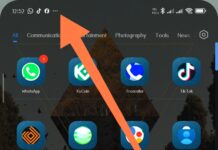
White Dot on Mobile Screen isn't something that's spotted from the point of purchase, as It doesn't appear on every phone from the word "go". But if you have spotted it on yours, there's really nothing to worry about,...
Accidentally deleted essential photos, messages, or other files? Don't worry just yet. While Android data loss could happen in a matter of seconds, what you do next will change everything. The rule is to cut unnecessary use and instead...
Many smartphone users are more informed than it was 8 years ago. Nowadays, many people choose their new smartphone(s) based on factors such as battery capacity, camera quality, RAM, and storage offering. Honestly, these are valid factors to determine...
As surprising as it may sound to some people, not many people know where to find the "Downloads" folder on their Android phone. Sometimes, this confusion of not finding the download folder is due to some Android smartphones coming...
You can actually print documents, letters, emails, and other stuff directly from your phone, but you first need a compatible printer, and then you need a central WiFi device or router to connect both your smartphone and the printer...
Enabling "Safe Mode" on an Android mobile or tablet is an approach to troubleshooting the Android device, and this can be particularly helpful in specific scenarios, such as if your device has a virus, is affected by malicious threats,...
Every smartphone has a block list, whether it is an Android device or an iOS device, regardless of the operating system version. Also, smartphones are able to filter spam SMS texts and calls to a threat bin where they...
Flashing an Android phone involves installing a new version of the operating system, which can help in recovering a bricked device, removing bloatware, or upgrading to a newer version of Android. In 2024, the process has become more streamlined,...