
Yes, many businesses and even individuals still use email clients and 3rd-party services like Proton Mail instead of Gmail and Outlook. The reason is simple: every email client or service has specific benefits, strengths, and, of course, weaknesses. Proton Mail is often praised for its security and privacy features, and you can connect any custom domain easily.
Today, we’ll be looking at how Proton’s zero-access encryption, tracker blocking, and companion apps perform in real-world testing. We’ll also review how Proton Mail service works and whether you should consider using it in 2027 and beyond.
Proton Mail Service Overview
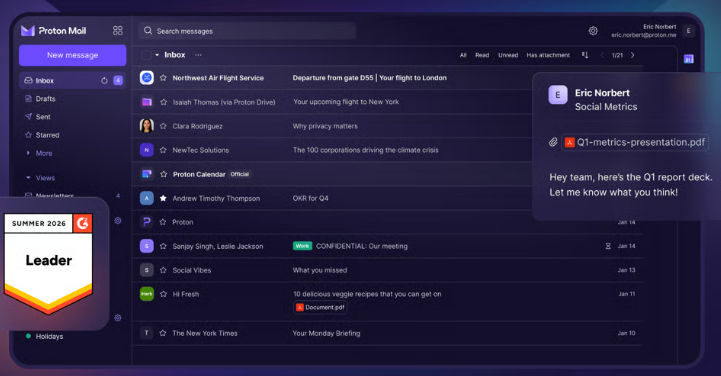
Launched in 2014 by the Swiss tech giant Proton AG, Proton Mail is simply an encrypted email service with a privacy-first approach that entices businesses and privacy-centric personal users. Proton Mail wraps your email messages in encryption by default; everything in your inbox is stored with zero-access encryption, which means nobody else can open it, not even Proton
Unlike a typical webmail account, the service’s backend is fortified such that even the company storing your messages can’t read them. It’s one of the few privacy-first services that offers you a usable free plan. The service has official client apps for all known operating systems: Windows, macOS, Linux, Android, iOS, plus a browser-based web app version.
Proton Mail is available in Personal and Business versions, each with distinctive features and unique pricing. The Personal suite is obviously meant for individuals, while the Business package is for corporations and agencies. One key difference is that the Personal suite offers a free plan, while the Business suite is paid across all plans.
Features of Proton Mail
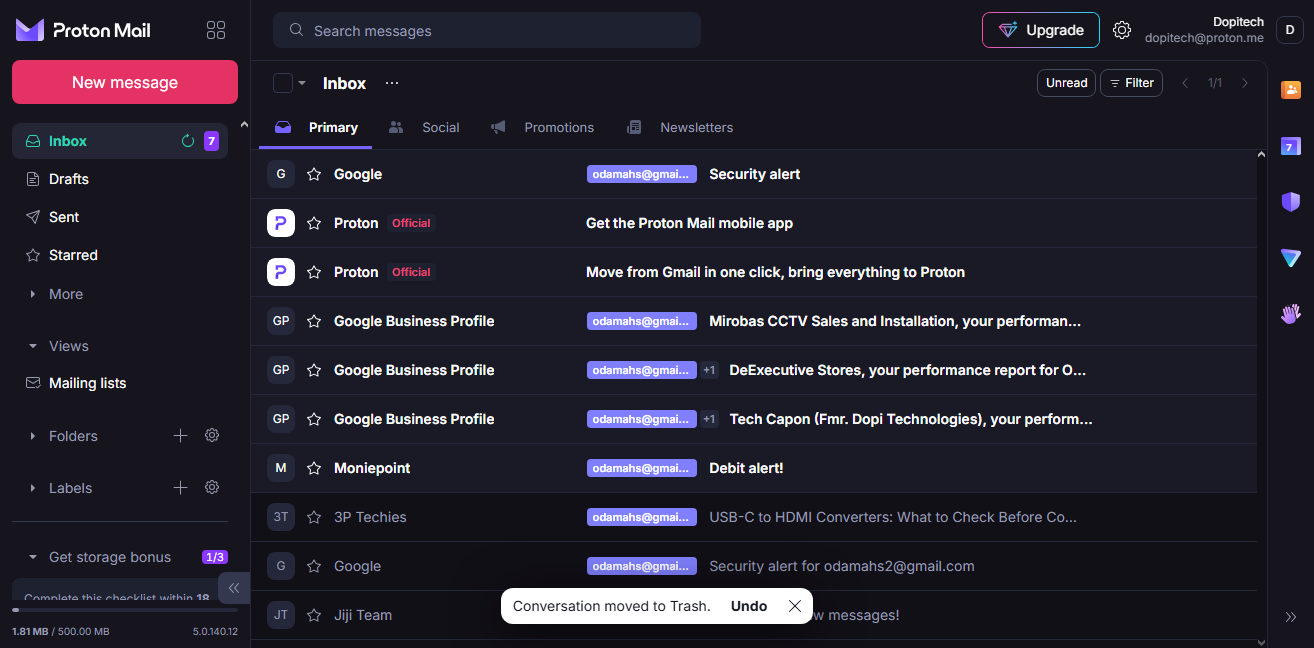
The service offers many features, and what you get depends on whether you choose the Personal or Business suite. However, here are the most important features across suites.
1. Zero-Access and End-to-End Encryption
This is the headline feature of Proton Mail, and here’s how it works: Between two Proton Mail users, messages are always end-to-end encrypted in transit; however, from Proton Mail to a non-Proton address (say, Gmail), the message travels with TLS encryption, which most providers support. But once it lands in the other non-Proton mailbox, it’s no longer end-to-end encrypted by default, so the recipient’s provider may be able to access it.
Then, from a non-Proton address to you, the message arrives over TLS and is then stored on Proton’s servers with zero-access encryption. The sender’s provider may still keep a copy on their side. Notwithstanding, in all these scenarios, subject lines are not end-to-end encrypted because Proton follows the OpenPGP standard, where the subject sits in the header packet.
2. Password-Protected Emails
Since non-Proton mail servers can read your emails when they arrive on the servers, Proton added a password protection option for its users to further restrict who can open and read the emails they send. You set a password, the recipient opens a secure link and enters it, and the content stays encrypted from your device to theirs.
Interestingly, this feature is available on all plans, including Free. However, it is worth noting that password-protected messages expire after 28 days by default (and that’s also the maximum); non-Proton recipients can reply securely up to five times per message, and you have to re-enable encryption on each of your own replies.
3. Hide-My-Email Aliases
Ever signed up for a newsletter and regretted it three weeks later? Aliases fix that. Proton Mail has a feature that hides your actual email address and instead uses aliases you’d create. Here’s how it works: You create an email alias, more like a forwarding address (an email address that isn’t your real one), and use those aliases for signups.
When an email is sent to that alias, the email gets forwarded to your actual email address mailbox, and you can discard an alias if you want to stop getting emails from where you used it. This keeps your real address out of the mess (and out of any future data leaks). The Free plan on the Personal package includes 10 hide-my-email aliases through Proton Pass; the paid plans offer more aliases, up to an unlimited number.
4. Custom Domains and Short pm.me Addresses
If you’re on a paid plan, you can add and use a custom domain. Also, you can set up a @pm.me address. The number of custom emails you can have depends on the plan you’re on. With the pm.me addresses, you can give out your email without having to type it out explicitly.
5. Import Your Old Inbox
Of course, you can import your other mailboxes from other providers to Proton Mail, and it happens in a few clicks. Proton’s Easy Switch is an import assistant that’s available even on the Free plan and is built to pull emails and contacts over from other providers such as Gmail, Outlook, and Yahoo.
6. Access to Proton Calendar, Cloud Storage, and More Features
Yeah, a Proton Mail account gives you access to Proton Calendar (up to 3 personal calendars on Free, 25 on paid plans), Proton Drive (up to 5 GB on Free, with storage shared with Mail on paid plans), Proton Pass (2FA solution), Proton Wallet, and Proton Meet for video calls. Higher plans add the full Proton VPN.
7. Dark Web Monitoring and Account Protection
On the paid plans, from Mail Plus upward, Dark Web Monitoring alerts are enabled, so if your Proton address shows up in leaked data, you’d be notified. You can also secure logins with two-factor authentication using an authenticator app or a hardware key that supports U2F or FIDO2, such as a YubiKey, per Cybernews.
8. Proton Scribe (AI Writing Assistant)
Finally, Proton Mail paid subscriptions come with Proton Scribe, an AI writing assistant that helps draft, shorten, and proofread emails. It’s included on Mail Plus, Mail Unlimited, Proton Duo, Proton Family, and Business plans. Scribe can read your emails and give you a concise summary to work with. What makes Proton Scribe different from Google’s Gemini or ChatGPT is that it doesn’t collect user data for training or share your email details with any third-party service.
Proton Mail Pricing Chart
| Plan | Price | Mail storage | Addresses | Custom domains | Highlights |
| Free | Free | Up to 1 GB | 1 | None | 150 messages/day, Easy Switch, 3 calendars |
| Mail Plus | $3.99 | 15 GB (shared with Drive) | 10 | 1 | Unlimited folders, labels and filters, Bridge, @pm.me, Dark Web Monitoring |
| Proton Unlimited | $9.99 | 500 GB (shared) | 15 | 3 | Full VPN, Pass, Sentinel, unlimited aliases |
| Proton Duo | $14.99 | 2 TB (shared) | 30 | 3 | 2 users, Proton Scribe |
| Proton Family | $23.99 | 3 TB (shared) | 90 | 3 | 6 users, Proton Scribe |
The Proton Mail Business Plans are largely variable depending on the features you choose to have in a plan, so it’s best to build your plan from the official pricing page.
How to Use Proton Mail
Setting up Proton Mail is straightforward; you can start with the free plan, then upgrade to any of the paid plans afterward.
First Step: Create Your Free Account
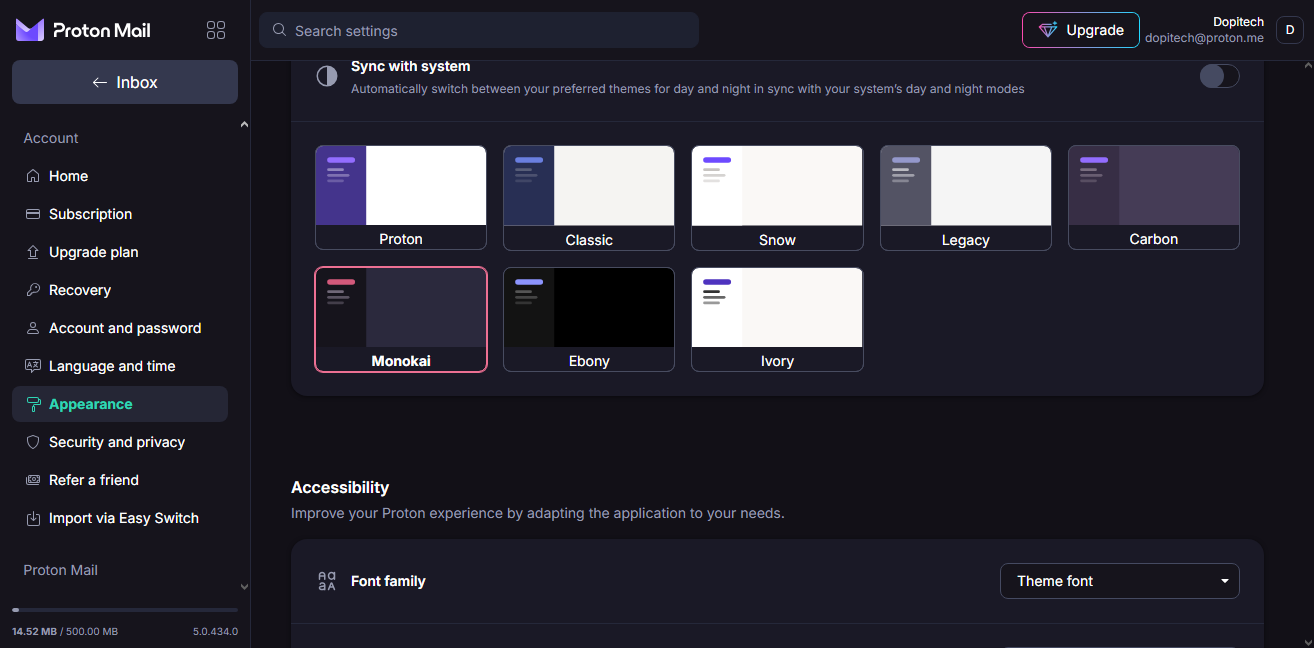
Sign up on the official website by choosing a username and password; you’ll be assigned a couple of “Recovery Codes,” which you must save carefully, because losing access to those codes would lock you out of your account any day you forget your username or password. By default, your username will have a @proton.me suffix, but you can change it to @protonmail.com.
Second Step: Import Your Emails
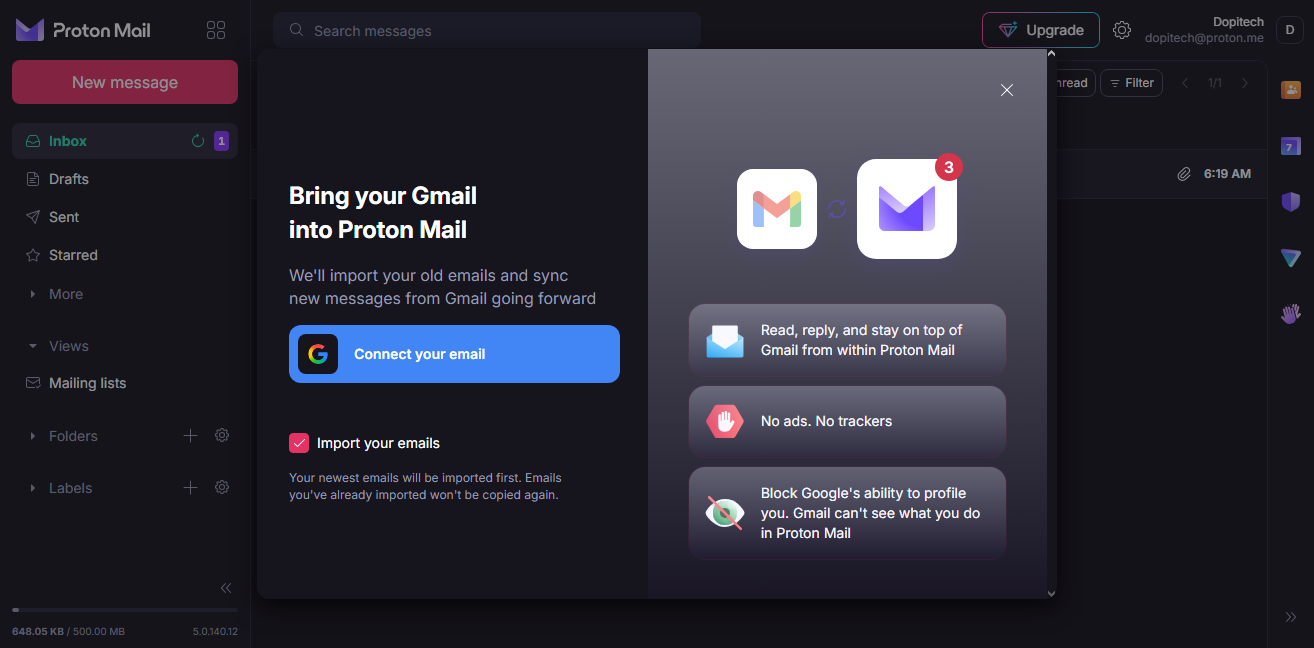
Once you have completed the sign-up, you can start using your Proton email address immediately or import your old email from Gmail, Yahoo, or Outlook. Importing your mailbox from other services is actually simple; however, Proton simply merges it all into one inbox, while tagging each.
Third Step: Set Your Encryption Preferences
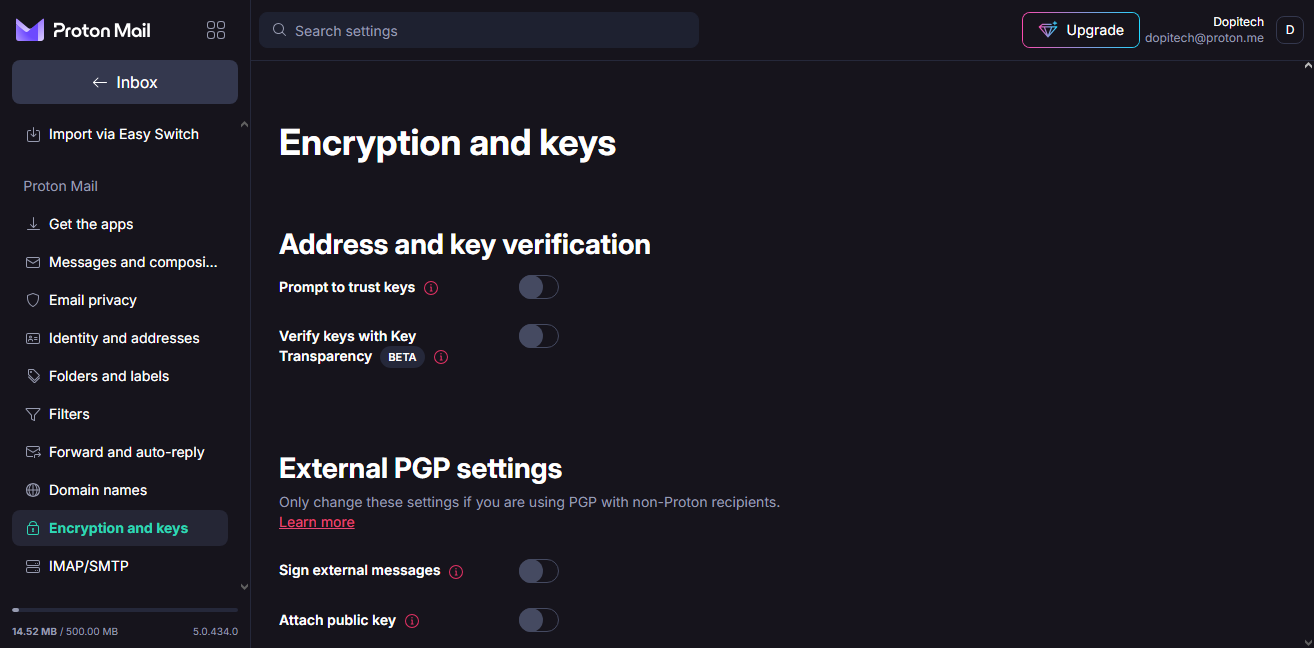
This is where it gets personal; everyone may prefer different encryption settings for their emails. From the mailbox interface, click on the Settings gear icon at the top right, then go to All Settings. It is important to note that since you’re starting on a free plan, the features you can enable will be limited.
Scroll down the settings page and locate the Encryption and Keys option; from here, you can personalize your encryption. There are other security settings available throughout the settings page to make your mailbox more secure and your emails protected as you send them.
What More?
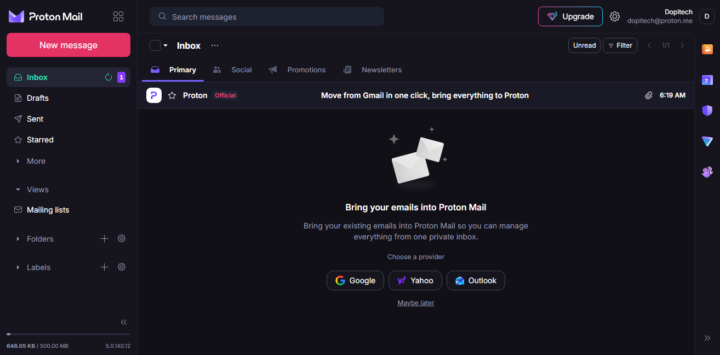
On the Proton Mail Settings page, you can navigate through multiple features, but only a few are accessible on the Free Plan. For example, with an upgrade to a paid plan, you can set up aliases, @pm.me short addresses, add custom domains, and even access the developer’s additional tool.
When sending a new email, you can choose to either send from your Proton Mail or from the email you had imported earlier. Proton Mail offers a clean UI that’s easy to understand and navigate; however, its limits on the Free Plan make it a less viable option than Yahoo Mail and Gmail- well, unless you’re so obsessed with 100% email privacy as a top priority.
My Proton Mail Review and Verdict
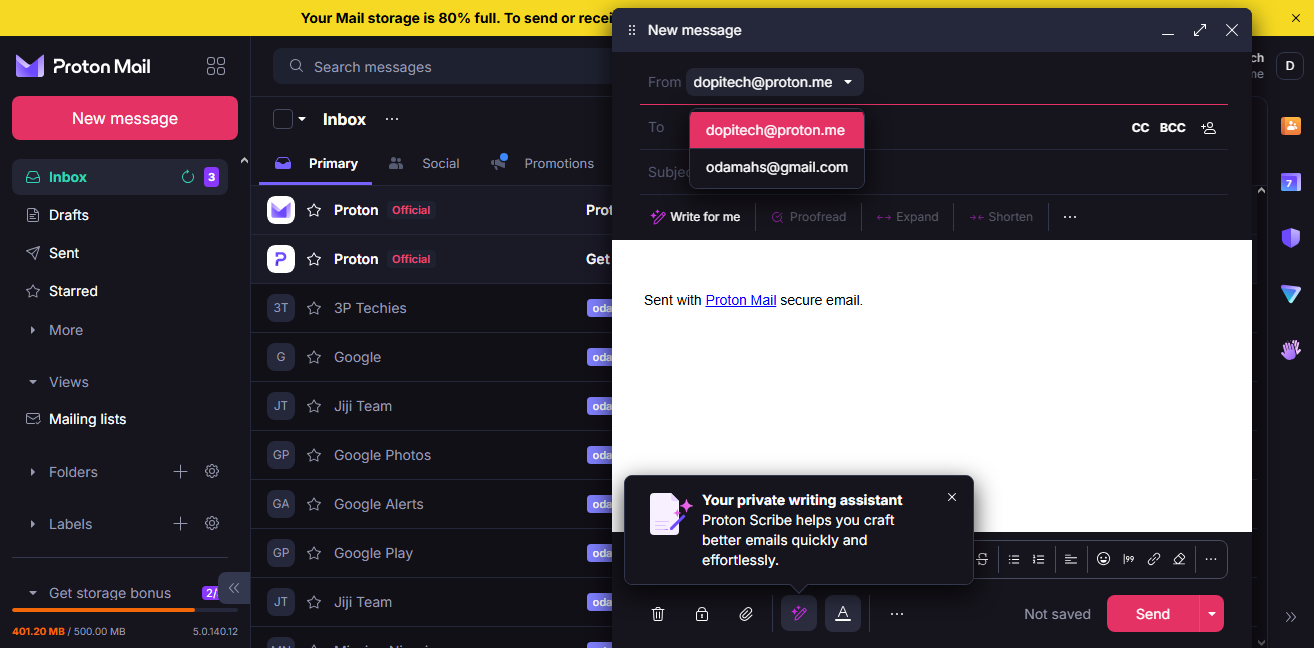
Honestly, the interface is appealing; you can choose from different theme colors, adjust the font character and size, as well as enable/disable animations. The free plan is generous with features, and you can customize the mailbox layout. Although email import is seamless, you cannot separate the mailboxes; everything gets merged into one mailbox, with tags differentiating the emails.
When sending a new email, you can select which email to send from, whether it is your Proton Mail address, Gmail, or any other customer email you have connected. Paid plans support custom domains, and the free plan offers only 1GB of email storage, which is very limited. Overall, it’s a good email service, but if you’re not looking to upgrade to its paid plans, you won’t get the most out of it.
Overall, I give a big “thumbs up” to their privacy features and the ability to send password-protected emails, configure PGP encryption, and migrate your inbox seamlessly. The only area of concern is the meagre storage allocation to users of their free services.