
Investing in an antivirus tool to protect your online activities is a wise choice, especially in today’s internet space. Cyber threats aren’t slowing down; from phishers trying to steal your personal data to ransomware locking you out of your files behind a paywall, you need a way to stay safe, and tools like Malwarebytes can help. I’ll walk you through Malwarebytes features, optimal Browser Guard configurations, and real-world tips for safer everyday web browsing
Think of this as an all-in-one cybersecurity solution with pretty extensive features to offer, including malware detection and a VPN. Malwarebytes also offers a multi-feature browser extension for Chromium browsers. Is it worth using Malwarebytes products in 2026, even opting for the premium versions? Below, I outline Malwarebytes’ key products and review their strengths, then provide practical tips for using Browser Guard in 2026 and beyond.
Malwarebytes Overview
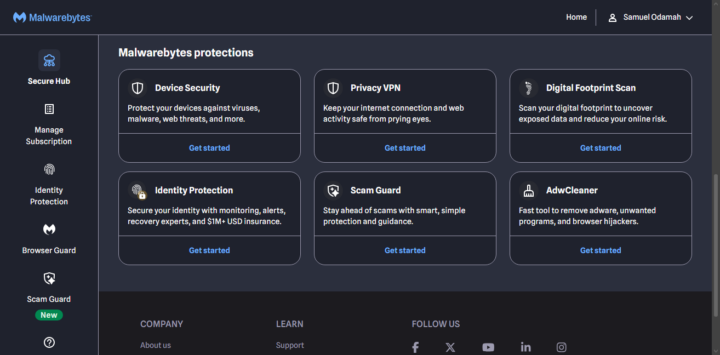
Malwarebytes offers an all-in-one solution (antivirus, VPN, identity protection, and more) plus a free browser extension for web browsers. Its flagship Premium Security product delivers real-time antivirus and anti-malware protection that “stops sophisticated cyber threats that traditional antivirus tools often miss”. The suite also includes a Privacy VPN for anonymous browsing, Identity Theft Protection services, and various free utilities.
Founded by Marcin Kleczynski in 2004 (as a response to a malware incident) and officially launched in 2008, Malwarebytes has grown into a global security company. It offers at least 20 different products centered on online privacy and protection. The browser add-on offers plenty of features that keep it relevant in 2026. It is proven to detect malware, adware, viruses, and phishing attempts.
Malwarebytes Products
The Malwarebytes suite includes many tools, but let’s highlight the very important ones that you could really need as a person who surfs the internet daily.
1. Antivuris Solution
Malwarebytes Premium Security is a modern antivirus/anti-malware engine for Windows and Mac. It excels at catching file-based threats and in-memory malware that older antivirus programs may miss. Premium Security includes multi-layer defenses (malware, ransomware, exploit protection, etc.) and extra utilities.
For example, it bundles Scam Protection to block phishing links in browsers and Ransomware Rollback to restore files after an attack. A premium antivirus solution that helps to keep your system safe from malware, spyware, trojans, and other viruses that may attack your PC through online activity.
2. VPN
A WireGuard-based VPN service offering high speeds, plus a no-logs policy, thanks to the diskless servers. The VPN also includes a Windows-only kill switch to cut off internet if the VPN drops and offers AES-256 encryption to hide your IP and DNS requests. However, the VPN network is relatively small compared to its alternatives; it offers approximately 500 servers worldwide, but the pricing is modest, starting around $3.33/mo calculated annually.
3. Identity Theft Protection
This service monitors your personal data on the dark web and elsewhere. It scans for your information (email, SSN, credit reports, etc.) and sends real-time alerts if data breaches are detected. Malwarebytes’ Identity Protection even includes live recovery support and credit monitoring, backed by up to $2 million in insurance.
A notable plus is the integrated Personal Data Remover: this service helps expunge your info from data broker sites and people-search listings. This tool lets you proactively guard against fraud and impersonation attempts, but it is only available to US customers.
4. Browser Guard Add-On
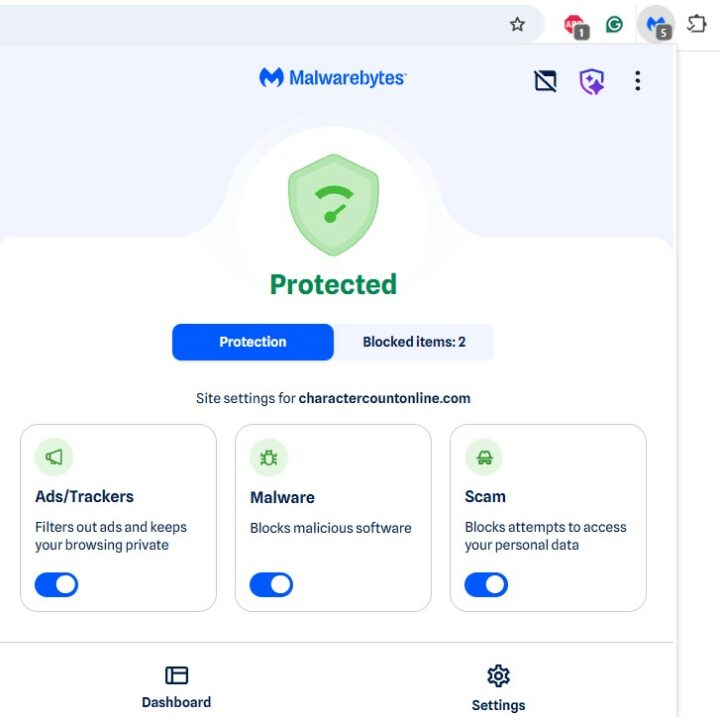
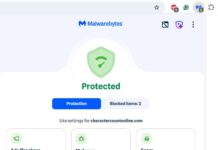
Malwarebytes Browser Guard is a free browser extension for Chrome, Edge, Firefox, and Safari; it can also work on Chromium browsers like Opera. It blocks ads, trackers, malware sites, scams, phishing attempts, credit card skimmers on web forms, and cookie/pop-up banners for cleaner pages.
In practice, Browser Guard uses a combination of blocklists and pragmatic checks: it flags tech-support scam pop-ups, unwanted cookie dialogs, and even hidden cryptominer scripts on pages. Unlike simple adblockers, it also warns about known malicious domains. A helpful feature lets you right-click any undetected ad or element and remove it on the fly. Most of its features are free, but it’s got more advanced features locked behind a paywall.
5. AdwCleaner
Malwarebytes AdwCleaner is a focused utility for removing adware, toolbars, and “junkware” left over on PCs. It’s a standalone program (no install required) that deeply scans for PUPs and ad injections; it hunts down unwanted toolbars, browser helper objects, unwanted start-up entries, and registry debris that typical antivirus might ignore. Running the AdwCleaner periodically can help to keep your PC lean and can significantly improve browser speed and system responsiveness.
My Malwarebytes Review and Verdict
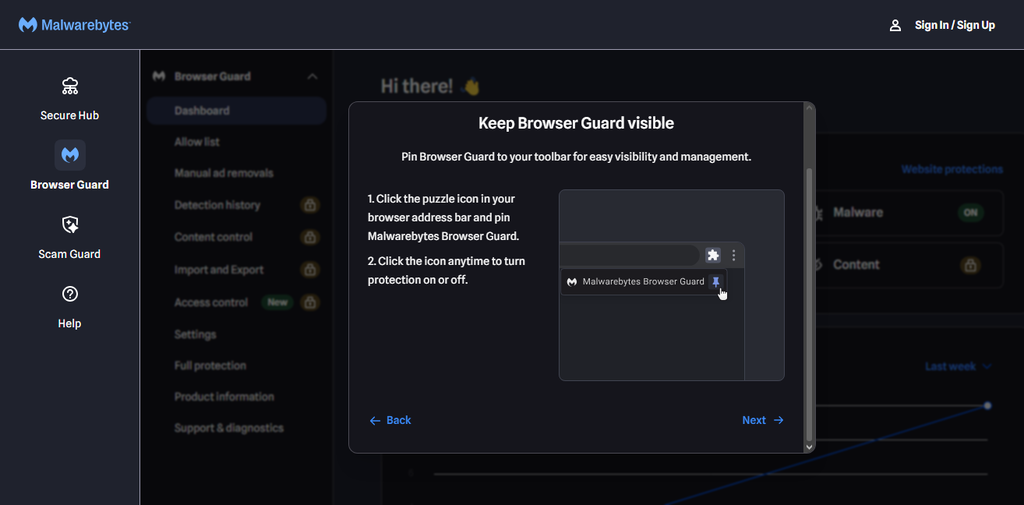
Primarily, the software suite promises protection against malware, viruses, adware, PUPs (Potentially Unwanted Programs), phishing sites, ransomware, and identity scams. Yeah, it does most of these things pretty well, but it’s not very efficient in all areas. The ad blocker works fine across Chromium browsers; the VPN offers just as good performance as you’d expect, and the identity protection tool delivers as well.
However, when it comes to malware detection, Malwarebytes seems not to be able to detect “ALL” kinds of malware as the developer claims; yes, it did detect most, especially those hiding in .exe and .XLS files, but that’s it; it appears efficient in detecting malware on these two file types compared to multiple other file types out there.
Also, the antivirus scanner is uncomfortably fast. I mean, it literally completed a complete scan in less than 3 minutes, which suggests Malwarebytes focuses on known-priority areas and cloud lookups; usually, premium antivirus programs run a full/complete scan in about 20 minutes at least, and sometimes it may take up to an hour. Well, the scan did detect plenty of unwanted files that could be potentially dangerous to the system, but it obviously didn’t search deep into the PC’s local directories.
General online reviews place Malwarebytes at an average rating, proving that it is a good software suite overall, but not the best you can get for its functions. The Browser Guard add-on is one of the developer’s finest offerings; it is genuinely useful and offers a whole lot for free.
Tips for Using Malwarebytes Browser Guard Add-on in 2026
- Browser Guard supports Chrome, Edge, Firefox, and Safari (and even Telegram’s browser interface). Add the extension to each browser you use and make sure it’s enabled. It will immediately begin blocking ads, trackers, scam pages, and malicious scripts on all your web traffic. Make sure to download from the official add-on download page for your browser or the developers’ website.
- Ensure Browser Guard auto-updates so you receive the latest filters and signatures.
- When Browser Guard blocks a site or element, it shows an instant notification or icon. Take a moment to glance at the block reports or notification details. This helps you understand what was blocked and keeps you abreast of current threats in your browsing niche.
- Typical of antivirus apps, it may be aggressive and block some legitimate sites. If that happens, be sure to whitelist (allow) those legitimate sites you know.
- Enable Browser Guard’s scam and fraud protections in settings. The extension already blocks common phishing pages and tech-support con sites. You should also allow its credit card skimmer detection to run, especially during online checkouts. Browser Guard will flash a warning if it detects sketchy form scripts. These features are free and automatically active.
- If an intrusive ad or popup slips through the automatic ad blocking, use the “right-click to remove ads” feature; simply right-click on the ads and choose “Remove [ad/content]”. Browser Guard will hide it immediately and learn to block similar content in the future.
- Browser Guard covers ads, trackers, scams, and some malware; if you want even more ad-blocking muscle, you can run it alongside other blockers (like uBlock Origin).
Malwarebytes Pricing
Browser Guard is right about the only freemium tool offered by Malwarebytes; the rest of its products are mostly premium with a few days’ free trial. However, you get most of them in bundles; for example, the Malwarebytes Premium Security gets you the antivirus, malware remover, VPN, browser guard premium, and roughly 15 other products from the company. Pricing for the Malwarebytes Premium Security Standard Plan starts at $59.99/yr for 3 devices, and the Plus Plan goes for $79.98/yr for 3 devices too, but with more products (on offer).
Conclusion
In summary, Malwarebytes remains a solid cybersecurity product for home and business environments. Its Premium Security bundle is rated highly and has even won a couple of “Top Antivirus Product” awards; it effectively protects against most common threats. The Browser Guard extension is a particularly valuable free tool that delivers strong ad/tracker blocking and scam prevention without the bloat of full antivirus.