
Nerds are a different type of being; while they enjoy what ordinary people enjoy, they have a specialty in loving what, otherwise, would be considered awkward by some other people. Here, I’ve combined up to 10 Apple TV apps a typical nerd would love to have on their smart TV. No, I’m not talking about movie streaming apps, although a few are on the list, but real apps that would intrigue and engage any tech enthusiast, literally.
The Top 10 Apple TV Apps for Nerds in 2026
This list focuses on apps that actually reward a bit of technical curiosity, like a self-hosted media server running from your Smart TV, a game-streaming client that brings your gaming PC’s output straight into the living room, network diagnostic tools, a space-data app with a live ISS tracker, or a multi-purpose VPN. Of course, every app here is currently live on the tvOS App Store.
1. NetworkCheck for TV (View)
Requires: tvOS 17+
Size: 9.1MB
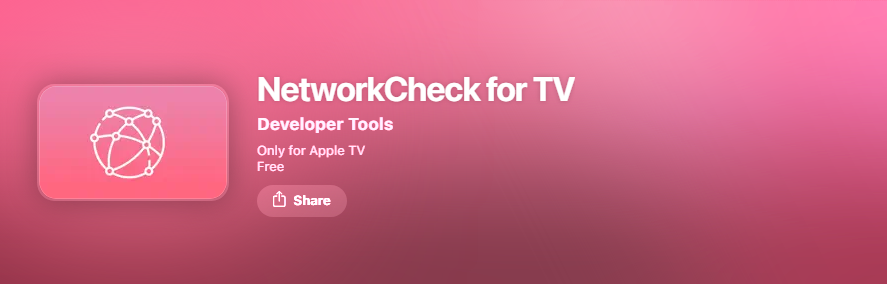
Like I pointed out earlier, some apps a nerd would love may seem awkward to a regular smart TV user. This one here, NetworkCheck, is pretty much an interesting app exclusive to the Apple TV platform, supporting tvOS 17 and later. It’s a free app that does quite a simple function: providing real-time network monitoring information such as connection status, speed tests, and ISP info.
NetworkCheck is a specialized network diagnostic tool for Apple TV that lets you run network analysis and diagnose connectivity issues. The interface is simple and focused on the networking stats it tracks. Interestingly, the developer notes that this app doesn’t collect any data, so it has no tracking or telemetry. If you ask me, this is a pretty useful app for a tech-savvy person like me who sometimes goes crazy when my smart TV lags in network connection.
2. Infuse 8 (View)
Requires: tvOS 18.5 or later
Size: 209MB
VLC is great, but have you used Infuse to play your videos and media, generally? Oh, you’re going to love it, nerdy or not. Infuse, from developer Firecore, is basically the gold standard for playing local media files on Apple hardware, which includes the iPhone, iPad, Mac, and TV. It connects directly to Jellyfin, Plex, and Emby libraries, plus raw SMB and NFS network shares and several cloud storage providers, without ever needing to convert a file first.
Now, under the hood, it handles practically every container and codec you’ll run into, from MKV to HEVC to AV1, with full Dolby Vision and Dolby Atmos passthrough where your setup supports it, plus Trakt sync so your watch history follows you across devices.
It’s free for most of it, but definitely has paid versions, which unlock its heaven, including automatic metadata and artwork scraping, cinema trailers, subtitle fetching, and high-resolution DTS/Dolby audio. A single Infuse Pro subscription covers iPhone, iPad, Apple TV, Mac, and Vision Pro, and can be shared through Family Sharing; starting from $1.99 a month, $16.99 a year, or $99.99 as a one-time lifetime purchase.
3. Plex (View)
Requires: tvOS 14.5 or later
Size: 133mb
Yeah, Plex remains the most recognizable self-hosted media platform. You can install the Plex Media Server on a PC, Mac, or NAS, point it at your files, and stream to any Plex client, Apple TV included, with automatic transcoding to keep playback smooth across devices. It also supports live TV and DVR functionality for antenna users with a compatible tuner, and hardware-accelerated transcoding.
The only issue here is that Plex has gotten more expensive for its paid version and the free version can’t really do much; it’s now $6.99 a month or $69.99 a year, and the one-time Lifetime Plex Pass rose from $249.99 to $749.99 earlier this year, in July 2026. Even so, the remote playback of your own personal media, which used to be free, is now gated behind either a Plex Pass or a separate $1.99-a-month Remote Watch Pass. But yeah, it’s a nerd’s favorite for media hosting.
4. Hands‑On Tech (View)

Requires: tvOS 12.2 or later
Size: 18mb
This free app is a bit different; it’s an app where you get to watch various hands-on reviews of new and emerging tech gadgets and devices. It features tech gadget reviews and unboxings, hosted by Leo Laporte, Jason Howell, Megan Morrone, and many other popular names in tech reviews. A nerd would typically want to keep tabs on the latest smartphones, wearables, smart home gadgets, etc., and this app is where you get to experience these things firsthand.
5. Moonlight Game Streaming (View)
Requires: tvOS 12 or later
Size: 11.6mb
How about using your smart TV to capture all your cloud games and relieve your gaming PC for a while? If that sounds interesting, then Moonlight is the guy for this. It is an open-source implementation of Nvidia’s GameStream protocol, and it turns Apple TV into a receiver for whatever a gaming PC is rendering elsewhere on the network. Since Apple tvOS doesn’t support the official GeForce Now client, Moonlight is genuinely the only path to real PC-streamed gaming on Apple TV.
You can pair this with the Nvidia GeForce Experience if you’ve got an RTX or GTX card, and you can stream your Steam, Epic, or Battle.net library at up to 4K at 120fps with HDR. Moonlight supports MFi, PlayStation, and Xbox Bluetooth controllers, local co-op with up to four connected controllers, and Wake-on-LAN so your gaming rig doesn’t need to sit powered on all day.
6. Channels: Whole Home DVR (View)
Requires: tvOS 17 or later
Size: 113mb
Now, personally, I’m loving this one because of the DVR feature that lets you record what’s showing on your screen. Channels pairs an HDHomeRun over-the-air tuner with self-hosted server software you can run on a Mac, Windows PC, or NAS to get a free whole-home DVR experience. With this, your Apple TV would stream live and recorded TV programs complete with a full grid guide, pause and rewind on live channels, and 5.1 surround sound support.
The developer, Fancy Bits, also sells a separate “Channels for HDHomeRun” app for $39.99 for anyone who only wants live channel surfing without the DVR layer. But you know, to fully explore and enjoy this app, you need the HDHomeRun tuner hardware to keep the Channels DVR Server running around the clock, and typically a paid DVR subscription, billed separately, to actually unlock recording. So, this is more like a build-it-yourself setup, and a typical nerd would want to give this a shot!
7. NASA App (View)
Requires: tvOS 17.6 or later
Size: 63mb
The NASA tvOS app is a typical nerd’s top choice for the obvious reasons. It unlocks the NASA+ streaming service directly inside the app with no subscription required, alongside live NASA TV coverage, a real-time ISS location tracker with a “Sky View” feature to help you actually spot the station passing overhead, more than 21,000 mission images, and augmented-reality models of rovers and spacecraft.
For anyone who grew up watching launches on NASA TV, it’s a genuinely well-maintained piece of educational software on a platform that doesn’t get many of them. The live ISS view and NASA TV stream depend entirely on a stable connection, and when the feed drops, which happens from time to time, there’s no offline fallback content to fill the gap. Worth the try? I think so.
8. Study Swiftly TV (View)
Requires: tvOS 16 or later
Size: 30mb
This one is a bit specific; it is for nerdy developers looking to learn a new programming language or polish their knowledge in Swift programming. Study Swiftly TV is exclusive to Apple TV and features on-TV Swift programming tutorials. The app offers 600+ Swift language “facts” (concise lessons) with code examples, derived from Apple’s official Swift docs. It’s designed to let you “learn to code from your couch.”
9. IPVanish (View)
Requires: tvOS 17 or later
Size: 30mb
I’m picking IPVanish here, but the general idea is installing a VPN app on your Apple TV; the benefits remain the same as it offers you on your mobile phone and PC or MacBook. Interestingly, IPVanish rolled out a refreshed Apple TV app in late July 2026 that added WireGuard and OpenVPN, with Scramble traffic obfuscation support alongside its existing IKEv2 protocol, making it, by IPVanish’s own claim, the only VPN offering all three protocols on tvOS.
WireGuard’s lean, modern encryption is built for the kind of low-latency connections that gaming and 4K streaming need, while OpenVPN’s Scramble mode helps a connection avoid detection on networks that actively try to block VPN traffic. It also supports unlimited simultaneous device connections under a single subscription. Yeah, this one’s not free; it comes around $2.19 a month on the promotional long-term plan but climbs to $12.99 a month billed monthly.
10. Apple Developer App (View)
Requires: tvOS 26.0 or later
Size: 29mb
For this one, your Apple TV box needs to be a recent model that runs the latest tvOS 26.0 OS. Of course, this is a completely free app to follow official developer news, features, and product videos from Apple Inc., and also the place to stream WWDC. The app provides access to the latest developer articles, WWDC session videos (offline download), API updates, and direct enrollment into the Apple Developer Program. You’d love this if you’re an Apple developer; it’s an all-in-one Apple developer hub on a big screen, to keep current with new APIs, tools, and WWDC content.
Conclusion
This is a carefully selected list of apps a nerd or tech enthusiast would find worthy of installing on their Apple TV 4k box, cutting across different app categories. If you’d prefer a different set of apps, we’d love to hear them in the comments.