Magcubic HY300 PRO Android Projector $61
-
Setup Process and Ease of Use
-
Cost vs. Features
-
Design and Build Quality
-
Likelihood to Recommend
Summary
At under $100, the Magcubic HY300 PRO Android Projector delivers a highly portable cinematic experience. Despite a few minor flaws typical of its price point, it easily streams or casts content onto any wall or canvas. The ability to natively install Android apps and games gives it a significant edge.
Pros
- You can install compatible Android apps and games
- The portable design makes it easier to carry than a regular projector
- It supports multiple screen casting options for smartphones
- There are physical HDMI, USB, and Audio jack ports for seamless connection
- Wi-Fi 6 and Bluetooth 5 support is a big plus
Cons
- Lack of a battery or backup power storage system could be a concern for many
- The built-in speakers are surprisingly quiet; in fact, most modern smartphones are louder.
- Performance in bright lighting is a minus, as shown in our performance test.
User Review
( votes)Not sure this would replace TVs in homes, but it’s cool, smart tech, and a decent innovation over the traditional projectors we all know. The portability is an eye-catcher, and the Android smart features spice up the infatuation. You could use the Magcubic HY300 Smart Projector to enjoy a cinematic experience at home, since it shoots up to a 200-inch diagonal display.
This big question now is – can the Magcubic HY300 PRO live up to this expectation? Is it a good buy for a truly portable smart projector for homes? You’ll see all the answers in this detailed review of the HY300 Pro Android projector.
Magcubic HY300 PRO Android Projector Overview
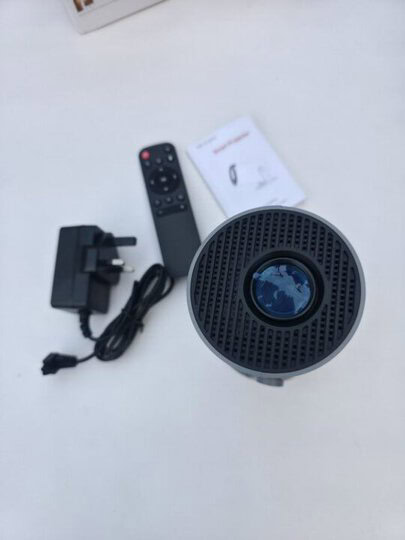
The Magcubic HY300 PRO, in its simplest description, is a smart mini projector. Oh, but it is more than that. This smart stuff packs a wealth of exciting features into a portable build and goes for quite a commensurate amount.
To start with, it has Wi-Fi 6 support and Bluetooth 5.4 for wireless connections and internet, while also offering 180° rotation and automatic trapezoidal correction. It is inarguably an ideal home entertainment device for enjoying cinematic experiences at home.
For sure, you can use this outdoors, but in low light environs, and yeah, it’s a good travel gear. The projector can shoot up to a 200-inch diagonal view, which is a lot bigger than what many smart TVs of today offer, and the clarity? Quite impressive as you’d expect from a “projector,” and you know, you need to use this in a low-light or completely dark room, to enjoy its prowess.
However, it is important to note that this isn’t a regular projector, so you’re not connecting a VGA cable to shoot or present content from your laptop. If you’re going to try something like that, then you have to use an HDMI cable. You can also cast the documents on your phone to the Magcubic HY300 Android smart projector.
Unboxing
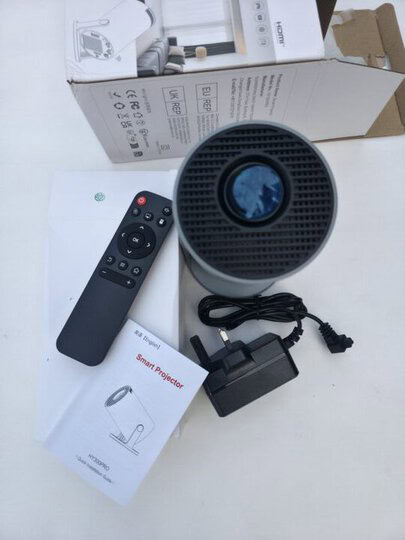
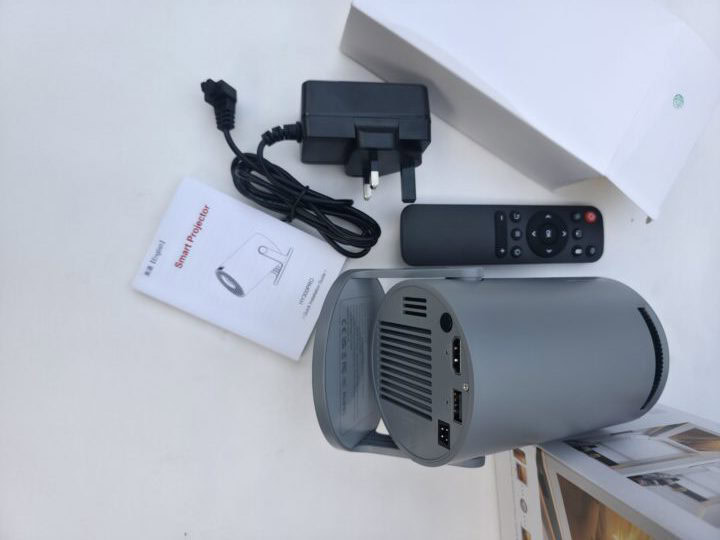 As expected, it came neatly packed with these items inside the well-covered box:
- The Magcubic HY300 portable projector
- A 60W Power adapter
- A remote control
Full Specifications
| Model | HY300 Pro |
| Keystone Correction | Vertical: Auto Horizontal: Manual |
| Resolution | 1280 x 720 dpi |
| Brightness | 290 ANSI Lumens / 3001:1-4000:1 / 20000 Hours |
| Lenses | LED |
| Focus Mode | Manual |
| Controls | Manual 4-point / ASA 3.0 |
| CPU | Allwinner H723 Quad-core ARM Cortex-A53 |
| GPU | Mali-G31 MP2; 12nm |
| OS | Android 14 |
| RAM | 1GB |
| Memory | 8GB ROM |
| Speakers | 2 x 5W |
| Connections | HDMI input, Audio jack, 1x USB 2.0, Wi-Fi 6, BT v5.4 |
| Misc | BT remote control with mic |
A Smart, Android-Based Projector to Replace Smart TVs?
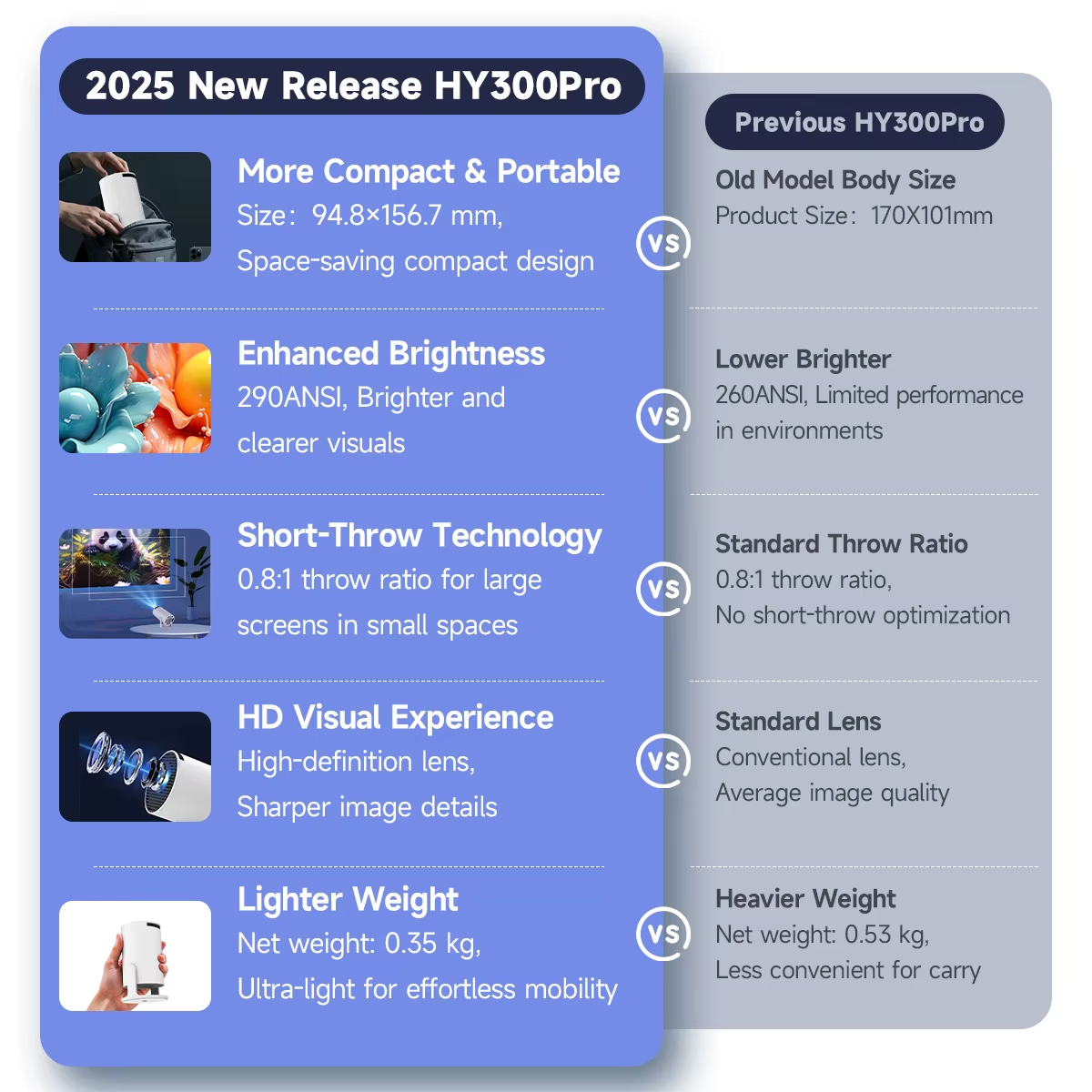
As I said earlier, this is definitely not going to replace TVs; rather, it could come in as a complementary device, and an ideal “extension” of your smart TV for when you go on outdoor vacations or travel around. Let’s take a look at the features and see what it’s got in the first place.
Dual WiFi 6 and Bluetooth 5.4
These are the wireless technologies that allow you to connect the Magcubic HY300 PRO to the internet for streaming and viewing, as well as pairing the remote control. Obviously, it supports the latest wireless versions of the two most used wireless protocols: WiFi and BT.
Of course, you can pair other Bluetooth-supported devices, such as controllers, speakers, or headphones, to this smart projector.
Android 14 Backend, 1GB RAM + 8GB ROM
The whole “Smart” references of this projector are powered by Google’s Android 14 OS. So, you can install Android-based apps and games on this device. But it’s got quite small memory and storage allocation, 1GB RAM + 8GB ROM, and there’s no room for extension via microSD cards; this is quite a limitation for people who may want to try cloud-based games on this projector. However, at the same time, this storage & memory allocation can handle most Android applications, including streaming services apps and media players.
Allwinner Quad-Core SoC
The Allwinner H723 chip runs with eight cores and is clocked at 1.9 GHz (64-bit), paired to a 12nm Mali-G31 MP2 GPU. This is quite a decent SoC lineup for a portable device such as the Magcubic HY300 PRO; it runs your apps at a good speed, but I must say that it gets laggy sometimes, especially when the device starts overheating.
Design and Build
Let’s talk about the appearance of the Magcubic HY300 PRO: it’s sleek, compact, and thoughtfully crafted. It’s not boxy like most other projectors, but rounded, and that allows for more flexible placements, especially since it has an adjustment base arm.
The Magcubic HY300 PRO mostly comes in a white finish; there are no other colors at the moment. Generally, it looks solid and sturdy, yet lightweight and easy to carry anywhere. There are no buttons on the body; you have to rely on the remote controller. However, the focus knob is right at the top to adjust the clarity when you zoom in or out.
Up to 200-Inch 1080p Diagonal Display with 3001:1-4000:1 Contrast
One of the catchy features of the HY300 PRO is its ability to extend viewing up to 200 inches; this is bigger than what most TVs offer. This screen zoom is adjusted from the settings menu when you’ve turned on the projector and accessed its menus.
The HY300 PRO supports up to 290 ANSI lumens and a contrast ratio of 3001:1-4000:1, so it still delivers good quality visuals in lit rooms or outdoors; however, inarguably, you’d get the most out of this big size viewing when you’re in a completely dark room.
But 1080p max resolution at 200 inches isn’t very impressive, to be honest. Yes, the visuals remain clear, but the details slack a bit. You will enjoy a good viewing anyway. The best viewing size, for me, is the 80-inch zoom size, which the projector should be placed up to 1.2 meters away.
Performance and Functions
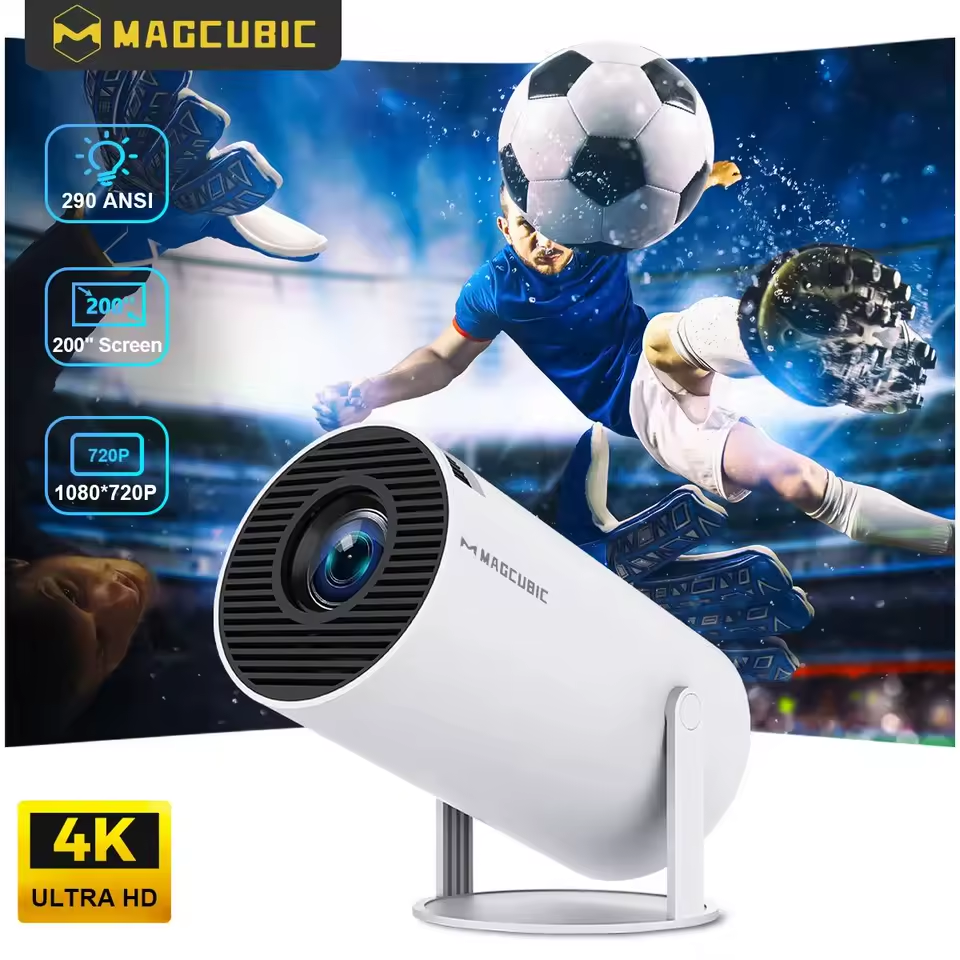
In the Projector Settings menu, you can access the screen zoom, Bluetooth, network, keystone correction, and multiple other settings. There are several functions accessible from the settings menu, including image type, color range, and sound equalization.
How to Use the Magcubic HY300 Android Smart Projector
It’s quite simple. You don’t need any pre-exposure to understand how it works, especially if you’ve had a smart TV prior.
- Step One: Unbox the projector and find the power cable along with the device
- Step Two: Plug the power cable into the projector, then plug the power cable into a power source. Press the power button on the projector to boot it.
- Step Three: Once the projector is turned on, enter the settings screen to connect to your WiFi or router. You can also pair your BT devices by enabling the Bluetooth connection settings.
- Step Four: Find the ideal spot to place the projector for viewing, and adjust the focus using the wheel on the top. If the visuals appear skewed, use the screen adjustment settings to centralize the projected image.
You can also use the screen mirroring function to cast content from your phone or laptop, via Miracast, AirPlay, or DLNA. The remote control is there to help you navigate through.
My Magcubic HY300 PRO Review and Verdict
For the price, the Magcubic HY300 PRO delivers as expected and packs a commensurate number of features to go along. However, the 720p resolution (upscaled to 1080p resolution) could have been made 4k for pristine clarity at a 200-inch screen zoom level.
A built-in battery would have been much appreciated on this, since the idea is to make it a “portable” alternative to TVs and regular projectors, but Magcubic didn’t make that happen, which is a big challenge when you need to use the projector outdoors.
The only positive thing here is the solar portable in my possession already. With that, I was able to test it outdoors without the hassles of dragging out long extension cables.
But I must say, the Android backend is a good one; you could literally run any streaming app, install media players for your movies and audio playbacks, or connect your media servers. You can cast from your phone to this projector or use Bluetooth for wireless playbacks.
Also, the design is truly portable and compact; this projector can fit into your laptop backpack or any travel duffel bag you use, and yes, it’s lightweight. It is not complex to set up; it’s literally plug and play from out of the box – you’ll certainly figure it out. Regardless, it’s got a user manual included in the box.
Finally, one of the outstanding features of this smart projector is the automatic horizontal trapezoidal correction that keeps your projected visuals perfectly aligned, even as you rotate the device. You can project onto walls, ceilings, or canvases.
Pros:
- Portable and handy.
- Supports Google Play Store and apps.
- The remote is quite responsive.
Cons:
- No built-in battery or backup power (considering it’s a portable device).
- Could be hot after a long time of continuous steady use.
Summary
The Magcubic HY300 PRO is a budget-friendly, portable smart projector to bring a cinematic experience to your home and office. It has its lapses, for sure, but those are not surprising for a sub $100 projector. Ultimately, it lets you stream any content or cast from your device to any surface, whether it is walls, ceilings, or a canvas.
Also, the visual performance is acceptable, and the plethora of adjustable settings via the settings menu is splendid. The Magcubic HY300 PRO is a good value for the price if you ask me.
I tested it on my phone and PC and was completely wowed with the outcome. You can buy this exact model from their AliExpress page here.