AI video technology empowers creators to produce stunning content quickly, from social media clips to professional demos.
High-performing strategies revolve around actionable techniques that boost quality, efficiency, and engagement without needing expert skills.
This guide will walk you through 10 proven and super-effective methods to elevate your workflow, starting with a powerful AI Video Generator that streamlines the entire process from idea to final output.
Master Prompt Engineering Basics
The best way to give AI video prompts is to treat them like blueprints: they should describe subjects‚ actions‚ environments‚ moods‚ and camera movements in detail for the best results․
For example‚ instead of “urban scene”‚ try “a vibrant market street at dawn with vendors calling out‚ steady tracking shot forward amid rising steam from food stalls”‚ which is more precise‚ minimizes artifacts‚ and yields cinematic results in your first try․
Use a cascading prompt‚ starting with basics‚ then adding descriptors like “golden hour lighting” or “slow-motion rain droplets․” This makes the outputs look more intentional and gives them a professional feel․
Leverage Image-to-Video Animation
It works best by using a still image for input because high-quality images let the AI focus on adding realistic motion rather than starting from nothing to create a new video․
Use high-quality ‚ well-composed images with a distinct point of interest‚ such as product shots or landscapes․
Simple pans‚ zooms, and particle effects tell a story without much work on your part․
This method works particularly well for product displays or narrative loops: Generate a few versions‚ find the best one‚ then animate it into polished video delights․
Incorporate AI Avatars Strategically
AI avatars provide a human presence in videos without shooting a single frame: appearing onscreen in tutorials‚ testimonials‚ and business communications‚ saving hours of production time for professionals․
You can use energetic or professional avatars to convey your tone‚ and control lip-syncing and gesture to create relatable and trustworthy video appearances on live-streaming and video campaigns․
Best Practices for Avatar Use
- Match facial expressions to script emotions.
- Test diverse ethnicities and ages for inclusivity.
- Combine with background animations for fuller scenes.
These avatars shine in personalized marketing or educational series, boosting viewer retention through familiarity.
Automate Editing for Polish
AI editing automates video creation‚ choosing the best shots‚ applying transitions‚ and aligning the music with the rhythm and energy of the video․
The clips are selected‚ whilst the system determines the cuts‚ color schemes‚ and text․
The rhythm of the edits can be tweaked as iterations are tested out․
Short videos up to 60 seconds are preferred․
This automation is meant to mimic those of professionals and is capable of rendering broadcast-ready videos in minutes using modern effects such as slow-motion highlights and glitch-based transitions․
Optimize for Platform-Specific Formats
Adapt for each platform’s preferred format․
Strong hooks perform best on vertical video for broad short-form/scrolling feeds‚ horizontal video works best for embeds and stories across platforms․
Try a 9:16 ratio for scrolling‚ 16:9 for desktop․
Adopt platform trends‚ such as fast-moving intros and end-screen CTAs‚ that algorithms reward․
Batch create content: keep it short for reels‚ longer for tutorials․
The core asset can be repurposed for long-term views on all channels․
Experiment with Trending Styles
Neon cyberpunk‚ cozy lo-fi‚ and POV journeys are hot aesthetic trends․
They’re interesting to look at and easy to share because they’re often eye-catching․
Cinematic nature timelapses or historical recreations have been combined with ASMR whispers‚ animated infographics‚ or other effects to create versatile and discoverable content․
Use visual elements‚ like holographic effects at tech demos or colorful festivals․
Eye-catching visuals are easy to implement but drive shareability․
Batch Generate for Efficiency
By producing many variations and choosing the best‚ scale output․
This volume-first approach tends to surface hidden gems and builds a library faster․
Extra fine-tuning on the first few frames will set the standard for the rest of the sequence․
Experimentation within lighting‚ angles‚ and speeds provides visual variety․
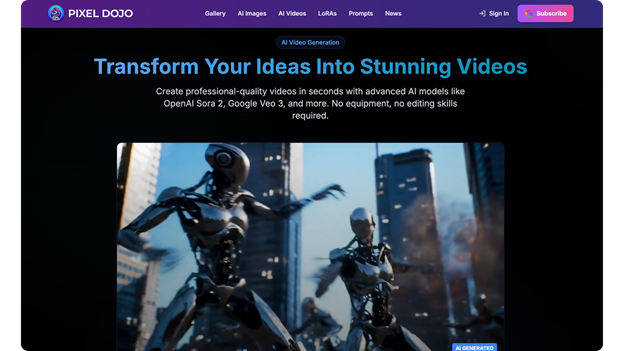
An example of this would be the web tool‚ Pixel Dojo‚ which allows quick iteration so that concepts are quickly developed into series‚ campaigns, or reels with little waste․
Integrate Voice and Sound Layers
AI-generated audio can supercharge your visual content with natural-sounding narration voiced by text-to-speech in multiple languages‚ all synced up to the visuals․
For tips‚ upbeat․
For stories‚ soothing․
Plus sound effects (patter of rain‚ murmur of a crowd‚ etc․)‚ or a music bed to set the scene without distracting from it․
Layering Techniques
- Start with a voiceover as the anchor.
- Overlay subtle effects for depth.
- Balance volumes for cross-device playback.
This sensory polish keeps audiences hooked longer, transforming simple visuals into memorable experiences.
Refine with Iteration Loops
To refine models: Generate outputs‚ evaluate quality (fluency‚ consistency‚ relevance‚ adherence to intent)‚ and where needed‚ iteratively refine prompts through small modifications․
Use built-in preview features to extend shots and swap out items․
Save successful formulas (prompt templates) and combinations of styles for reuse․
This learning cycle is so fast that the beginning player relatively quickly approaches the level of experts‚ with errors rapidly falling․
Explore Custom Model Training
Brand the AI outputs․
Send assets & samples‚ like images‚ video‚ or a style‚ and train a model to generate this output automatically․
First‚ train it with small datasets: logos‚ color palettes‚ and preferred avatars․
It will learn the finer subtleties and produce on-brand work at scale without continual checks․
Training Tips
- Use 20-50 high-res references.
- Iterate training runs for refinement.
- Test across scenarios for versatility.
This future-ready step differentiates your videos in crowded feeds, ensuring uniqueness and cohesion.
Wrapping it all up:
These 10 steps will help anyone create engaging AI videos․
Follow them step by step and remember that the first thing is always to choose a good AI Video Generator․
As a result‚ you’ll get content that resonates and works across every channel․