
Looking for the best MP3 cover tag generators for someone just starting out? Well, that’s what today’s guide is all about. CoverTag helps you create album cover, logo/icon, jingle, or metadata that automatically saves along with an audio file or music you downloaded from a music download website. It helps you set custom album art and missing track metadata to organize an otherwise messy music library.
Audio players, regardless of the platform (phone, PC, Mac, car stereo, TV, DVD, etc.), read the metadata in your audio files to arrange and sort them accordingly: by size, name, added date, etc. A covertag software helps you set this information that music/audio player applications read. Here, we’d be considering some of the very best covertag generators that work on Windows PCs and MacBooks.
Why Need a CoverTag Generator
If you open your music folder on a phone, a car stereo, or an old media player, and find songs that show a grey placeholder square or labeled “Unknown Artist,” what it means is that those audio files lack metadata info and album art; stuff like this is what a CoverTag generator is built to handle.
That information lives in tags. In an MP3, the artist, title, album, year, and genre sit in an ID3 tag, and the cover image is stored there too, as an embedded picture. Because they’re all embedded into the music file, wherever you play back that audio file, that data would suffice.
The 7 Best MP3 CoverTag Generators for Windows and Mac
Here are the 7 best MP3 cover tag generators for creating MP3 tags on Mac and Windows computers. Most of these software apps work on both Windows and macOS, while some are built specifically for one operating system.
1. Mp3tag (Visit)
- Platforms: Windows, macOS
- Price: Free on Windows; paid on Mac ($25)
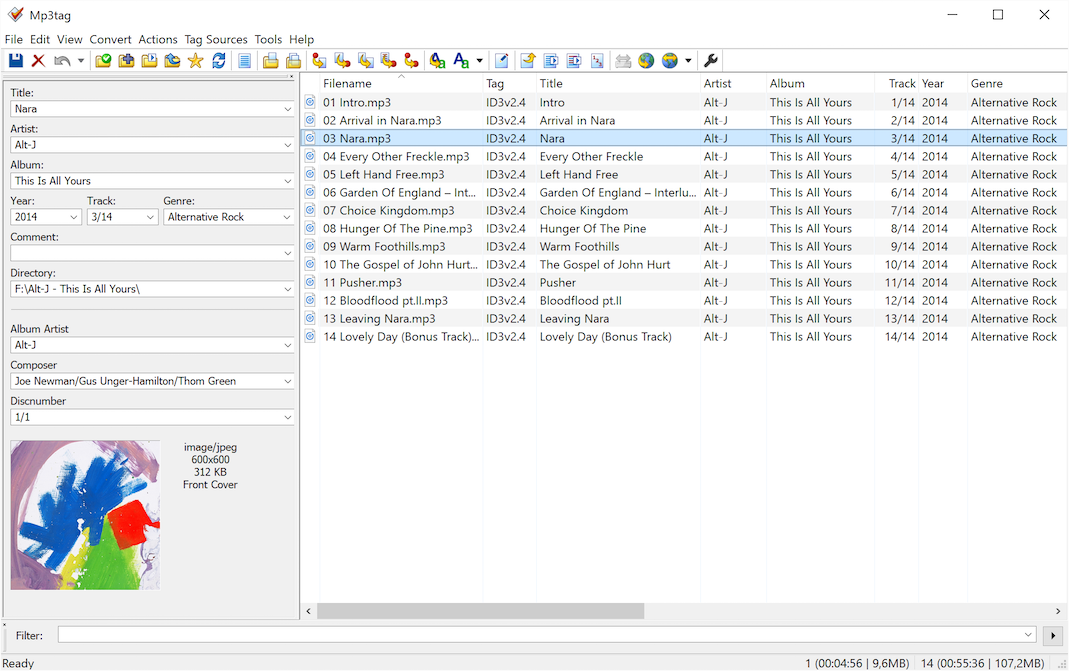
Basically the most popular and commonly used option, Mp3tag is a simple-to-use CoverTag and ID3 tag generator available across platforms, including mobile OSes. Mp3tag pulls music file tags and artwork from various online directories, including Discogs, MusicBrainz, and freedb, so you will find accurate tags and download cover art for your music library. Plus, it supports batch editing multiple files at a time.
Also, the app allows you to rename audio files based on the tag information, replace characters or words in tags and filenames, create playlists, and import/export tag information. Of course, it can do much more, as well as support over 20 audio formats including AAC, ALAC, Aif, FLAC, MKA, MKV, Mp3, Mp4, M4a, iTunes music files, OGG, Opus, and more.
The most obvious CON of Mp3tag is that it won’t recognize a nameless track by sound alone; you need to know at least the name of the artist who sang the song or an album name to search with. Also, the macOS version costing $24.99, while the Windows version is free to use is yet another CON you may want to consider.
2. TagScanner (Visit)
- Platforms: Windows OS
- Price: Free and open-source
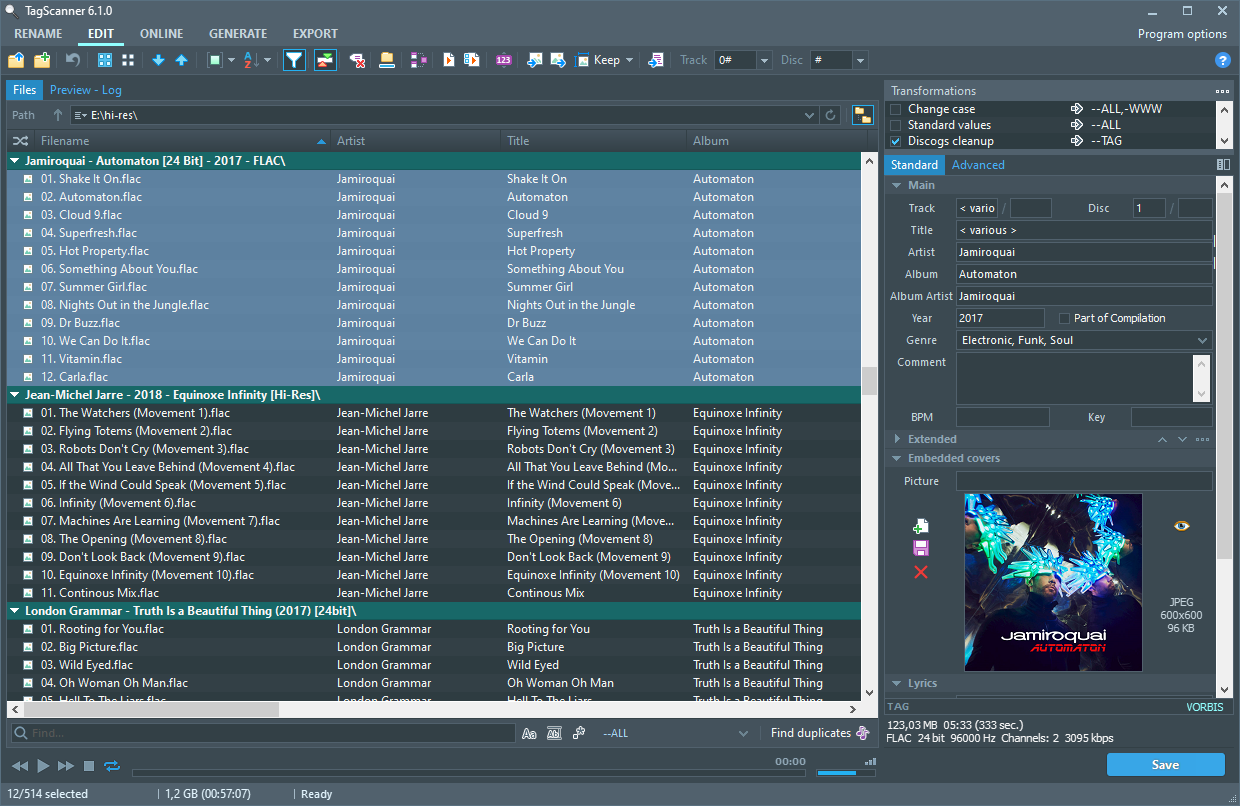
TagScanner is another impressive CoverTag generator for organizing and managing your music collection. It supports most modern audio formats, ID3v1/v2, APEv2, Vorbis comments, WMA, and MP4(iTunes) tags. Interestingly, the app lets you rename your music files based on tag information and import tag data from filenames or other sources.
Yes, you can replace text and characters within existing tags and filenames. It pings online databases like freedb, Discogs, and MusicBrainz to get album cover art and info. With TagScanner, you can create playlists in one click and export your collection to HTML, Excel, XML, or a custom user-defined format. The interface is multilingual, and this software can run on nearly all Windows OS PCs. It’s got a built-in audio player too!
3. MusicBrainz Picard (Visit)
- Platforms: Windows, macOS, Linux
- Price: Free and open source
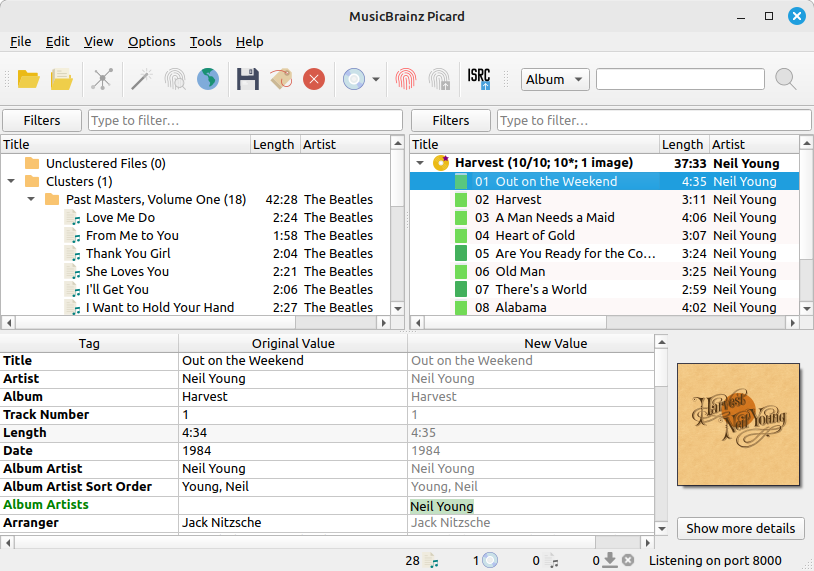
This one’s free on all platforms it’s supported on, which includes Windows, Linux, and macOS. Actually, Picard is the official tagger of the MusicBrainz project, and its big trick is audio fingerprinting. Through AcoustID, it can identify a song by how it sounds, even when the file has no usable metadata. That makes it a rescue tool for tracks named “Track 01” in your playlists.
Picard works with an album-first approach: you load files, group them, and match the whole release at once, and it can download the matching cover art along the way. It supports MP3, FLAC, OGG, M4A, WMA, and more, and it’s got a plugin system if you need extra features. In newer versions of the software, it added support for cover art processing, with options for resizing, format conversion, size filtering, and keeping embedded and external images separate.
The catch is the workflow. Picard encourages you to cluster tracks into albums before tagging, which feels like an extra step if you only want a quick cover fix. Its accuracy also depends on the MusicBrainz database, so very obscure releases may not match. Notwithstanding, for a free tool with automatic matching, it’s hard to beat.
4. Yate (Visit)
- Platforms: macOS only
- Price: $20 one-time
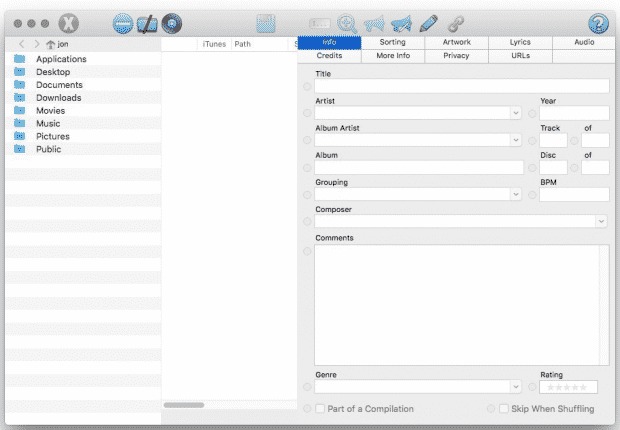
We’ve got a Windows-only option up there; now, here’s a macOS-only variant, albeit a paid one. Yate tag editor supports multiple audio formats, including MP3, M4A, FLAC, AIFF, and WAV. It supports databases such as Discogs, MusicBrainz, Beatport, tMDB, and AcoustID to look up and download artwork from the Cover Art Archive and Discogs.
Yate allows you to set up a sequence of edits and run it in batch mode. It can also link files to iTunes and compare values against your iTunes library, which helps if your collection started life there. You can easily call this the best full-featured audio tagger for macOS. More interestingly, the app allows you to undo changes in any order or revert files back to last-saved or baseline editing states. This app’s got over a hundred features and capabilities.
5. Kid3 (Visit)
- Platforms: Windows, macOS, Linux
- Price: Free and open source
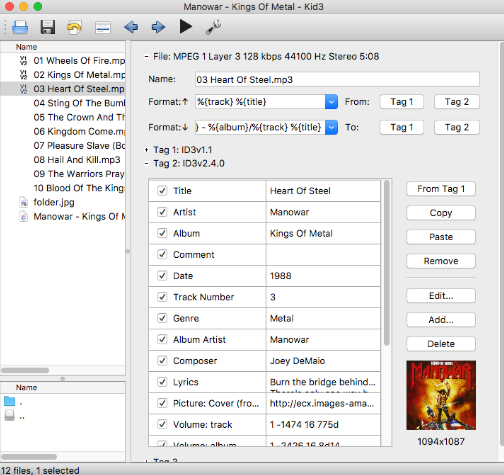
Kid3 is the tool for people who want to see and touch everything; it edits all frames in an MP3’s ID3 tags and can convert between ID3v1.1, ID3v2.3, and ID3v2.4, which is handy when an old player chokes on a newer tag version. With Kid3, you can assemble tags of several audio files together, run case conversion and string replacement to keep fields consistent, or generate tags from file names or file names from tags.
The software also allows album data customization, including cover art, and such can be imported from sources such as GNDUB, MusicBrainz, and Discogs, with automatic batch import for multiple folders. The flip side is that Kid3 is built for capability, not hand-holding. It doesn’t offer one-click fingerprint matching like Picard or Music Tag, so you’ll do more of the deciding yourself.
6. SongKong (Visit)
- Platforms: Windows, macOS, Linux (plus some NAS devices)
- Price: Lite free; Standard $44; Premium $65; Pro $120 (commercial use)
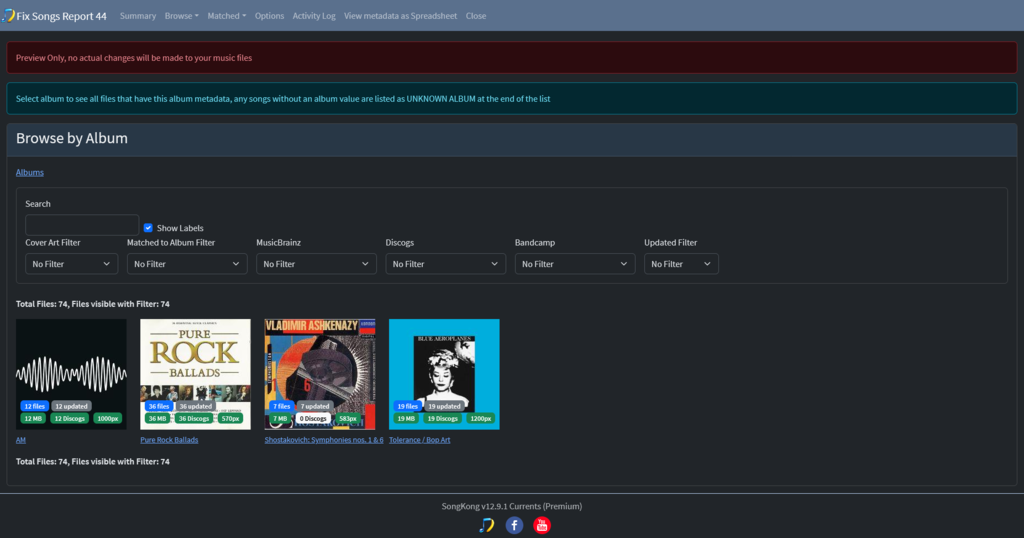
This is a fully paid tag editor and generator software; available for macOS, Linux, and Windows, with support for specific NAS devices. SongKong is like a “set it and walk away” option; you point it at your music collection, and it goes on to identify the songs you have on there, correct the album info, metadata, and artwork using data it pulls from MusicBrainz, AcoustID, and Discogs.
SongKong’s artwork sources include the Cover Art Archive, FanArt.tv, and Discogs, and it can add back-cover images. It offers both a desktop and a web interface, keeps detailed reports of each run, and has a persistent undo that works even after files are saved, which is a real comfort when you’re about to touch thousands of files. The catch is that the free Lite version only offers manual editing and previews; the rest of the good stuff is paywalled.
7. Music Tag by Wide Angle (Visit)
- Platforms: Windows, macOS
- Price: Free trial; paid license (about $20)
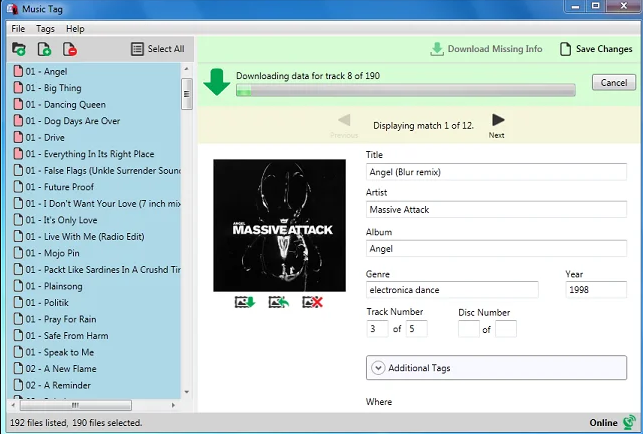
Crowing this list is Music Tag, from Wide Angle Software, built around simplicity. You drag tracks in, it fingerprints them, and it matches them against the developer’s database that covers over 35 million songs (acclaimed), filling in titles, artists, albums, genres, and artwork. The software still allows for manual tag editing, and you can add your own cover image instead of the one it finds.
Music Tag handles many media formats, including MP3, MP4/AAC, WMA, and FLAC, plus the saved tags and art show up in iTunes, Apple Music, and Windows Media Player. The trade-offs are a paid license for the full experience and a narrower format list than Mp3tag or Kid3. However, the interface is one of the simplest you’d find out there.
Conclusion
An MP3 cover tag generator simply adds album art and other metadata to your audio files. Strictly speaking, no tool “generates” the artwork; what these tools do is find the correct cover from an online database, or let you pick an image of your own, then embed it in the audio file’s tag. Have you used a music tag editor before? How was the experience, and what software did you use?