
With the tremendous number of laptop varieties in the market, it’s even tougher to make a choice, especially when you’re on a budget: should you go for a laptop with a bigger screen? Backlit-enabled keyboard? Or what about a foldable 2-in-one model? Oh, the specs are what matter, right? So should you buy one with a stock SSD, a decent RAM number, or a decent screen refresh rate?
Truth is, if all of that mentioned above checks out as the type of laptop you’d love to buy, then you might want to read this short XIDU PhilBook Max Review. The XIDU PhilBook Max is a modern, sleek, decent-performing, and not-so-big-screen PC with multiple peripheral input ports, plus a backlit keyboard. Interestingly, this particular model is the brand’s finest offering.
XIDU PhilBook Max 2-in-one PC Overview
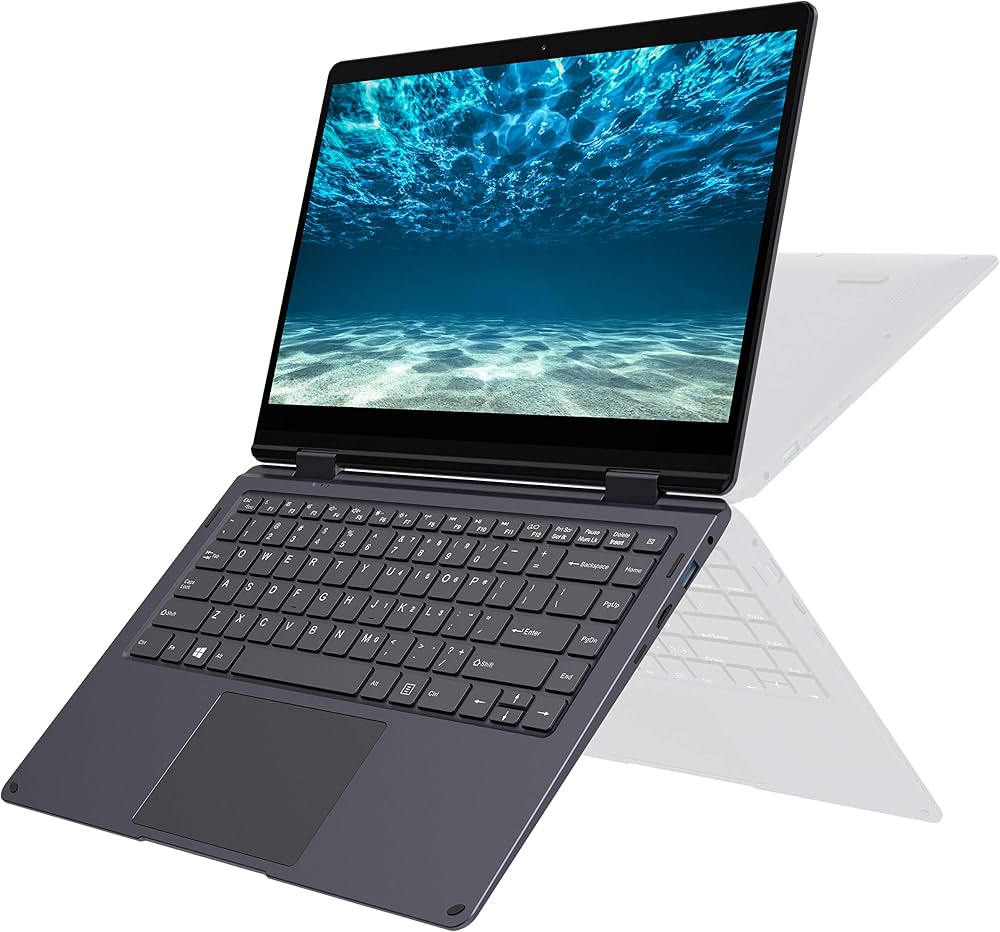
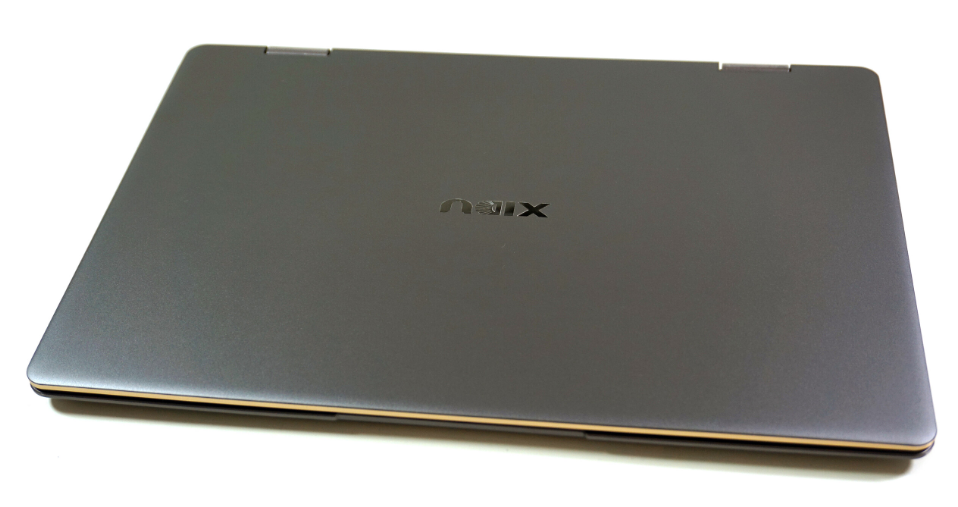
The XIDU PhilBook Max is a 14.1-inch 2-in-1 convertible laptop with a 360-degree hinge, a Full HD IPS touchscreen, and a metal (aluminum alloy) chassis with a gold or silver-trimmed frame. It ships with Windows 10 Home and is built around low-power Intel processors, which is the trade-off for its much cheaper price: you get a touchscreen, a backlit keyboard, and a genuinely nice-looking metal body, but you’re working with entry-level silicon that isn’t built for heavy multitasking.
Coming from quite an unpopular brand, XIDU, the PhilBook Max doesn’t look different from most laptops out there, appearance-wise, especially if you’ve seen or used a Microsoft Surface Pro. However, due to its 14.1-inch display, it cannot effectively serve as a tablet even though it folds 360 degrees from front to back and has ultra-narrow borders with minimal bezels around the display. The XIDU PhilBook Max is designed for beginner creators and professionals alike.
Onboard the PC is an M.2 12GB SSD; quite small, but there’s an expansion bay where you can attach a bigger-capacity SSD or HDD, up to 1TB. The built-in speakers sound pretty well; the touchscreen high-contrast FHD IPS display gives you crisp visuals.
Full Specs Sheet
| Specification | XIDU PhilBook Max |
| Display | 14.1-inch FHD IPS, 1920 x 1080, 16:9, 156 PPI, glossy, multi-touch, 360° hinge |
| Processor | Intel Celeron J3355 (2.0–2.5GHz, dual-core) |
| Graphics | Intel HD Graphics 500 (integrated) |
| RAM | 6GB DDR3 (soldered, not upgradeable) |
| Storage | 128GB SSD (M.2 2280, SATA III); expandable via microSD (up to 256GB) |
| Battery | 36.1Wh Lithium-Polymer, 4750mAh |
| Ports | 2x USB 3.0, 1x Mini HDMI, 1x microSD reader, 1x 3.5mm audio combo jack |
| Wireless | Intel Dual Band Wireless-AC (Wi-Fi 5), Bluetooth 4.2 |
| Webcam | 2MP HD front camera |
| Keyboard | Backlit chiclet keyboard, US layout |
| Weight | 1.52kg |
| Dimensions | 325 x 221 x 17.8 mm (12.8 x 8.7 x 0.7 in) |
| Body material | Aluminum alloy |
| Operating System | Windows 10 Home, 64-bit |
| Charger | 12V/3A, 14.4W power adapter |
XIDU PhilBook Max Features
1. Design and Build
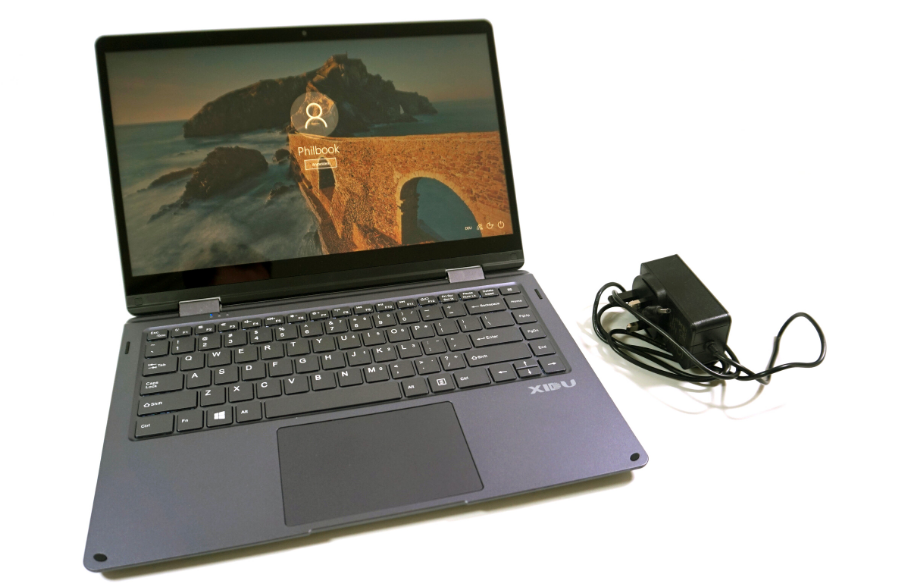
The PhilBook Max uses a space-gray aluminum alloy body with a contrasting metal frame around the screen that eliminates everyday stability concerns as you flip the PC back and forth. Although the two hinges seem to be a bit tighter initially, they loosen up over time.
The bezels around the 14.1-inch display are very thin for a budget convertible like this, allowing the 14-inch screen to fit into roughly what would have been a standard 13-inch laptop casing. On the bottom, there’s a maintenance flap that gives access to the M.2 SSD, so you can easily take out the SSD if it goes bad without tearing down the PC.
2. Screen and Display
Already, the PhilBook Max offers a 14-inch display with minimal bezels. However, its display properties are not the best you can get for its price, although it makes up for that in other aspects. So, the 14.1-inch IPS panel supports full 10-point multi-touch and a 360-degree hinge that lets the PhilBook Max switch between laptop, tent, stand, and tablet modes.
The picture quality on paper looks fine, and realistically, this screen delivers a genuinely strong 1193:1 contrast ratio, which is well above average for the class. The catch is brightness level, which is about 175 cd/m² (with a peak of 198 cd/m²); combined with a glossy, reflective touch layer, it is difficult to see through this laptop’s screen when outside and the sun is high or in bright rooms.
However, the color accuracy is modest for anyone doing color-sensitive work; but this isn’t a PC for use in professional video or photo editing, as the RAM and storage configuration isn’t suited for heavy tasks. It would make it lag so much for processor-heavy tasks.
3. Chipset and Performance
Well, it appears the PhilBook Max isn’t built as a performance PC, obviously; just a sleek-looking system for regular everyday activities. Inside the hood lies Intel’s two-thread Apollo Lake Celeron J3355, dual-core. Yeah, this processor can seamlessly handle light activities like browsing, media playback, blogging, designing on Canva, running web-based apps, and similar activities.
4. Battery Life
XIDU marketed up to 7–8 hours of battery life for this PC, but realistically, it lasts up to 5 hours, or maybe 7 hours, depending on the usage. Actually, battery performance on any laptop heavily depends on usage; if you run intensive applications, the battery will always drain faster, and if you run lighter tasks like media playback, you could get a longer duration, especially with the internet connectivity turned off.
5. Ports, Connectivity, and Keyboard
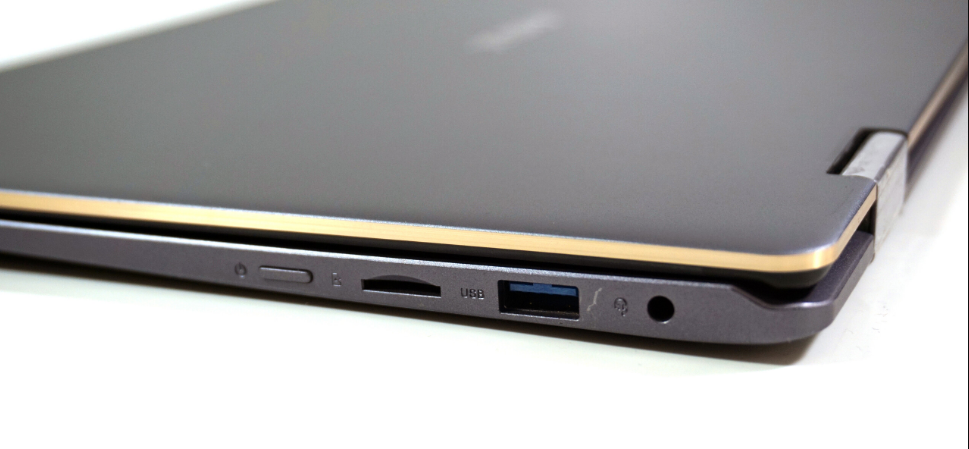
For a laptop this thin, its input ports offering is generous. There are 2 x USB 3.0 ports, a Mini HDMI output, a microSD card reader, a dedicated SSD expansion slot, and a combined 3.5mm headphone/microphone jack. Wireless connectivity comes via an Intel Dual Band Wireless-AC card (Wi-Fi 5) and Bluetooth 4.2.
Sadly, there’s no Ethernet port, so if you need a wired Ethernet connection, you’ll need a USB-to-Ethernet adapter. The built-in webcam is a basic 2MP unit, fine for the occasional video calls, but nothing more. Oh, yeah, the XIDU PhilBook Max comes with a backlit chiclet keyboard, so it’s usable at night or in dark environments.
XIDU PhilBook Max Best Use Cases
Given its low-power hardware, the PhilBook Max is best suited for light computing rather than anything demanding. It’s a reasonable fit for web browsing, email, document editing, and students’ educational-based activities. For a professional, this can be a secondary PC for note-taking and research; you may find the touchscreen perfect for annotating PDFs or slides. Obviously, this is not a good fit for gaming, video editing, or heavy multitasking.
XIDU PhilBook Max Review and Where to Buy
From all indications, the XIDU PhilBook Max is a good everyday PC, but not one for multitasking or memory-intensive usage. The backlit keyboard and the touchscreen function are the two selling points, and yeah, plus the sleek design. Due to the high-contrast display and screen build material, it is difficult to see through the display of this laptop when you’re outdoors or in very bright rooms; in essence, you get the best of its display in dark rooms or places with low lighting.
For an approximately $385 cost, the XIDU PhilBook Max checks out for the price: 360-degree flip, backlit keyboard, 14.1-inch touchscreen, a reasonable battery, and a sleek-looking body build; yeah, that pretty much checks out at $385. You will find the PhilBook Max on Amazon, eBay, AliExpress, and Ubuy, with the price ranging from $380 to $435.
Pros
- Attractive, well-built aluminum chassis for the price
- Good backlit keyboard with solid feedback
- High contrast ratio and decent touch responsiveness on the display
- The fanless CPU contributes to the PC’s silent operation
- 360-degree hinge with useful laptop/tent/stand/tablet modes
- Reasonable port selection for a thin convertible
Cons
- Dim, reflective display that struggles in bright environments
- Entry-level hardware
- Non-upgradeable RAM; you’re stuck with the 6GB
Conclusion
The XIDU PhilBook Max has largely phased out of stores, but it was a genuinely interesting budget convertible when it launched. Its keyboard, build quality, and display contrast still hold up reasonably against its alternatives, but the processor and hardware generally were modest even in 2019. The main con is its display brightness, which was too high for outdoor usage.