Okay, I know you’ve heard a lot of it: that you can create stunning, clear photos by writing text prompts into an AI image-generation tool. But what you probably don’t know, or understand clearly, is that certain AI image tools are better than the others. This is to say that you will stand to get better, realistic images, clearer visuals, and more flexible customization options with specific tools than you’d get on others. Vheer is one of those highly recommended AI image generation tools that gained its top-spot popularity by “being available for FREE.”
Of course, it does have paid plans, but ultimately, the “FREE” version is much usable compared to what its competitors offer, and oh, you don’t necessarily need to sign up to create vivid AI images using Vheer. It simply lets you create Studio-Quality AI Images without a watermark. It’s clearly a free MidJourney alternative with usable features.
Vheer AI Text-to-Image Overview
Vheer is a free MidJourney alternative that lets you generate watermark-free AI Images in minutes. The studio-quality images created can be used on a blog, Facebook, WhatsApp, TikTok, Instagram, etc.
It is an integrated platform that comprises a suite of AI-powered tools designed to make image and video creation seamless and swift. You most likely do not need a guide to navigate the platform’s UI, but you surely do need a guide on how to use its tools, especially how to structure your text prompts. For example, here’s a quick prompt I gave to Vheer, and the result it produced:
Prompt: “A dark skinned, 6.1ft young man suited up in a three-piece suit, carrying a suitcase and wearing a pair of googles.”
Result: Image below
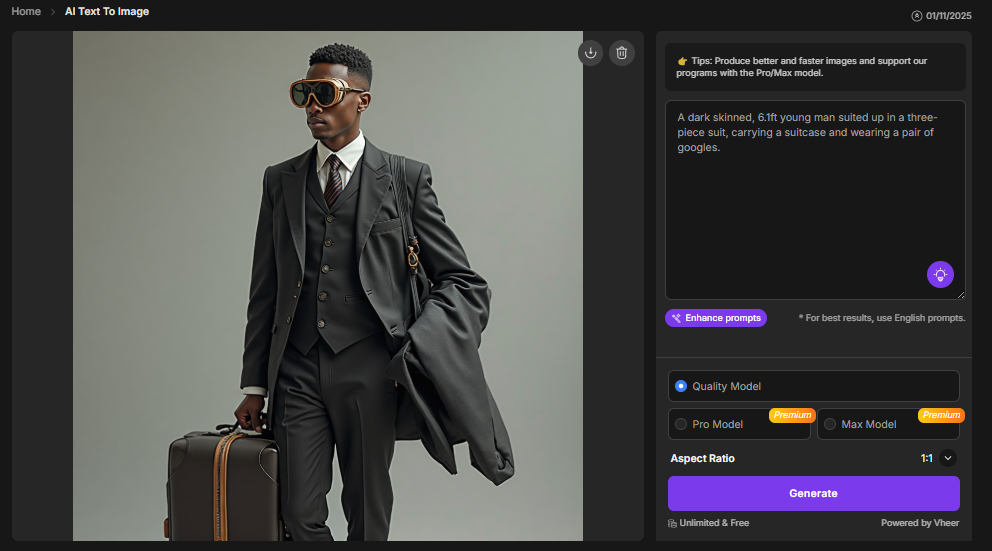
Now, that wasn’t a very impressive image we got there. To make it look better, I used the AI-based “Enhance prompts” option at the bottom of the prompt box to get a better prompt structure and a better image output; below is the new result.
Enhanced prompt: “A tall, dark-skinned young man, approximately 6.1 feet in height, stands confidently in an urban setting at dusk. He is impeccably dressed in a tailored, classic three-piece suit in a deep charcoal or navy blue, with a crisp white dress shirt and a silk tie. He holds a sleek, vintage-style leather suitcase in one hand. On his head, he wears a pair of distinctive, simple-looking luxury glasses. The atmosphere is cinematic, with dramatic, moody lighting that creates long shadows and highlights the texture of his suit and the polished leather of the suitcase. The style is photorealistic with a touch of noir, emphasizing sharp details and a sense of sophisticated mystery.“
Result: Image attached below
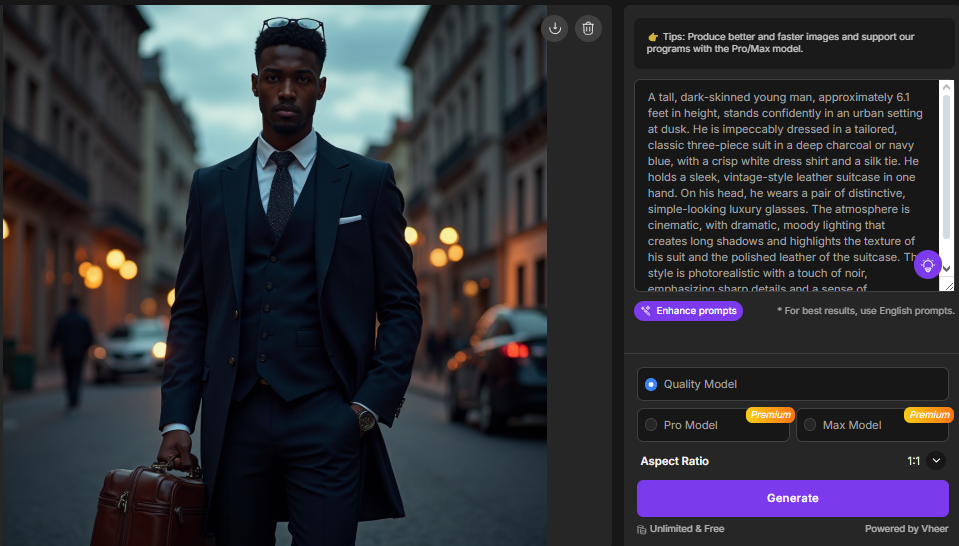
Now, this was much more realistic. Right? It is important to note that I created those images freely without even signing up, and apparently, the images were produced in high resolution, and you can download them to your local storage. That’s what makes Vheer stand out among its competitors.
So, why sign up if you can always get great-looking images generated and downloadable for free? Well, one of the reasons for signing up is to have your generated images saved somewhere (in your profile) so you can always come back to refine the prompt and the image easily. However, your creations are stored for a maximum of 12 hours from the creation time.
Of course, the second reason to sign up is if you wish to purchase the Pro or Max plan to create more realistic photos and videos – to remove the Vheer watermark from your downloads.
Just as the AI text-to-image tool is available for free, the AI text-to-video and image-to-image tools are equally free; the same applies to the plethora of AI tools available on the Vheer suite.
How to Create Stunning AI-Generated Images With Vheer
Creating stunning AI-generated images with Vheer balls down to knowing how to structure your prompts and be as detailed as possible. It is the quality of your prompt that determines the intensity and detailing of the output; a simple prompt will yield a simple result, and a refined prompt will yield a much better result.
Also, you get to choose the orientation of your generated image, whether you’re generating for view on PC screens, mobile displays, or other screen resolutions; the aspect ratios go from 1:1, 1:2, 2:1, and 3:4, all the way to 16:9, so you can get a befitting final image for your target screen resolution.
You can always use the “Enhance Prompt” AI feature to restructure your prompts (after you have manually entered what you felt was the best prompt and didn’t get the quality of result desired). Here’s another example:
Prompt: “A picture of an urban city street, with exotic cars parked in the neighborhood. The street has a well-planned layout, and each house has a garden.”
Result: Image below
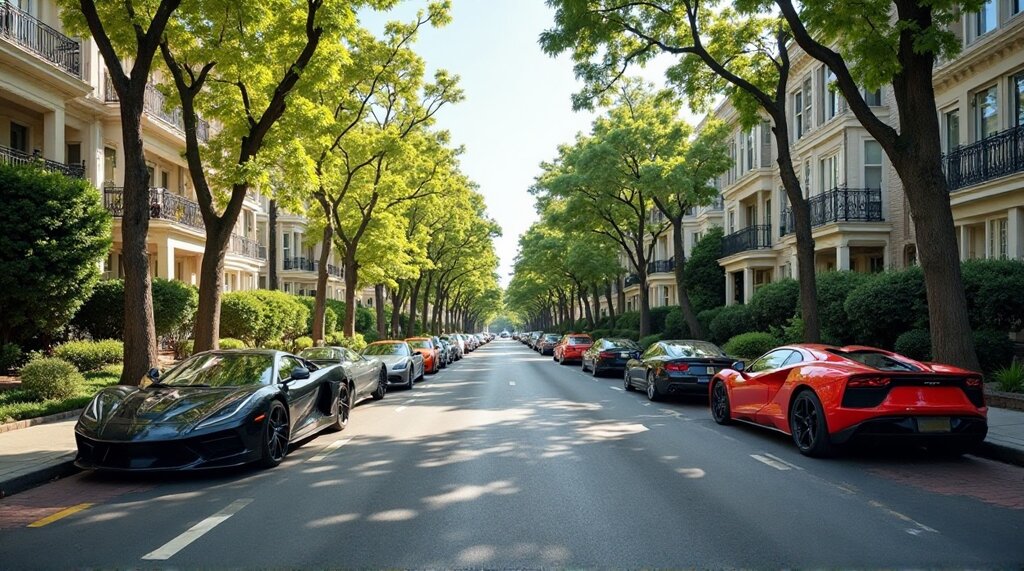
Refined Prompt: “A vibrant urban city street in a prestigious, well-planned neighborhood, showcasing a collection of exotic supercars and luxury vehicles elegantly parked along the pristine, tree-lined curb. The street features a harmonious layout with spacious sidewalks, decorative street lamps, and manicured public green spaces. Each stately, modern residence boasts a beautifully landscaped front garden filled with colorful flowers, trimmed hedges, and ornamental trees, enhancing the affluent and serene atmosphere. The scene is bathed in the warm, golden light of late afternoon, with long shadows and a clear sky, creating a photorealistic image of luxurious, tranquil suburban living.“
Result: Image below
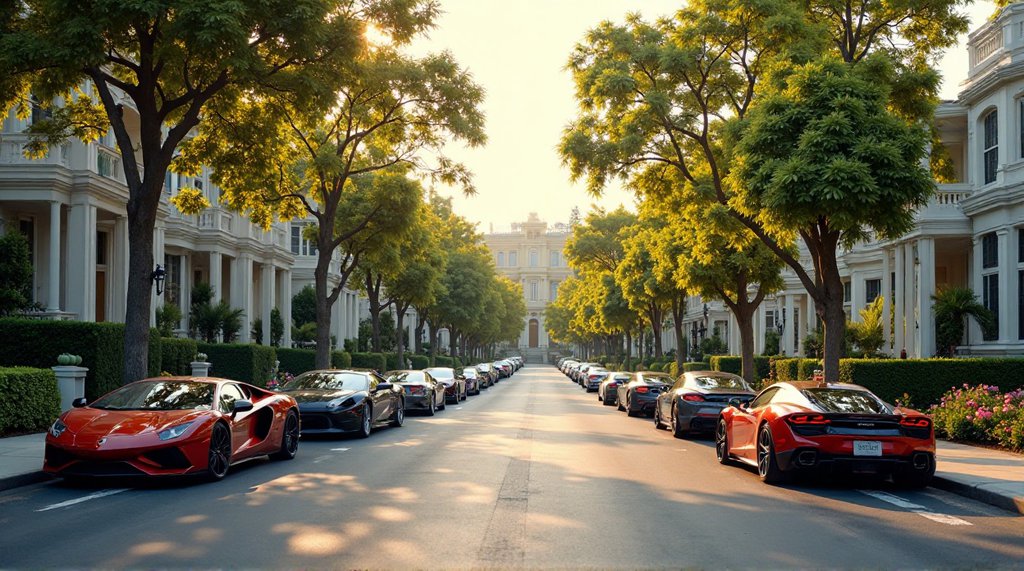
If you observe closely, you will uncover the “fine details” in the refined image: the well-cut flowers, the vehicle arrangement, and others.
The thing is, don’t be scared of your prompt being too wordy; actually, the more wordy your prompt, the more details the generated image will carry. So, be sure to write out every single feature you want on that image.
Vheer Review and Pricing
Put simply, Vheer is an outstanding AI suite that allows you to play around and generate some really breathtaking, well-detailed images for various needs. Whether you’re looking for cartooned images, blog featured images, video images, or any other type of image, Vheer can create them, for FREE. You only need the Pro or Max paid subscription if the level of detail in the free ones doesn’t seem to impress you that much.
The Premium and Advanced pricing plans go for $9.99/month and $19.99/month, respectively. The benefits? No watermark on your AI-generated videos, access to the Pro and Max models, higher quality results, and no ads. Worth it? Can’t tell; it depends on how you view it, personally.
Summary
Vheer AI suite is truly recommendable; it is easy to understand and use, and if your prompts are not good enough, you can use the “Enhance Prompts” feature to have the AI adjust your prompt and give you a much better script to work with. Good stuff overall! And yes, you can generate an unlimited number of images FOR FREE with Vheer, whether you’re registered or not.