At this point, everyone is already aware that AI tools have infiltrated virtually all industries, particularly entertainment, technology, and media. What if I tell you that you can now create songs from scratch, produce and master them, then publish them on digital platforms that could fetch you money? Yes, that’s possible, and you don’t even need to know how to sing, thanks to Music Hero.
This tool makes you feel like Hillsong Worship, R. Kelly, and all other pop stars you’re a fan of, straightforwardly. The most exciting part of Music Hero AI is the fact that you don’t even need to create an account before you can use it; however, to get the most out of it and have a music library, you do need to create an account. That’s it. Now, let’s get on with the business of today, which is reviewing this handy AI music creation tool.
Music Hero Overview
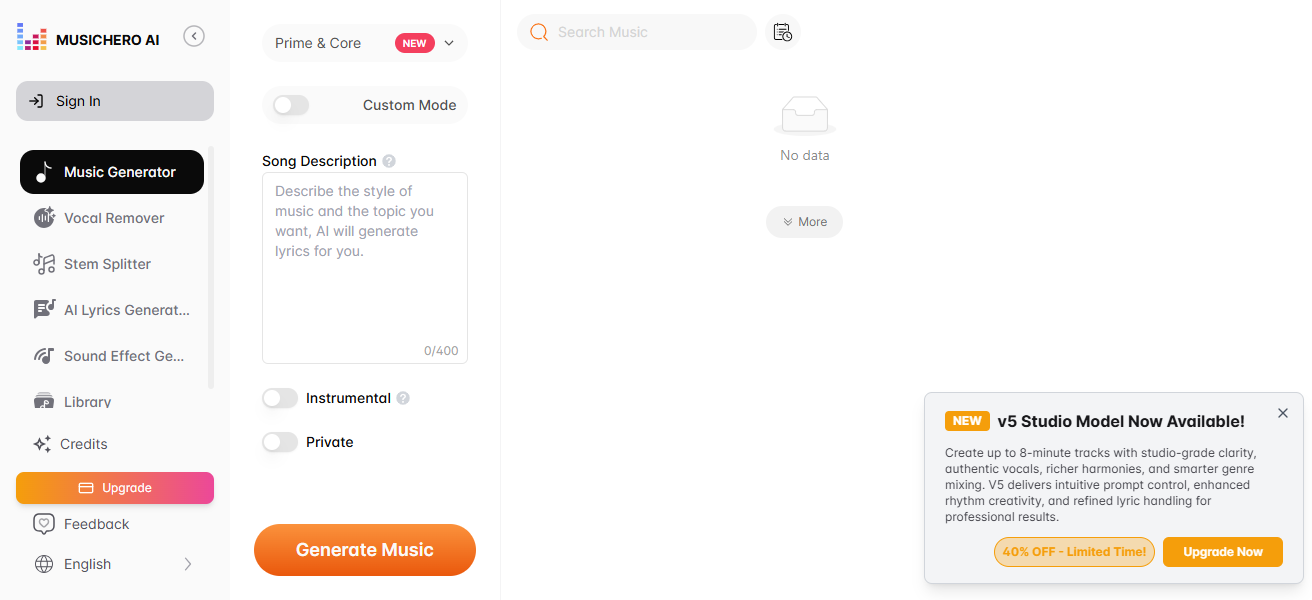
Put simply, Music Hero is an AI tool that lets you generate songs and music albums using text prompts, and it’s available for free. Of course, it hides some of its best features behind a paywall, but most of the stuff you need to create that unique song you want to use in your marketing video or whatever is available for free.
There are different ways to get started with this AI song generator; you could upload your custom-written lyrics or have the tool generate up to 2,000-word lyrics based on a description you’d provide. It can also make instrumentals – just beats, no lyrics. This is literally a mini music studio at your beck and call.
Whether you’re looking to create unique songs for your marketing creatives or just playing around to see how good of a music producer you could be, this tool supports multiple genres, categories, styles, and whatnot required for professional studio-level music production.
Features of Musci Hero (and How to Use Them)
Now, it starts getting interesting. Music Hero has a lot of features, including an integrated music library where you access and manage all songs and music you’ll ever create with the tool.
1. Music Generator
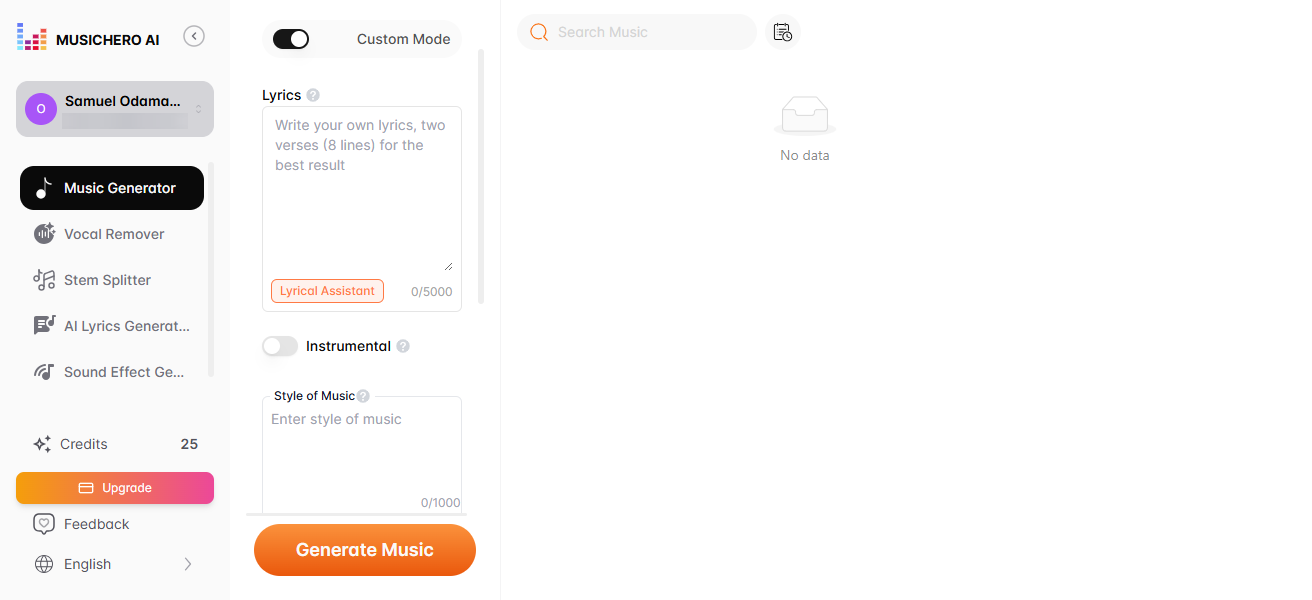
We’d just take it up from the first one. As the name connotes, this is the feature that allows you to create songs using the Music Hero AI tool. Here, it’s either you put in a description of the type of music you want to create (just as you enter prompts into generative AI tools for instructions), and the tool goes to work, or you toggle the “Custom Mode” and paste a compiled lyrics you had written prior, so the tool creates your new song based on the lyrics.
In the Description Mode, you can only create “Instrumentals,” but in Custom Mode (where you have your own lyrics), you’d also get to choose between voice models, vocal tone preference (male or female tone), style of music (R&B, Pop, Reggae, etc), and title. Yeah, on Custom Mode, you can make instrumentals. So, mostly, creatives go with the custom mode because it offers more flexibility, however, at the expense of having to type down the lyrics yourself.
2. Vocal Removal
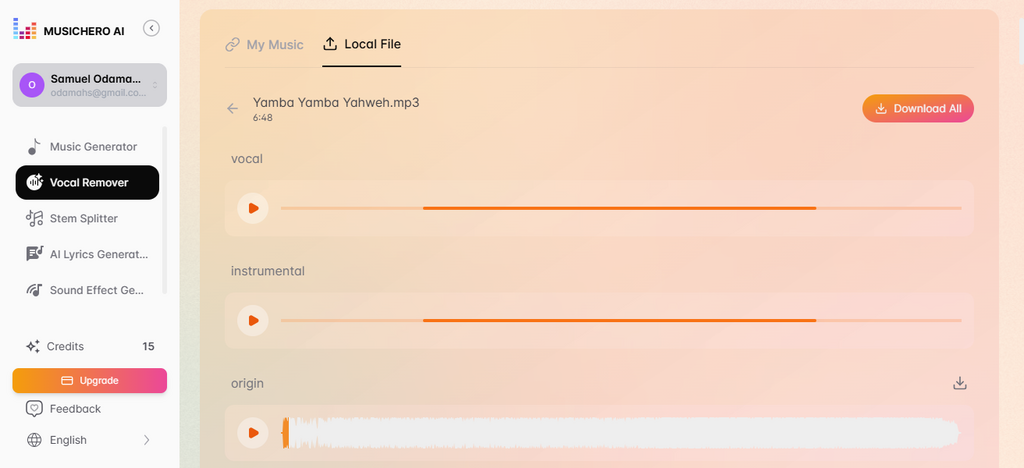
This feature is useful many times when you find a hot beat, but the lyrics of the singer are wack, or maybe you want to do a freestyle using a beat, so you need to extract the vocals and leave just the beats – that’s where this feature comes in. The Music Hero AI Vocal Removal tool disintegrates a song, so you can have the beats separate and the vocals separate for your perusal.
The good thing is, this feature supports both audio and video formats, and it has a special online version that lets you extract vocals from YouTube media by simply pasting their links! You can upload local files from your PC or use the music you had earlier generated using the music generator tool. There are many instances where this tool can come in handy for a music lover.
3. Stem Splitter
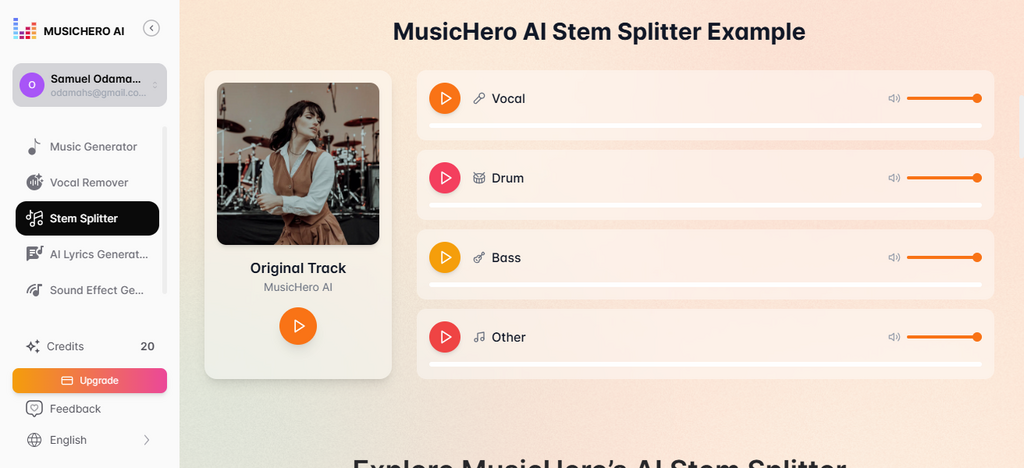
Now, the simplest way to explain this feature is that it takes up what the “Vocal Remover” does and upgrades it.
With the Vocal Removal, you get just the vocals separated from the instrumentals used on a song, but with Stem Splitter, you’ll be able to separate the drum beat, bass guitar instrumentals, vocals, and other instruments to listen to them or play them separately. This feature supports multiple popular music audio formats.
4. AI Lyrics Generator
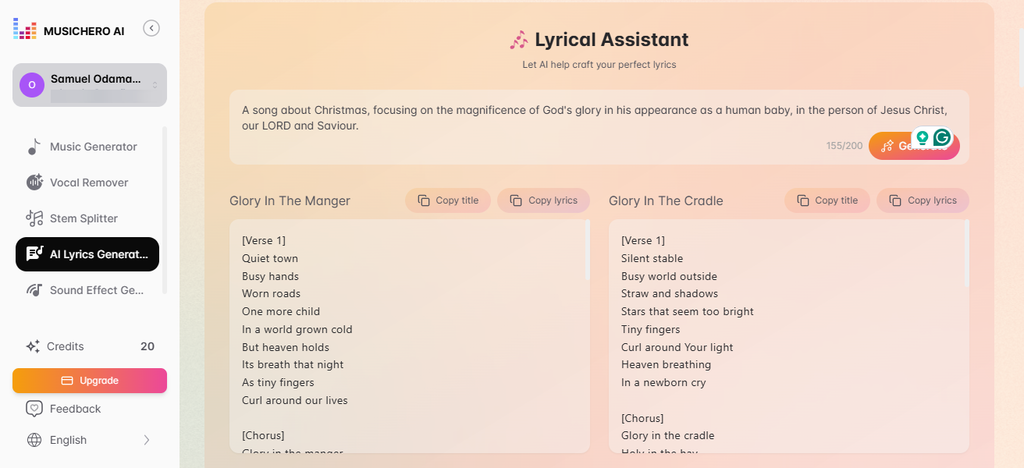
Yeah, this one is self-explanatory; if you’re not confident that you can come up with perfect lyrics for your new music, you can just have this tool pen down some hard, banging lyrics according to your song idea. More interestingly, it’s going to generate two lyrics’ versions for you to choose from.
Now, you can use this tool to generate lyrics and then go back to the music generator tool to create your new AI music in Custom Mode. The lyrics can be up to a thousand words and would be broken down into verses and a chorus, so you can easily relate to the song; modifications can be done, of course.
5. Sound Effect Generator

If you’ve handled sound or audio mixes in live events, you will understand this better; sometimes, you add a reverb or echo to the drum beats to create an impression on the audience.
There are many sound effects you can apply to live audio mixes, and that brings us to this tool. With the Music Hero Sound Effect Generator, you can create many effects to use in your live audio productions.
6. Library

This is like a library where all the songs you’ve liked will appear; so, when you create an AI song and like the output, the song is automatically added to your library tab.
When you upgrade to the paid plan, the library features you get will be more advanced and beneficial; the free version is just basic.
Music Hero Review and Verdict
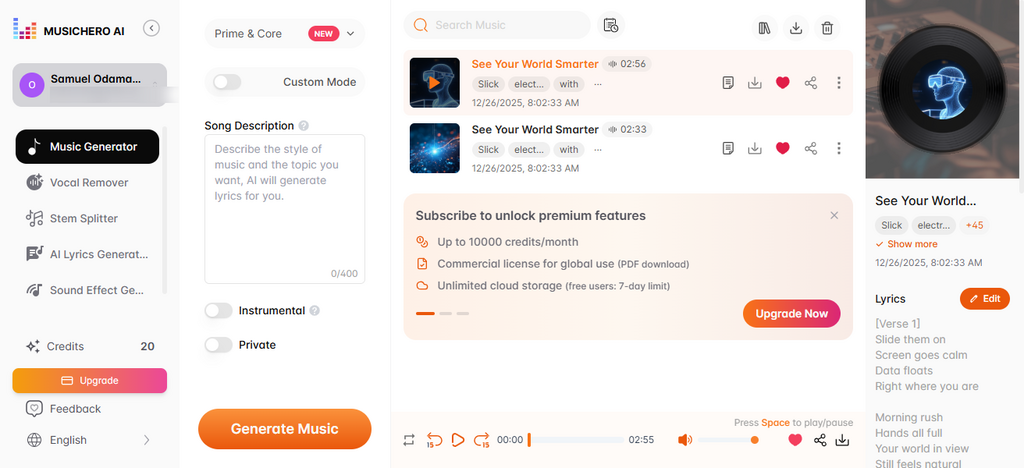
Generally, Music Hero is a creative tool for generating studio-level audio via AI prompts. It is simple to use, and the interface is simplified in a way that even novices to the web and AI tools can still find their way around and achieve the purposes that brought them into the suite.
The most exciting thing is that you can generate music, lyrics, and all of that explained above, for free. However, once your daily free credits finish, which is 20 credits per day, you must subscribe to get more credits and continue using the tools on this AI music suite, or just wait until the next day to continue.
You can use Music Hero to create Christmas songs, marketing songs, creative vocals, hip-hop, Easter songs, and a lot of stuff. The CONs of this tool are quite manageable, except maybe you know of another similar tool that offers more daily free credits than it does without sacrificing UI/UX simplicity.
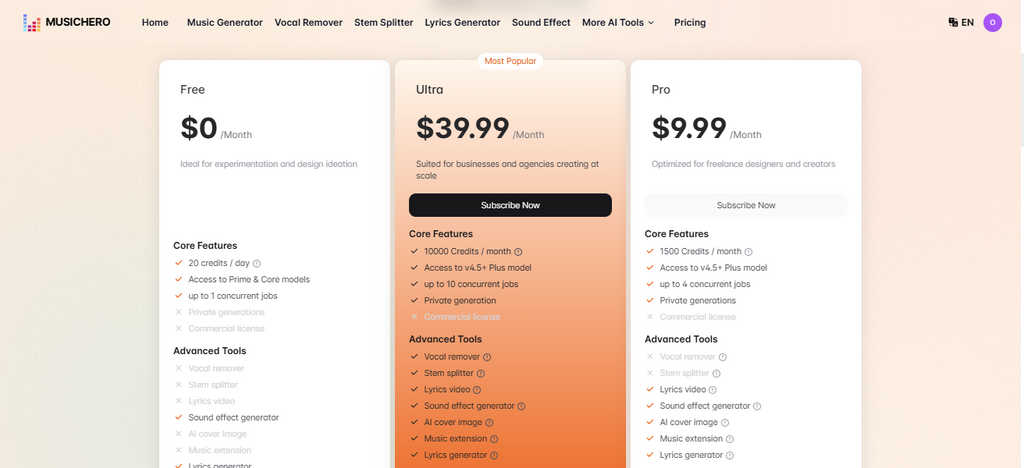
There are two subscription plans, available for annual or monthly payments, so you choose which one works best for you. All the tools are available in the free version; it’s mainly the limited credits that’d make you consider the paid plans. Notwithstanding, the premium plans also come with more perks.
PROS:
- Mostly free to use, you’d rarely need to pay
- Outstanding UI for the best UX
- Feature-rich for other actions
- Supports many music styles and genres
CONS:
- There is not much you can control; the AI does almost everything and leaves you with very few things to change or adjust
- Well, it’s not a “FULL” music studio; it does miss out on a few flexibilities
My Review Verdict
Personally, I love this tool because it does exactly what it says and offers a good number of handy tools for more music/audio-related tasks. Most importantly, the interface is super easy to understand and delivers an excellent user experience. It’s truly the best of its kind, so far.
I will easily recommend it to music creators, music production enthusiasts, and AI music creation hobbyists. It will come in handy for all your music-related gigs.