


Today, I bring to you my list of the Top 15 free Software-apps to root any Android device with or without a Computer. They’re the best Android rooting tools for phones & tablet devices. There’s no risk at all in trying out this rooting software as they aren’t going to brick your devices.
You are free to try another if the first one doesn’t root your phone and/or tablet device. You just need to do us a favor – by reporting the model of your phone/device and what rooting tool or software among our list could root it successfully. Also, on Thoughtsoncloud you can find more information about development on Kotlin for Android.
Preparing to Root Your Android Devices
Here are a few things to do before attempting to root any Android phone. They’re the first steps to take to fully prepare your phone for rooting. It must be followed for manual Android rooting or for when using any PC root software.
- Charge your phone battery to at least 50%
- Install proper ADB (Android Debug Bridge) drivers for your phone/devices (links for Android ADB drivers download)
- Enable USB Debugging on your phone/device by going to ==>Settings ==> Applications ==> Development ==> USB debugging (for older operating system (OS)) or ==> Settings ==>Developer options ==> “USB debugging”(for newer OS), also check the “stay awake” option.
- Enable unknown sources (if you want to root without a pc).
- Download the root checker app from Google play store: It is used for confirming that your phone or device is now fully rooted after using any of the listed best rooting methods below.
the Top Rooting Apps & Software to Root Android Devices
These top free rooting software and APKs (apps) below will root your Android phones and tablet devices within a few minutes. They’re the best in the business of rooting Android devices.
You can choose to go with the rooting software programs or the Rooting APk apps. Either of them can root several models of MTK and Qualcomm devices easily. For most newer Andriod phones, we’ll recommend that you go with the PC root software before attempting the Root APKs. This is because the rooting software tools have support for more devices than the Rooting APKs.
1. Iroot (formerly Vroot) Rooting Software
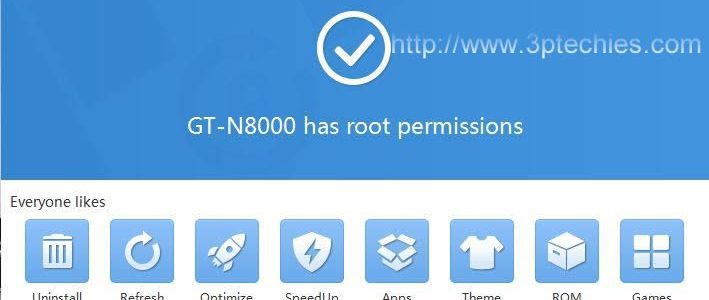
This is the best software for rooting any android phone, judging from the wide range of coverage and deep support for older operating systems, I will lightly advise you to try it first before the other ones in this list.
Vroot for PC software is a top tool for rooting/unrooting Android phones or devices. It can root almost all Android devices running on 2.2 (Froyo), 2.3 (Gingerbread), 4.0 (Ice Cream Sandwich), 4.2 (Jelly Bean), 4.4.2, and newer Operating Systems (OS).
The vRoot software was recently re-branded and code-named iRoot. The latest version of the app can be downloaded from here, while the older version that was used for this rooting guide can be obtained from the mirror site where we uploaded it.
We already have a detailed page that shows you how to use the vRoot software root method and the basic tips to use computer programs for rooting Android. You can read up the vRoot guide here or continue with the other rooting methods below.
2. kingoapp Root [Roots with/Without Computer]
kingoapp root software solution is just as effective as Vroot, although I have recorded more success with the former, I still rate it as highly as any other one-click root android software.
kingoroot android PC version is a big player among the best computer software to root and unroot any android phone. It works seamlessly with all major brands of Android phones, tablets, and other devices.
Kingo root app works best for computers that are connected to the internet. It is required that your computer remains connected to the internet before launching the kingo root software. Click the root button to root the connected device once the kingo root software has detected it.
How to Root any Android Phone with KingoRoot Tool
- Download the latest version of Kingoapp from here or from the mirror website at http://kingoroot.org/kingo-root.
- Ensure that your phone or computer is connected to the internet.
- Install the Kingoapp or rooting software (depending on if you are rooting with or without the PC).
- Launch from the home screen icon and click on the root button command to get root access.
- Use the root checker app (linked above) to confirm that your phone is now rooted fully.
The super alternative is the kingoroot apk that works seamlessly on most Android tabs. You can download kingoroot apk to your SD card, and launch it to complete the root process.
3. SRS Root Software
SRSRoot software solution was one of my favorite for rooting android devices before Vroot came to the scene. Although I haven’t used it for a while now, I can still recommend it for persons that didn’t have success with the previous two.
It has been in the space for long and has garnered many a-positive reviews from beta testers and regular users of this awesome rooting tool.
You can root lots of android phones and devices with it. As a 1 click root app, it only needs you to download the app, install, launch and follow the on-screen instruction to complete rooting with SRS rooting method.
Download Link: srsroot.com
4. Framaroot (apk) App (Roots without PC)
Framaroot instant root apk is the best app so far for rooting and unrooting android without a computer. It has support for even the latest android operating system (OS).
Rooting and unrooting with Framaroot is as easy as installing the app ==>launching the same ==> and choosing from the list of available rooting exploits.
A wide range of successes have been recorded already with this little miracle-app; even newer devices such as Samsung Galaxy, nexus devices, Tecno R7, Nokia XL android, Huawei Ascend, and several others have been rooted with the Framaroot apk app.
For all tested devices and the exploits used, refer to http://framaroot.net/devices.html. Note also that Tecno, Gionee, iTel, Infinix, Micromax, and most MTK-based phones will normally use the Barahir exploit.
How to Root with FramaRoot Android APK Rooting Tool
To root android phones with Framaroot as your favorite Android jail-breaking method, follow after the video guide above or complete these steps to gain root access on your android phone/device.
- Download the latest version of framaroot apk from here.
- Send it to your phone or device (if downloaded with a PC) and make sure that the apk is in your phone’s memory.
- Install the framaroot app (after enabling unknown sources for your device).
- Launch the app from your home screen icon and select the install superuser option present on the app’s screen.
- Select an Exploit (List of exploit methods for device and processor types would be listed at the end of this guide to serve as a pointer in helping you select the best exploit for your phone) and complete the actions.
- Wait for the Success, SU binary, and superuser installed message that confirms that your phone is now rooted.
- Restart the device and launch the rooter checker to re-confirm your phone is rooted completely.
5. KingRoot [Roots With or Without a PC]
KingRoot is a potent rooting tool just as iRoot and KingoRoot apps. The software is light-weighted and worked flawlessly on some selected models of MTK devices we used for testing out their performance and reliability.
Their latest version supports a wide range of devices (as opined by some of our other editors), including Samsung, HTC, Motorola, and Sony Xperia droid devices. We hope to keep testing this app for a possible stand-alone review as soon as we can.
Tutorial on Rooting Android With or Without a Computer
To root with KingRoot software or app, all you’d need to do is ==>
Download the English version of the root software from here or search Google for KingRoot Apk to download the root without the PC version.
==> Hit the corresponding download button from the download options and ==> complete the rooting process from the GUI of the app. Install the root checker app to confirm that your device is now completely rooted.
New Update!, the latest version of the KingRoot tool (for the new Android version) has gained support for almost all popular Android devices running on the 5.1 Lollipop Operating System (and newer). It is now a top one-click root for PC software.
Note: Rooting your device with KingRoot or any of the aforementioned rooting tools will make it possible to access hidden features on your device including the ability to use after-root apps, block intrusive ads, play internet games offline, tweak system apps, and lots of super features that weren’t readily accessible before the rooting exercise.
6. Unlock Root Program
I had success with this awesome rooting program in the past but can’t vouch for it now since it isn’t fully available for free any longer.
You should be thinking of it as an alternative only when the Vroot and/or kingoapp root software solutions fail to root your device.
We’ll test the app on newer devices in our care to see what max Android OS version it can root comfortably and how well it works for MTK-powered smartphones.
Download Link: Unlock root program can be downloaded from http://www.unlockroot.com/download.html.
7. Root Master (apk that roots without a Computer)
Root Master will root your phone or devices without the need for a computer, you should think of it as an alternative only where Framaroot fails.

It is a good rooting tool for a lot of android phones and devices. The latest English version of this rooting app has been tested to work with Tecno, Samsung, Gionee, iTel, and other popular Android OEM brands.
Reading the how-to root guide for the app below will guide you towards rooting your android devices effortlessly with the root master application.
How to Root Android Phones with Root Master APK
- Download Rootmaster APK android application from here.
- Install the application and launch it from the home icon.
- Click on the Tap to Root option and wait for the rooting tool to perform its magic.
- Wait for the success message after your device might have restarted severally.
- Install the root checker app (linked above) to confirm if your android device is now completely rooted.
- Delete the raw APK file after rooting confirmation to save space.
8. iSkysoft Rooting Toolbox
iSkysoft Android device rooting software is a solid PC android management tool that can be deployed for rooting android 6.0.1, Android 7.0 Nougat, and other tougher Android phone versions (with unlockable bootloader).
The iSkysoft rooting toolbox is a risk-free and 100% secure rooting software from iSkysoft. It claims to be able to root over 7,000 different Android devices, but we’ve tested it on only three devices.
How to Root Any Android with iSkysoft (Android Rooting) Toolbox
Just like Wondershare MobileGo and TunesGo Rooting Software, iSkysoft toolbox is not free, but it lets you use the software for a few days until the trial version ends. Rooting with iSkysoft is fast and easy, as it uses rooting methods that let it root lots of Android phones and devices with ease. It is as simple as completing the following steps:
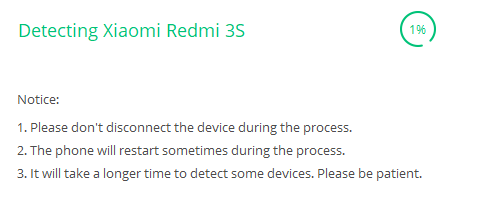
- Install the official version of iSkysoft Toolbox for Android by downloading it from here.
- Launch iSkysoft Toolbox by clicking on the desktop icon or via the taskbar shortcut.
- From the options displayed, locate ==> Root and click on it.
- Enable USB debugging on your phone or tablet device and connect it to your PC.
- Allow iSkysoft Toolbox to detect your device and find a proper package to root it correctly.
- Wait for the phone to reboot as many times as possible until the rooting task is completed.
9. Universal Androot (apk) Root Tool
Universal Androot is a popular systemless root for Android devices. It lets you root several android devices without the need for a computer. There are several versions of the Universal Androot app, but we do recommend that you use the latest version of Androot APK, depending on the Android device you’d like to try out the app on.
To download the latest version of Universal Androot, Google search with the “Universal Androot latest version download” keyword.
Note: The section below would come in handy for those willing to experiment with their device’s rooting with a few more harmless apps. These tools were tested on few Android devices before being listed here (as we hardly mention or recommend apps on 3rd Planet Techies without trying them out on our gadgets first).
10. Easy rooting toolkit (apk) App
Easy rooting toolkit: an app developed by DooMLoRD can root most Android phones without a PC. It lets you get root access to older devices in seconds and works flawlessly on rooting most tablet devices.
It was really a fantastic rooting tool back in the days and has continued to work as a reliable rooting app for everyday users.
Download Link: http://forum.xda-developers.com/showthread.php?t=1321682
11. Towel Root Apk Rooting Tool
Towel root is a mobile app that lets one gain root access on Android devices without connecting to a PC. It works for most devices and can be downloaded with the phone’s default browser.
Using the Towel root apk tool to root Android devices is a straightforward step. This is because it follows the same steps as the rooting software listed above.
All you need to do is: download the latest version of towel root APK from https://bit.ly/1p1OP2D or from the mirror website at http://towelroot.org, install it, and follow the screen prompts to root your chosen device.
12. Baidu Root [Roots with/Without a Computer]
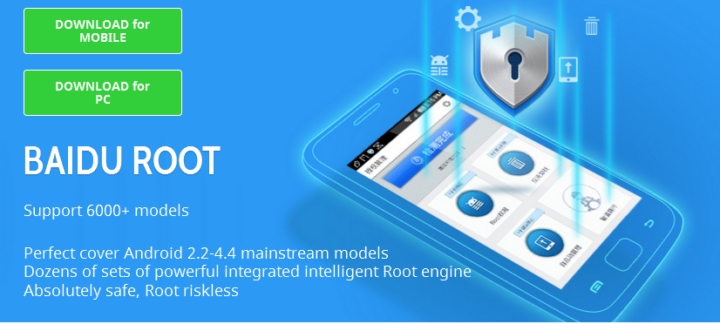
Baidu Root, just like the towel root apk listed above is a versatile rooting tool that lets one root from a phone or PC. It has so many positive reviews from users and doesn’t charge users for rooting Android devices with it.
Baidu Root is a Chinese rooting app developed by Baidu Inc, a leading Chinese internet company that’s headquartered in Beijing, China.
It has support for over 6,000 models of Android devices and lets one root either directly from his phone or by connecting to a computer that has the Baidu root software installed in it.
Just like the other rooting software listed, Baidu root (.exe software, or .apk file) can be obtained from http://baiduroot.net, and the screen prompt followed to root any Android device of your choice.
13. Wondershare Mobilego Android Device Rooting Software
Wondershare Mobilego isn’t an android root software specifically, as it’s a premium computer software that lets you do android data recovery, Android device management, iOS device management, etc. But for this rooting tutorial, we are going to focus on how to root android phone and tablet devices for free using the trial version of Wondershare MobileGO.
How to Root Android Phones with Wondershare Mobilego
The steps to root an Android phone or device with Wondershare MobileGo are similar to those of other rooting software and apps listed above.
- Install the proper USB support (ADB) drivers for your phone using the link mentioned in the ‘preparing to root‘ section above.
- Download and install Wondershare MobileGo from the mobilego review post here.
- Launch the app and connect your android phone to the PC (after the USB debugging option must have been enabled)
- Allow Wondershare MobileGo to detect your device (while still running on the 16-day trial version, ie, assuming you don’t intend to buy a licensed version of the software)
- Locate the One-Click Root button and click on it to root your device.
14. Root Genius
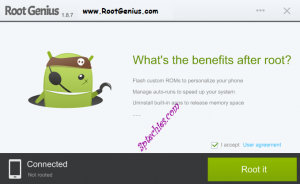
Root Genius is a top rooting tool/software that is similar to KingRoot and works the same way as the other root android with PC software listed above. You can download the latest version of it from http://rootgenius.com and give us feedback if you were able to root your phone with it.
It is indeed a top root app to root android without a computer and works exactly as mobileGo rooting tool. Root Genius works well by not installing too many unwanted apps, like the iRoot app referenced in #1 above does.
Even though we are yet to root any Android 6.0 Marshmallow device with Root Genius rooting software, we must mention that – they have received a large number of feedback from Tecno, Wiko, MicroMax, Gionee, Xiaomi, and Infinix Android smartphone users who have appraised it as a formidable rooting app.
15. TunesGo Rooting Software [not a 100% free Rooting Tool]
TuneGo root, just like Wondershare MobileGo isn’t specifically created as a rooting tool, but works great in rooting most Android phones from popular OEMs such as Google Nexus, Google Pixel, HTC, Motorola, Acer, Sony, Samsung, Huawei, LG, etc.
Wondershare TuneGo roots Android with one click. In practice, it is a versatile music management tool for Android phones. It comes with many useful add-ons such as media sharing, recording, and the root Android function.
It is a paid tool, but can be used for free within the 16-day trial period. The steps to use Wondershare TuneGo as a rooting tool are the same as those stated above for the MobileGo Android toolkit. The trial version of Wondershare TunesGo with the rooting function add-in can be downloaded from our TunesGo root review page here.
Is it Advisable to Root Android Phones in 2025?
Well, the answer to this is no and yes.
No, because most of the tweaks that make rooting Android compulsory are now added to the most popular OEMs by default. Latest Samsung, Xiaomi, OnePlus, and Google Pixel smartphones give the user more freedom to tweak stuff than they were in the past.
Features such as aggressive battery saving, call recording, call blocking, keyword blacklisting, message blocking, unique font selection, and many others are now a click away unlike before. So, unless there are some special functions you’d like to use, I don’t see the need for rooting your phones immediately after a new purchase.
And yes, because developers need rooting to enjoy their Android phones and devices. Popular root apps like Lucky Patcher, Xposed Framework, System App Remover, and the rest of them need root access to work properly.
A lot of developers and super users can’t use an Android device without some of these apps. So, rooting for them is crucial irrespective of 2020, 2025, or even 2050.
Wrap Up on the Best Software Apps to Root Android Devices
Well, the simple steps to root with the Android app or the PC have been outlined for you: Once again, it starts by preparing your device for rooting with a software or Android rooting APKs.
And after preparing your phone/device for rooting, you’d need to decide whether to go with the method of using a computer (best if you have one) or by installing a root APK app on your device. Either way, these rooting apps and software methods should be able to grant root access to your Android devices and let you use any app that’s meant for a rooted Android device. Also, you should be able to unroot them when the need arises.
- Note 1: For most devices, rooting preparation includes custom ROM, unlocking bootloader, fixing grub bootloader, working with Android SDK, custom recovery, phone’s bootloader, and lots of technical jargon, while most devices would get root permission by simply adding the root apk or plugging it into the root software interface.
- Note 2: It is important to understand what rooting an Android device means and what it does to your device before attempting to use the supersu app or any of these Android root tools. Note also that for most manufacturers, a rooted phone will lose its warranty as soon as it’s rooted.
- Note 3: Most forex and Crypto exchanges will not allow you to trade with a rooted phone. Even some bank apps and popular financial services providers will restrict some functions if your device is rooted.
- Note 4: We included some paid rooting programs from Wondershare Inc. This is because their root tool is a good utility software that comes with a trial version for users to try the rooting function before deciding to go for it.
As a solid rooting tool, it doesn’t need root user or superuser permission to work. It’s a viable root Android software for every Android user. Also, our guide on how to root all Android phones with Vroot (linked above) should serve as a reference for using the computer root programs.
A Few Things to Know About Rooting Modern Android Devices
A lot has changed in the Android Ecosystem, judging from when this guide was first written. A lot of things that require rooting to work are now hard-coded into most ROMs. Features such as call blocking, call recording, etc. come by default with Xiaomi MIUI and similar brands. Here are some answers to clear your doubts about rooting Android Devices.
Unlike before, most features that require a tweak or rooting to work are now hard-coded into ROMs. If you’re fortunate to have one of these ROMs that includes custom fonts, call blocking, ad blocking, call recording, etc., then there’s no need to root your device.
Some devices, such as Xiaomi, Google Nexus, and Pixel devices, are safer to root than most others. This is because they have unlockable bootloaders, can be rooted easily, and also have system images that can be used to restore the phone or tablet in case something goes wrong. In all, we strongly advise against rooting for regular users; only advanced users who need superuser access should consider rooting their phones.
Well, lots of threats and malicious apps are released daily, and since rooting grants you superuser access, such apps can exploit these loopholes and make away with your sensitive data. Warranty loss, phone bricking, and malware spread are some of the major risks that are associated with rooting Android devices.
Irrespective of a newer or older device, using a malicious “root without PC” app is one way to expose your phone to multiple security risks. I’ll recommend only trusted root apps that are downloaded from their official websites for such. Always do a full ROM backup before trying any root app you aren’t sure about.







This is an incredibly helpful post! I’ve been looking for reliable software to root my Android device, and I appreciate the variety you’ve listed. The distinction between apps that require a PC and those that don’t is especially useful. I can’t wait to try some of these out! Thanks for sharing such valuable information!
Great list of rooting apps! Thanks for sharing. I’ll give these a try and report back on which worked best for my device. For anyone looking to root their Android, this guide covers all the necessary tools and steps. Be sure to follow the preparation tips to avoid any issues. Happy rooting!
Which one click root app is best for my Mi Xiaomi Redmi 6 pro Android 9 without pc?
I have a LG Q7+. System 9…I have literally tried them all..most just crash…so I don’t even get a chance, like towel, kingo, etc…king is stuck at 20% and just can’t be pushed further…root master gave me a tish of hope, then said nope! I’ve been trying for 2 weeks. My pc is not available at the moment..or I would have gone that route, sigh. Frustrated completely at this time! Any help? Not sure why most of the apps open and shut down as soon as I push the button..but I want to rip my hair out!
Hi sir I tried many apps to root my phone that is Techno LA7 version 8.1.0, like iroot, kingoroot, kingroot, super-su, and so on but I could not succeed, can you help me?
so vroot now has a virus in it avast would not allow it to run.
Hi Bob,
Is this for the old vRoot software or their latest app code-named iRoot?
Good Android software rooting guide for new Android version. It includes so many valuable rooting apps and solid rooting programs. Thanks a Lot.
Error is fail to root on both pc and non pc Version
I’ll try getting this model to see what’s best for rooting it
No possible way these work on the SM-T818T Tab S2. Very frustrating
What error message do you get with kingroot on this device?
How to root letv 2 mobile .which is the best one can you suggest one
Kingroot should be able to root this model easily.
Oke.. thx Obasi..
Looking forward for your update.????
Hi Obasi.. I try several root apps but none of them works on my galaxy A5 2017 7.0.
All apps tell me root failed.. ????
Only the paid one tells me root is possible but if not…. i paid for nothing.
What your best advice?
Greetzzz
HI Ritchie,
I’ll try to see if I can place my hands on this exact model and then give you an update. But then, there’s a money-back guarantee for the paid premium rooting app(s).
Hey… whats the best rootapp for Galaxy A5 2017 android version 7.0??
my mobile is micromax A104 which root apk will root my mobile
iRoot and kingo app can easily roots Micromax devices
Hi bro I want without using PC apk bro please help me
Hi bro
My phone is Motoe3power which apps good for rooting my phone
Hi YMR,
You can try kingroot/Kingo app apk on this model.
Right now there are number of rooting tools available in the Android market, among them SuperSU Pro can be named as the best ever rooting tool which gives number of stunning features for the end users. Just try SuperSU Pro the best Android rooting tool.
Good day!
My phone is FIREFLY_AURII_XR_V9_20170111
I tried many rooter app to root my phone but they do not work. Suggestions please…
Help. Thanks!
What error did you get while trying to root with kingroot PC software?
How can i root my q mobile CS1 Plus …7.0 operating system
What error message are you getting while trying to root with these apps?
How to root xiaomi redmi note 4????plzzzzz answeerrr
?????
can i root htc one m8s
I feel really happy to have seen this rooting guide. Thanks for sharing
Hi I’ve been trying to root my Xgody X11 but I’ve tryed all the software it just doesn’t work I don’t have a PC I’ve tryed all but still nothing Not even king root works and I don’t want to try ROMS last time i did that I bricked my phone and had to get a new one So please help thank you kind regards kallum P.S I have a Chinese model phone
Hey guys don’t install KingRoot app it’s dangerous for mobile… It’s draining battery….
I have tried every root apk that I can. None seem to work. Has anyone had success rooting Lenovo Phab 2 Plus?
CANT ROOT ZTE BLADE V7 LITE WITH ALL ROOT SOFTWARE ABOVE
Thank You for sharing lots of rooting processes.
this method not work on huawei y6II model cam-l21,
and i try all method of this post can you help me please…
Actually, it works in my case.
im 4.2.2 it dosent work pls help me
What error message do you get while trying to root and what app gave you the best near-root experience?
I just downloaded vroot on my Vodafone smart speed 6 but it is not loading please I need your hewlp to operate vroot
I cant root my samsung galaxy j200h………….
I tryed all method but i cant root
Plz help me to root my phone
without pc
Sir which root can I use for my Xperia E4g
Have you attempted the kingoroot app on it already?
My Phone is already Rooted and the rooting tool I used is called one Click Root. It’s a nice tool to be honest.
That costs almost $40, and $10 more per phone. Motorola will HELP you root your phone for free. Free, like these methods shown.
Once i have rooted my phonr with kingroot then i tried again then the divice not granting root acess in switch off
Any advice on rooting a LG g pad x 8.3 from Verizon wireless? It’s running 5.0.2 android. Exact model is vk815 running software version vk81511A.
I’ve tried many methods, they all fail at the same step; once in download mode on the device and connected to my pc via “send_command.exe \\.\com5” the command “sh /data/local/tmp/lg_root.sh dummy 1 /data/local/tmp/update-supersu-v2.46.zip /data/local/tmp/busybox” does not properly run, in fact it failed each of the 100+ times I’ve tried.
I’ve tried most of the “one click” softwares listed here, they have all failed in total, not even getting a partial root.
Without root android isn’t any better then a windows or apple phone, both of which I consider bricked from the factory.
This tablet is the only Android I’ve not been able to root, and I have a nice collection, starting with gingerbread up to lollipop. (2 devices I have WERE running newer versions but I was able to find downgraded roms to make them run lollipop, as it’s my favorite version of Android.)
I would be most grateful for any help with rooting this tablet.
Been trying to root tecno phantom 6 plus. Tried with kingroot… Saying no available exploit yet. Please help
I am trying everything for the SM-j320A. Yes at+t makes it hard to root. Any suggustions?
It’s stop at 65% process using kingroot. Then I tried install super su and open the super su app, a message appear told me to root the phone 1st. I re-open the kingroot app back then try to continue the root process, still failed at 65% With a message no solution to root my Lenovo k5-t3 note
Hello sir, I’ve tried root my Lenovo k-3 note using kingroot and kingoroot..both failed..any solution sir?
What failed error message do you get when trying to root the phone?
Hi, sorry for the late comment, but i have a Huawei Y330-U01, and the only method that worked for me was Root Genius (pc version) but when i restart my phone, the root acces go’s away. I though it was because i have a locked bootloader, but i doesn’t have a bootloader, so do you know what I should do?
Try loading the official super-su app after successfully rooting the device or try a later version of the root software
Thanks for fast responding! When i root my device, and i open SuperSU, it said that i need to update my SU Binary, is that something good?
Sure thing that Joran,
That’s the essence.
How can i fix this? I can’t unlock my bootloader, and can’t install a custom recovery, what can I do?
I have Samsung Galaxy S2 GT-1900G version with custom Omni rom… I tried Kingroot before and it doesn’t successfully root it… It get stuck at 60% or so and freeze… I tried this multiple time but still fail… The apps said that 13 people succeed in rooting it… I need help
Try loading super-su to it. The rooting will get completed, once you allow it to load the binaries
How to root Xiaomi note 3 can u pls tell me in my email!!!!!!
You can root Xiaomi note 3 device with the iRoot app. Both the PC and apk versions works flawlessly on it
Do you know of a way to root lg volt 2 I’ve tried many apps but none work. And it’s hard to do with PC I prefer an app. Any ideas? Please help.
KingRoot should be able to root this model easily. What challenges do you have rooting it with the kingroot app?
if I may add the app again towel root root that may be useful
How to root vivo y51l? Tried almost all rooting apps but failed. Plz guide. Thanks..
Im having trouble rooting a lgl52vl please help 5.1.1
I cant root my samsung j5 5.1.1 plzz help me
I have a ZTE avid plus #Z828 I have tried many versions of rooting. IRoot, KingRoot & KingoRoot none of these have worked Is there anything I’m missing? Why will this device not take root? Thank-you
i cant root my zte grand x2 x850 ive tried everything my galaxy s6 was easier and thst was the hardest phone ive ever rooted also im stuck with googke verification lock on my samsung j1 6
You can format your device to bypass the Google verification screen, All you need do is follow after the tips here.
U forgot to mention all of the unwanted apps installed without permission
depends on the rooting app Victor, they are mostly store links and can deleted via the apps-uninstaller